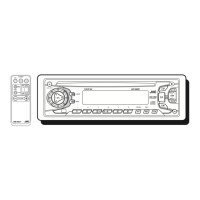
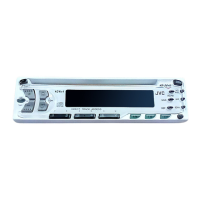
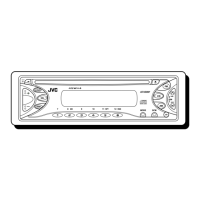
184 mm
53 mm
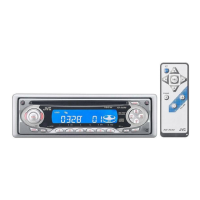
KD-S636
Installation/Connection Manual
Einbau/Anschlußanleitung
Manuel d’installation/raccordement
FRANÇAIS
•
Cet appareil est conçu pour fonctionner sur des sources de
courant continu de 12 volts à masse NEGATIVE seulement.
INSTALLATION
(MONTAGE DANS LE TABLEAU DE BORD)
•
L’illustration suivante est un exemple d’installation typique.
Cependant, vous devez faire les ajustements correspondant à
votre voiture particulière. Si vous avez des questions ou avez
besoin d’information sur des kits d’installation, consulter votre
revendeur d’autoradios JVC ou une compagnie
d’approvisionnement.
1
Vor dem Einbau: (Schalttafel-Freigabetaste) zum
Lösen der Schalttafel drücken.
2
Den Zierrahmen herausnehmen.
3
Die Schutzhülle nach dem Entriegeln der Schutzhüllensperren
abnehmen.
1 Das Gerät aufstellen.
Hinweis: Beim Aufstellen des Geräts darauf achten,
daß die Sicherung auf der Rückseite nicht beschädigt
wird.
2 Die beiden Griffe zwischen dem Gerät und der
Schutzhülle wie abgebildet einstecken und die
Schutzhüllensperren entriegeln.
3 Die Schutzhülle entfernen.
Hinweis: Sicherstellen, daß die Griffe für künftigen
Gebrauch nach dem Einbau des Geräts aufbewahrt
werden.
4
Die Schutzhülle im Armaturenbrett einbauen.
* Nach dem korrekten Einbau der Schutzhülle im
Armaturenbrett, die entsprechenden Riegel umknicken,
um die Schutzhülle an ihrem Platz zu sichern, siehe
Abbildung.
5
Die Befestigungsschraube an der Rückseite des
Gerätekörpers befestigen und das Ende der Schraube mit
einem Gummipuffer abdecken.
6
Die elektrischen Verbindungen wie umseitig in dieser
Anleitung erklärt ausführen.
7
Das Gerät in die Schutzhülle schieben, bis es einrastet.
8
Den Zierrahmen anbringen.
9
Die Schalttafel anbringen.
1
Avant le montage:
Appuyer sur (touche de libération
du panneau de commande) pour détacher le panneau de
commande.
2
Retirer la plaque d’assemblage.
3
Libérer les verrous du manchon et retirer le manchon.
1
Poser l’appareil à la verticale.
Remarque:
Lorsque vous mettez l’appareil à la verticale,
faire attention de ne pas endommager le fusible situé
sur le fond.
2
Insérer les 2 poignées entre l’appareil et le manchon
comme indiqué pour désengagé les verrous de manchon.
3
Retirer le manchon.
Remarque:
S'assurer de garder les poignées pour une
utilisation ultérieur, après l'installation de l'appareil.
4
Installer le manchon dans le tableau de bord.
* Après installation correcte du manchon dans le tableau
de bord, plier les bonnes pattes pour maintenir fermement
le manchon en place, comme montré.
5
Monter le boulon de montage sur l’arrière du corps de
l’appareil puis passer l’amortisseur en caoutchouc sur
l’extrémité du boulon.
6
Réalisez les connexions électriques expliquées au dos de
cette page.
7
Faire glisser l’appareil dans le manchon jusqu’à ce qu’il soit
verrouillé.
8
Fixer la plaque d’assemblage.
9
Remonter le panneau de commande.
1
Before mounting: Press (Control Panel Release
button) to detach the control panel.
2
Remove the trim plate.
3
Remove the sleeve after disengaging the sleeve locks.
1 Stand the unit.
Note: When you stand the unit, be careful not to damage
the fuse on the rear.
2 Insert the 2 handles between the unit and the sleeve, as
illustrated, to disengage the sleeve locks.
3 Remove the sleeve.
Note: Be sure to keep the handles for future use after
installing the unit.
4
Install the sleeve in the dashboard.
* After the sleeve is correctly installed in the dashboard,
bend the appropriate tabs to hold the sleeve firmly in place,
as illustrated.
5
Fix the mounting bolt to the rear of the unit’s body and place
the rubber cushion over the end of the bolt.
6
Do the required electrical connections explained on the back
of this instructions.
7
Slide the unit into the sleeve until it is locked.
8
Attach the trim plate.
9
Attach the control panel.
J
V
C
FSUN3039-T211S
[E]
Printed in Singapore
1197MNMMDWJES
EN, GE, FR
7
Trim plate
Zierrahmen
Plaque d’assemblage
*
Dashboard
Armaturenbrett
Tableau de bord
Sleeve
Schutzhülle
Manchon
4
5
4
1
2
3
Fuse
Sicherung
Fusible
8
9
Rubber cushion
Gummipuffer
Amortisseur en caoutchouc
Mounting bolt
Befestigungsschraube
Boulon de montage
DEUTSCH
• Dieses Gerät ist nur für einen Betrieb in elektrischen Anlagen
mit 12 V Gleichstrom und (–) Erdung ausgelegt.
EINBAU
(IM ARMATURENBRETT)
• Die folgende Abbildung zeigt einen typischen Einbau. Dennoch
müssen Sie entsprechend Ihrem jeweiligen Auto Anpassungen
vornehmen. Bei irgendwelchen Fragen oder wenn Sie
Informationen hinsichtlich des Einbausatzes brauchen, wenden
Sie sich an ihren JVC Autoradiohändler oder ein Unternehmen
das diese Einbausätze vertreibt.
ENGLISH
• This unit is designed to operate only on 12 volts DC, NEGATIVE
ground electrical systems.
INSTALLATION
(IN-DASH MOUNTING)
• The following illustration shows a typical installation. However,
you should make adjustments corresponding to your specific
car. If you have any questions or require information regarding
installation kits, consult your JVC IN-CAR ENTERTAINMENT
dealer or a company supplying kits.
6
See the back page for electrical
connections.
Siehe Rückseite für elektrische
Anschlüsse.
Voir le dos de cette page pour les
connexions électriques.
10



 To Next Page
 General