Turning off the AV source
1 Display the source/option selection
screen.
On the Home screen:
2 Turn off the AV source.
On the source/option selection screen (page 12):
• You can also use the pop-up function menu
(page 13).
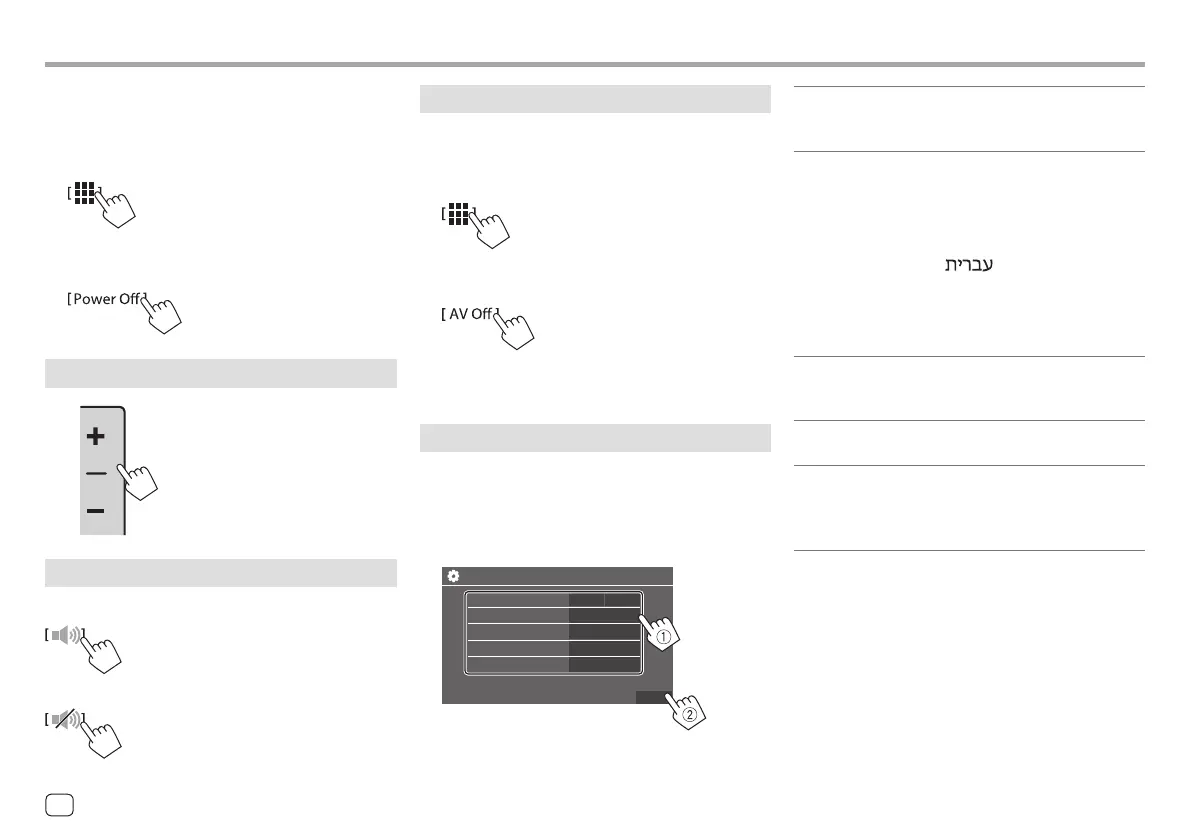
Initial settings
When you power on the unit for the first time or
initialise the unit, the <Initial Settings> screen
appears.
Perform the initial settings.
Initial Settings
Demonstration
Language
Rear Camera
User Customize
Finish
ON
English (UK)
Enter
Enter
Viewing Angle
Enter
OFF
Once completed, Home screen appears.
<Demonstration> (page 41)
• ON (Initial): Activates the display demonstration.
• OFF: Deactivates the display demonstration.
<Language> (page 43)
Select the text language used for on-screen
information.
• English (American English)/English (UK)(Initial)/
Español/Français/Deutsch/Italiano/Nederlands/
Русский/Português/
/Ελληνικά/Polski/
Čeština/Magyar
• GUI Language: Local (the language selected above)
(Initial)/English: Selects the language used for
displaying operation keys and menu items.
<Rear Camera> (page 42)
Make the settings to display the picture from the
connected rear view camera.
<User Customize> (page 40)
Change the display design.
<Viewing Angle> (page 42)
Select the viewing angle in relation to the monitor to
make the image on the screen easier to see.
• Under 0° (Initial)/5°/10°/15°/20°
Component Names and Basic OperationsComponent Names and Basic Operations
On the screen:
1 Display the source/option selection
screen.
On the Home screen:
2 Turn off the power.
On the source/option selection screen (page 12):
Adjusting the volume
You can adjust the volume (00 to
40) by pressing + to increase and
pressing – to decrease.
• When volume level is below 15,
holding + increases the volume
continuously to level 15.
Attenuating the sound
On the source control screen:
To cancel attenuation:
4 ENGLISH
00KWM785DBWEN.indb400KWM785DBWEN.indb4 2022/10/1715:112022/10/1715:11



 To Next Page
 Loading...






