EasyManua.ls Logo

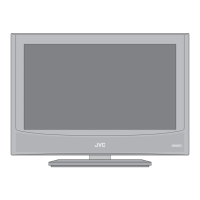
JVC LT-22HD32U - User Manual

JVC LT-22HD32U
196 pages
Print Icon
To Next Page IconTo Next Page
Loading...
LT-22HD32U
LED TV/DVD Combo
Operating Instructions
Manual de instrucciones
Manuale di istruzioni per l’uso
Mode d’emploi
Gebruiksaanwijzing
ESPAÑOL ENGLISHFRANÇAIS ITALIANO
NEDERLANDS

Table of Contents

Questions and Answers

  • A
    amberevansAug 3, 2025
    What to do if my JVC LT-22HD32U has no picture and no sound?
    • T
      Tasha HendersonAug 3, 2025
      First, ensure the TV is switched on and properly connected to the mains power outlet. Select the correct input mode. If the issue persists, unplug the unit for one minute, then plug it back in.
  • R
    Russell MurrayAug 8, 2025
    What to do if my JVC LT-22HD32U TV has no reception?
    • B
      Brandon PatrickAug 8, 2025
      First, make sure you have tuned in the TV stations. Try pressing '1' on the remote control. Also, check the antenna connection to ensure it is properly connected. Finally, confirm that the TV is powered on and not in standby mode.
  • A
    Arthur MyersAug 13, 2025
    Why does my JVC TV switch off with missing antenna input signal?
    • E
      Elizabeth BellAug 13, 2025
      This is normal behavior. The JVC TV is designed to automatically switch to standby mode 15 minutes after the antenna signal disappears. Also, ensure the unit is not set to AV mode by pressing '1' on the remote control.
  • M
    Michael FletcherAug 18, 2025
    What to do if my JVC LT-22HD32U playback picture has occasional distortion?
    • A
      Amanda Gonzalez MDAug 18, 2025
      The disc might be dirty. Eject the disc and clean it carefully. Note that a small amount of picture distortion can sometimes occur and does not necessarily indicate a malfunction.
  • L
    Laura WaltersAug 23, 2025
    What to do if my JVC TV image is blocky or stops intermittently?
    • D
      Daniel CooperAug 23, 2025
      Check all antenna connections to ensure they are secure. Try moving the antenna away from potential sources of interference. If the problem persists, consider using an antenna booster to improve the signal.
  • C
    Christine RoachAug 28, 2025
    How to start playback on JVC unit?
    • T
      Tony AllenAug 28, 2025
      First, ensure that a disc is inserted into the unit. If a disc is already inserted, make sure it is a playable disc and that it is inserted correctly, with the label side facing forward. If the disc is dirty, clean it. Finally, check and cancel the parental lock function or adjust the parental lock level if necessary.

Summary

Precautions

Important Warning

Critical safety advice regarding laser product hazards and operational safety.

Features

TV Features

Lists the television's display, tuner, and language capabilities.

DVD Player Features

Details playback capabilities for DVDs, music, and image files.

Important Safety Information

General Safety Precautions

Essential safety guidelines covering ventilation, power, handling, and environmental factors.

Stand Attachment & Dismantling

Instructions for safely attaching and removing the TV stand for use or wall mounting.

Location of Controls

Indicator and Control Descriptions

Identifies and explains the functions of the TV's physical buttons and indicators.

Remote Control Operation

Remote Control Button Functions

Details the purpose and page reference for each button on the remote control.

Antenna and Cable Connections

Port Descriptions

Details the function and location of various input/output ports on the TV's rear panel.

Initial Setup Procedures

Automatic Channel Setup

Guides users through the automatic tuning process for digital and analogue channels.

Channel Management

Manual Station Search

DVB-T System Details

DVB-T Reception & Quality

Information on DVB-T signal possibilities, quality, and potential interference.

Parental Control & EPG

Parental Lock Setup

Instructions for setting up and managing parental lock features and PIN codes.

Electronic Program Guide (EPG)

How to access and use the TV's electronic program guide for channel listings.

Picture Resolution & Quality

Broadcast Resolution Options

Table and explanation of supported resolutions for various broadcast media types.

Picture Format Settings

Picture Size Adjustment

How to select and adjust picture aspect ratios like Auto, 4:3, 16:9, Cinema, and Real.

Media Browser

Navigating Media Files

Instructions on connecting USB devices and browsing stored photos and music.

Media Playback Controls

Playback Operations

How to play, pause, stop, navigate, rotate, and control playback of media files.

Supported Media File Types

Disc Handling and Care

Disc Loading & Recognition

Information on compatible disc types, formats, and automatic recognition.

Disc Compatibility Details

Media File Playback

Details on playing image (JPEG) and audio (WMA, MP3) files from discs.

Playing Discs (DVD;Audio CD)

Basic Playback Controls

Instructions for playing, pausing, stopping, resuming, and removing discs.

Advanced Disc Playback

Slow Motion Playback

How to play discs in slow-motion mode.

Chapter & Scene Locating

Methods for navigating to specific chapters, tracks, or scenes on a disc.

Zoom & Language Options

Features for zooming video playback and changing soundtrack or subtitle languages.

Disc Navigation & Menus

Play Modes

Audio & Video Settings

Audio Settings Menu

Options for adjusting Equalizer, Audio DRC, and Dialog settings for enhanced sound.

Video Adjust Menu

Controls for fine-tuning picture settings like Sharpness, Brightness, Contrast, Gamma, Hue, and Chroma Level.

Parental Control Features

Accessing Parental Menu

How to navigate to the Parental Control settings within the menu structure.

Password Management

Procedures for setting, changing, and managing the parental control password.

PC and External Device Connection

Connecting Other AV Equipment

Troubleshooting Guide

TV Troubleshooting Issues

Solutions for common TV problems like no picture, no sound, or reception issues.

DVD Troubleshooting Issues

Solutions for common DVD playback problems such as distortion or failure to start.

Customer Service & Support

JVC LT-22HD32U Specifications

General IconGeneral
BrandJVC
ModelLT-22HD32U
CategoryTV
LanguageEnglish

Related product manuals