17
WPS Connection
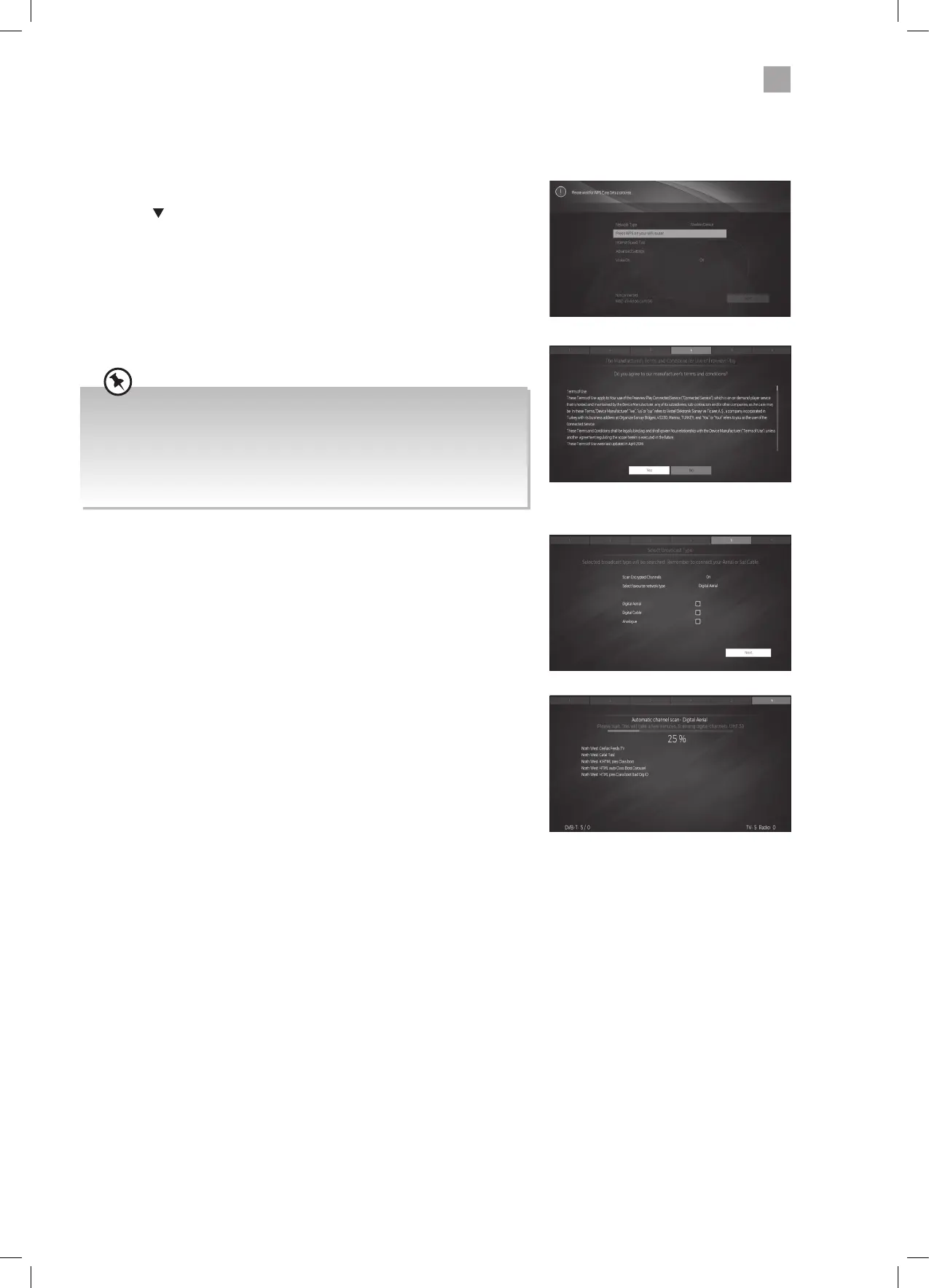
Rather than having to enter your Wireless password, you can select the WPS option. This will allow you to connect to your router
without a password once the WPS button is pressed on your router.
20. Select WIRELESS DEVICE.
21. Press the
button to highlight 'Press WPS on your wifi router' then press OK.
Now press the WPS button on your router and your TV will connect to your
router, without the use of a password.
22. To make sure you activate Freeview Play select YES and press OK.
23. To tune in your TV using the aerial connection press OK.
24. Your TV will now start automatic channel scan. It will tune in all available TV
channels.
If you View TV Through a Set Top Box
If you have attached a Set top box such as Sky/Virgin or BT via a HDMI
cable then un-tick Digital Aerial and select NEXT. This will mean your TV will
not try to tune any channels in. To view your set top box press the HOME
button, scroll to SOURCE and select the HDMI socket you have attached
your set top box to.
JVC 32' LED Smart HD TV LT-32C600 Manual.indd 17JVC 32' LED Smart HD TV LT-32C600 Manual.indd 17 23/12/2020 14:4123/12/2020 14:41



 To Next Page