EPG
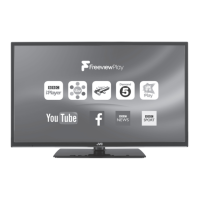
Using Freeview Play
To use Freeview Play your TV must be connected to the internet. You must also have installed Freeview Play and accepted the
Terms and Conditions.
Catch Up Services
1. Press the F Play button on
your remote control to access
Freeview Play.
The Freeview Page will appear on
screen. Here you can access all of
the carch up services.
2. Press the
/ to highlight
the catch up service that you
would like to enter and then
press OK.
Freeview Play 7 day Catch Up through the Programme Guide
You can view TV programmes 7 days back through the Programme Guide. Simply scroll back through the guide. Any programme
with an
next to it can be viewed.
1. Press the F Play button on your remote control to access the Programme
Guide.
2. Press the
/ to highlight the program that you wish to view.
Remember it has to have a
next to it to be available for playback.
3. Press the OK button the view the programme.
LT-32C660/661(A)_IB.indd 35 06/09/2016 18:11



 To Next Page