(Part 1)
HEAVY
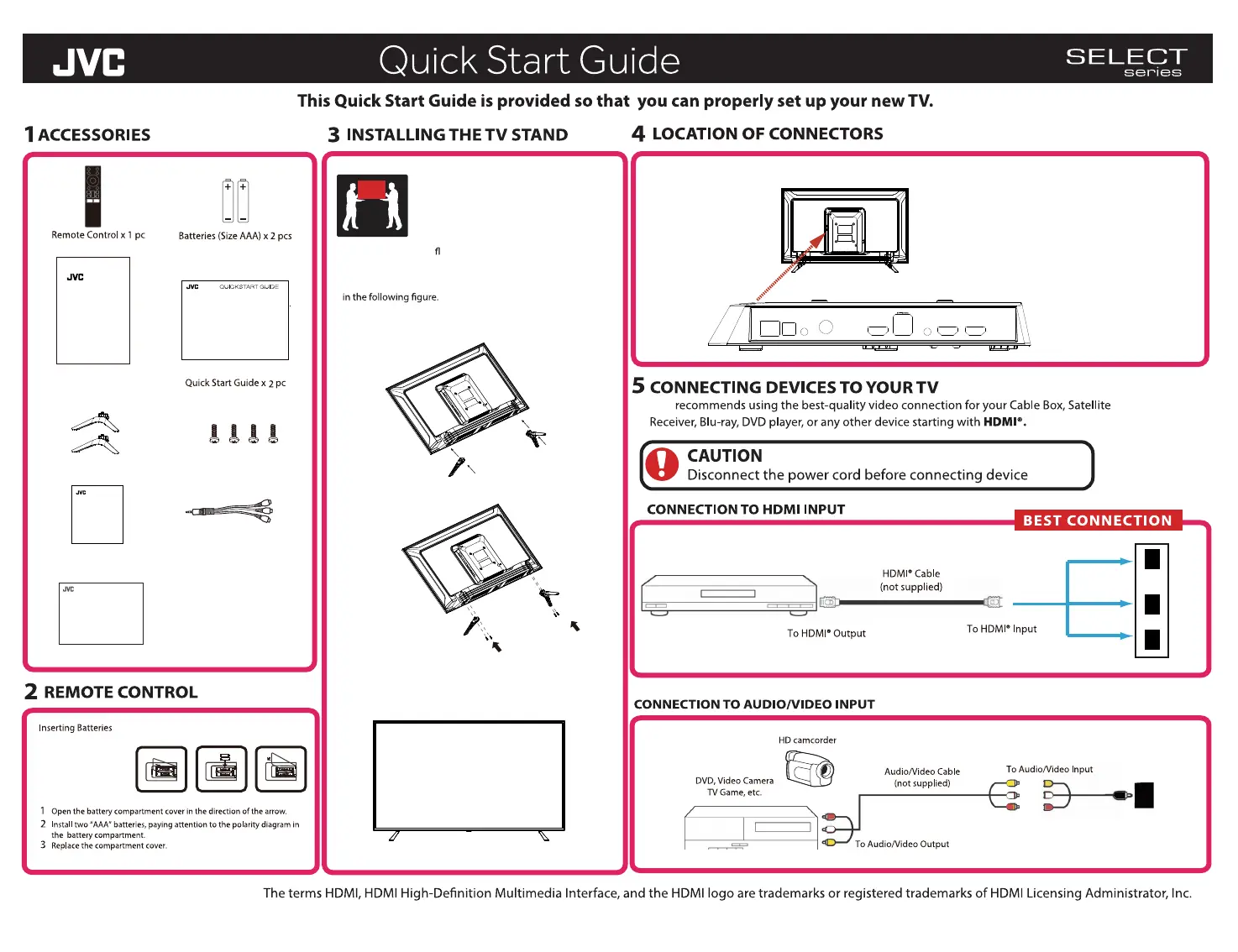
Lay the TV down on a at, stable suface so that you can install
the TV stands.
Attach the supplied stands to the bottom of the TV as shown
TV Rear View
Secure the Stands to the TV by using the supplied 4 screws
Supplied screws (M4 X15 PWB) x 4 pcs
After securing the Stands then you may stand the TV upright
to connect your devices.
Battery Compartment:
AV I
N
Supplied RCA-to-Mini AV Adapter
JVC
Warranty Card x 1pc
Screws(M4 X15 PWB) x 4 pcs
Stand Installation Guide x 1pc
STAND INSTALLATION GUIDE
Stands x 2 pcs
Operating Instructions x 1pc
RCA-to-Mini AV Adapter x 1 pc
USER MANUAL
H
HDMI 1 HDMI 2
I 2
HDMI 3
Note: The pictures are only for reference.
Warranty
LT-32EC3208
OPTICAL AV IN RF IN HDMI 3 LINE OUT HDMI 2 HDMI 1
LAN
(10/100)
USB 2.0



 To Next Page