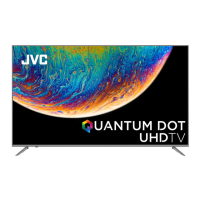
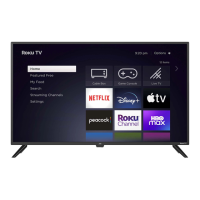
This document describes the JVC LT-55EC3508, a 55-inch television designed for home entertainment. It serves as a Quick Start Guide, providing essential information for setting up and using the TV.
Function Description:
The JVC LT-55EC3508 is a smart television capable of displaying high-definition video and connecting to various external devices. Its primary function is to provide a visual and audio entertainment experience, allowing users to watch broadcast television, stream content from the internet, and connect media players, gaming consoles, and other peripherals. The TV is designed for ease of setup, with clear instructions for physical installation and initial configuration. Its smart capabilities enable access to various applications when connected to the internet.
Important Technical Specifications:
- Model/Chassis: 55D2010 (1RT851A1ATA, chip name: RTD2851ESA)
- Sales Model: LT-55EC3508
- BOM/Batch: IDF153787E / E3-55D201D5-CD0
- Material Code: 70-55D2JV-QSGZ1
- Dimensions (Quick Start Guide): 260 x 200 mm (for the printed guide)
- Material (Quick Start Guide): 230g matte paper
- Printing (Quick Start Guide): Four-color, double-sided printing
- Connectivity:
- HDMI Inputs: Multiple HDMI ports (HDMI 1, HDMI 2 (ARC), HDMI 3) for high-definition video and audio connections. HDMI (High-Definition Multimedia Interface) is recommended for best quality.
- USB Ports: Two USB 2.0 ports (5V 500mA) for connecting USB devices.
- LAN Port: One LAN (10/100) port for wired internet connection.
- Antenna Input: One ANTENNA IN port for connecting an antenna or cable.
- SPDIF Output: One SPDIF (digital audio) output.
- Line Out: One LINE OUT port for audio output.
- AV In: One AV IN port for analog audio/video input, typically used with the supplied RCA-to-Mini AV Adapter.
- Power: AC Power Cable connection.
- Remote Control: Infrared remote control, requires 2x AAA batteries.
Usage Features:
- Easy Setup: The Quick Start Guide provides step-by-step instructions for initial setup, including:
- Accessory Identification: Lists and illustrates all included accessories such as remote control, batteries, TV stands, screws, operating instructions, quick start guide, warranty card, RCA-to-Mini AV adapter, stand installation guide, and AC power cable.
- TV Stand Installation: Detailed instructions for securely attaching the TV stands using the supplied screws. It emphasizes laying the TV down on a flat, stable surface during installation.
- Connector Location: A clear diagram showing the location of all input and output ports on the TV's rear panel.
- Device Connection: Guidance on connecting various devices, with a strong recommendation for HDMI connections for optimal quality. It includes diagrams for connecting HDMI devices, as well as analog audio/video devices using the RCA-to-Mini AV adapter. A caution is provided to disconnect the power cord before connecting devices.
- Antenna/Cable Connection: Instructions for connecting an antenna or cable, and how to select the appropriate input source using the remote control.
- Power Connection and Power On: Steps for connecting the AC power cord and powering on the TV using either the remote control or the power button on the TV itself. The power indicator light's behavior (red for standby, off for on) is explained.
- Initial Setup Wizard: A guided process for configuring initial settings such as environment, country/region, terms & conditions, channel installation, and final settings check. Users navigate this wizard using the remote control.
- Smart TV Capabilities: The TV is internet-ready, allowing access to applications (APPS) when connected to a home network.
- Internet Connection Options:
- Wired Connection: Requires an Ethernet cable, a router/modem with an available Ethernet port, and a high-speed internet connection. Instructions are provided for connecting the cable and configuring the TV via the Network menu.
- Wireless Connection: Requires a router broadcasting a high-speed wireless signal and a high-speed internet connection. Configuration is done through the Network menu.
- Remote Control Operation: Instructions for inserting batteries into the remote control, paying attention to polarity.
- Source Selection: Users can switch between different input sources (e.g., HDMI 1, AV IN) using the "SOURCE" button on the remote control.
Maintenance Features:
- User-Friendly Documentation: The Quick Start Guide is designed to be easily understood, aiding in proper setup and initial troubleshooting.
- Customer Support Information: The document indicates that the product is manufactured, distributed, serviced, and warranted by E & S International Enterprises, Inc., and provides the JVC SERVICE & TECHNICAL SUPPORT website (www.jvcproducts.com) for further assistance.
- Note on Pictures: The guide states that pictures are for reference only, implying that minor visual variations may exist between the guide and the actual product.
- Data Accuracy: A note on the first page advises that "资料由客户提供,如有误,请以业务客户审签资料为准。" (Information provided by the customer, if incorrect, please refer to the business customer's approval data.), suggesting a process for verifying information accuracy.

 Need help?

 To Next Page
 General