EasyManua.ls Logo

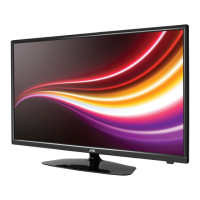
JVC LT-40A320 - User Manual

JVC LT-40A320
54 pages
Print Icon
To Next Page IconTo Next Page
Loading...
ATTENTION
ATTENTION
If you purchase a universal remote control from your local retailer, please contact the remote manufacturer for the
required programming code.
Si vous utilisez avec cet appareil une télécommande universelle (autre que celle vendue avec ce téléviseur),
consultez la documentation accompagnant la télécommande universelle afin de connaître le code numérique cor-
respondant au téléviseur.
AIR/CABLE MODE SELECTION
SÉLECTION DU MODE AIR/CABLE
When shipped from the factory, the Signal Type option is set to the “Cable” (Cable Television) mode.
If not using Cable TV, set this menu option to the Air” position.
Lorsque l’appareil sort de l’usine, l’option Signal Type est en mode « Cable » (câblodistribution). Si vous
n’utilisez pas la câblodistribution, sélectionnez l’option « Air ».
Before operating the unit, please read this manual thoroughly.
Avant de faire fonctionner l’appareil, veuillez lire le présent guide attentivement.
LT-40A320
IF CONTACT WITH CUSTOMER SERVICE IS REQUIRED
PLEASE HAVE THE MODEL NUMBER READY PRIOR TO THE CALL.
S’IL FAUT CONTACTER LE SERVICE CLIENTÈLE, PRENEZ SOIN D’ÊTRE MUNI
DU NUMÉRO DE MODÈLE AVANT D’APPELER.
CUSTOMER SERVICE – 1-800-289-0984
SERVICE/SERVICE CLIENTÈLE: 1-800-289-0984
FOR RECYCLING INFORMATION, PLEASE CONTACT CUSTOMER SERVICE.
POUR OBTENIR DES INFORMATIONS SUR RECYCLAGE, VEUILLEZ CONTACTER LE SERVICE CLIENTÈLE.
CUSTOMER SERVICE 1-800-289-0984
SERVICE/SERVICE CLIENTÈLE: 1-800-289-0984
(40” class/40.00 diagonal)
(40” classe/40,00 diagonale)
LCD TV
INSTRUCTIONS
MANUAL D’ INSTRUCTIONS
FRANÇAIS
ENGLISH
Please read the important
notice for energy efficiency
on page 8.
Veuillez lire l’avis important
d’efficacité énergétique à la
page 8.
J3LF0321A_EnFr.indb 1J3LF0321A_EnFr.indb 1 2/14/12 9:15:34 AM2/14/12 9:15:34 AM


Questions and Answers

  • S
    Samuel WatsonAug 21, 2025
    Why does my JVC LT-40A320 LCD TV have poor color?
    • M
      Michael WhiteAug 21, 2025
      If your JVC LCD TV has poor or no color, try tuning to another station in case the station or cable TV provider is experiencing problems. Also, make sure channels are set into memory. Check your picture control adjustments, antenna or cable TV connections (adjusting the antenna if needed), and look for any sources of possible interference.
  • A
    Amanda AllenAug 25, 2025
    Why does my JVC LCD TV have poor sound?
    • J
      John SmithAug 25, 2025
      If you're experiencing poor or no sound on your JVC LCD TV, the station or cable TV provider might be experiencing problems, so try tuning to another station. Check your TV's sound adjustments, ensuring the volume isn't too low or muted. Also, look for any sources of possible interference that could be affecting the sound quality.
  • E
    Elizabeth MaxwellAug 26, 2025
    What causes block noise on JVC LCD TV?
    • G
      gnelsonAug 26, 2025
      Weak signals or interference from automobile ignition systems, neon lamps, or AC powered tools and appliances can cause block noise or picture freeze on your JVC LCD TV.
  • L
    langtimothyAug 27, 2025
    Why my JVC LCD TV does not operate?
    • J
      Jennifer WilsonAug 28, 2025
      If your JVC LCD TV isn't working, ensure the power cord is securely plugged in. If it is, try a different AC outlet. Also, check your fuse or circuit breaker. As a last resort, unplug the unit for one hour, and then plug it back in.
  • M
    Michael BurnsAug 30, 2025
    What to do if my JVC LCD TV remote is not working?
    • S
      seanmcguireAug 30, 2025
      If your JVC LCD TV remote isn't working, first replace the batteries, as they may be weak, dead, or inserted incorrectly. Then, move closer to the TV, staying within 15 feet. Ensure the remote is aimed at the sensor on the TV and that there are no obstructions between the remote and the TV. Finally, make sure the TV's power cord is plugged in.
  • R
    Ryan HortonSep 1, 2025
    Why does my JVC LCD TV shut off by itself?
    • C
      Casey HartmanSep 1, 2025
      Your JVC LCD TV might be shutting off because the Sleep Timer is set, or the power has been interrupted.
  • S
    sarah81Sep 3, 2025
    How to fix poor reception on JVC LT-40A320 LCD TV?
    • T
      Travis StewartSep 3, 2025
      If you're experiencing poor reception on some channels with your JVC LCD TV, try tuning to another station in case the current station or cable TV provider is having issues. Make sure the channels are set into memory. If a station is weak, adjust the antenna to improve reception. Additionally, check for any sources of possible interference.
  • K
    Keith PenaSep 5, 2025
    How to fix no CATV reception on JVC LT-40A320 LCD TV?
    • H
      Heather MannSep 5, 2025
      If you're not getting any CATV reception on your JVC LCD TV, check all Cable TV connections. Then, set the Signal Type menu option to the Cable mode. If the problem persists, try another station, as the current station or the Cable TV system might be experiencing problems.
  • A
    Amy MartinSep 7, 2025
    How to fix closed caption on JVC LT-40A320?
    • A
      Alexander RichardsonSep 8, 2025
      If closed caption is not working on your JVC LCD TV, try another channel in case the TV station is experiencing problems or the program you're watching is not closed captioned. Check the Cable TV connection or VHF/UHF antenna, repositioning or rotating the antenna. Finally, set the closed caption decoder in the menu.
  • K
    Kyle StaffordSep 9, 2025
    How to fix horizontal bars on JVC LT-40A320 screen?
    • A
      Ashley JenkinsSep 10, 2025
      If you're seeing horizontal or diagonal bars on your JVC LCD TV screen, check the antenna connections and adjust or re-direct the antenna. Also, check for any sources of possible interference.

Summary

Air;Cable Mode Selection

Customer Service Contact Information

Customer Service Support Number

Primary contact phone number for customer assistance and inquiries.

General Safety Warnings

Electrical Safety Precautions

Details risks of electric shock and precautions for safe operation.

Fire & Moisture Hazard Warnings

Outlines warnings against fire and moisture exposure for the appliance.

FCC Compliance Statement

Declaration of Conformity

Model and Serial Number Recording

Important Safety Instructions

General Safety Guidelines

Provides essential safety instructions for operating the appliance safely.

Electrical Safety & Grounding

Details electrical safety measures and antenna grounding requirements.

Child Safety Guidelines

Safe Furniture Placement Advice

Advises on safe placement of the TV to prevent tip-overs and injuries.

Wall Mounting Safety Guidelines

Provides guidelines for secure wall mounting of the flat panel display.

Safety Precautions & Panel Handling

Condensation & LCD Panel Handling

Addresses condensation risks and proper handling of the LCD panel to prevent damage.

Ventilation & Placement Safety

Details ventilation requirements and safe placement to prevent overheating.

Attaching the TV Stand

Stand Attachment Steps

Step-by-step guide for securely attaching the TV stand.

Removing the TV Stand

Stand Removal Steps

Instructions for safely removing the TV stand.

Product Features Overview

Key Product Features

Lists key features like digital tuner, closed caption, picture adjustments, and sleep timer.

Power Source Connection

AC Power Connection Guide

Explains how to connect the TV to the AC power outlet safely.

Logos and Licenses

TV Parts and Functions

Front & Side Controls Overview

Identifies buttons and indicators on the front and left side of the TV.

Rear & Side Panel Connections

Details input/output jacks on the rear and left side panels.

Remote Control Guide

Remote Control Button Functions

Explains the function of each button on the remote control.

Battery Installation & Precautions

Guides on installing batteries and safety measures for remote control usage.

Antenna and Cable Connections

VHF;UHF Antenna Connection

Instructions for connecting a combination VHF/UHF antenna.

Cable TV Connection Types

Basic Cable Connection

How to connect for basic cable TV without a converter box.

Scrambled Cable Connection

Steps for connecting with a cable TV converter/descrambler box.

Connecting External Equipment

VCR Connection Guide

Diagram and instructions for connecting the TV to a VCR.

DVD Player Connection Guide

How to connect a DVD player with component video input for high quality.

PC Connection Guide

PC Video & Audio Setup

Instructions for connecting a PC using VGA or HDMI cables.

Audio System Connection

Audio System Connection Diagram

How to connect an AV amplifier and speakers for surround sound.

HDMI;DVI Device Connection

HDMI;DVI Connectivity Notes

Explains connecting HDMI or DVI devices and audio output considerations.

Initial TV Setup

Auto Setup Process Guide

Guide to the initial TV setup for channels and settings.

Basic TV Operation

Selecting Input Sources

How to switch between different input sources like TV, Video, HDMI, PC.

Quick Menu Operation Guide

Navigating TV Menus

How to access and operate the TV's on-screen menu system for settings.

Sleep Timer Functionality

How to set the TV to turn off automatically after a specified time.

Convenience Functions Menu

Picture Settings Adjustment

Details how to adjust picture preference, color, brightness, and other visual settings.

Audio Settings & Options

Explains how to adjust sound quality, volume, audio language, and speakers.

Channel Management Features

Covers adding/deleting channels, auto memory, and channel labeling.

Setup & Lock Functions

Instructions for setting up options like Closed Caption, Video Label, On Timer, and PC Standby.

Channel Memory Setup

Air;Cable Signal Type

How to set the TV for Air or Cable reception.

Automatic Channel Search

Guides on performing an automatic scan for available channels.

Add;Delete Channels

How to manage channels in the TV's memory by adding or skipping them.

Digital Signal Strength Check

Digital Signal Strength Meter

How to check the signal strength for digital channels.

Channel Labeling

Custom Channel Naming

How to assign custom names (up to four characters) to channels.

Video Input Labeling

Renaming Input Sources

How to label various video input sources for easier identification.

V-Chip Parental Control Setup

Register V-Chip Password

Steps to set up a password for the V-Chip parental control system.

Configure V-Chip Ratings

How to set TV and Movie rating limits for content restriction.

Download V-Chip Rating System

How to download updated rating systems for V-Chip.

Closed Captioning Setup

Enable Closed Captions

How to turn on and select modes for displaying closed captions.

Advanced Caption Settings

Customizing digital caption appearance like text size, color, and opacity.

Picture Size Settings

Picture Size Options Explained

Explains various picture size modes like Natural, Cinema Wide, Full, and Native.

Time Shift Functionality

Using the Time Shift Feature

How to record and pause live TV programs using a USB memory drive.

USB Drive Requirements for Time Shift

Specifications and preparation for USB drives used with Time Shift.

Reception Disturbances Explained

Common Interference Types

Describes common TV signal interference like Ignition, Ghosts, Snow, and RFI.

Care and Maintenance

Cleaning and Care Instructions

Guidelines for cleaning the TV cabinet and parts safely.

Troubleshooting Common Issues

TV Problems and Solutions

A checklist of symptoms and their possible solutions for TV issues.

JVC Service and Support

Customer Service Contact Details

Provides contact information for customer service and warranty support.

Product Specifications

General TV Specifications

Lists detailed technical specifications of the TV, including power, dimensions, and display.

Ports and Accessories

Details the available ports, speakers, and included accessories.

JVC Limited Warranty Information

Warranty Terms and Conditions

Outlines the warranty period, coverage, and exclusions for the product.

Warranty Void Conditions

Lists conditions under which the product warranty becomes void.

JVC LT-40A320 Specifications

General IconGeneral
Screen Size40 inches
Display TypeLCD
Backlight TypeLED
Smart TVNo
HDMI Ports3
USB Ports1
Wi-FiNo
EthernetNo
Aspect Ratio16:9
Refresh Rate60 Hz
Built-in TunerYes
Resolution1920 x 1080

Related product manuals