EasyManua.ls Logo

JVC LT-42G20 - User Manual

JVC LT-42G20
24 pages
Print Icon
To Next Page IconTo Next Page
Loading...
INSTRUCTIONS
LT-24G20
LT-42G20
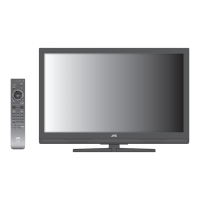
LCD TV
3FC0601A_EN.indd 13FC0601A_EN.indd 1 2/15/11 4:50:05 PM2/15/11 4:50:05 PM

Questions and Answers

  • S
    smithgeorgeAug 6, 2025
    What to do if my JVC LT-42G20 LCD TV has no picture and no sound?
    • R
      Richard JohnsonAug 6, 2025
      If your JVC LCD TV shows no picture and emits no sound, try the following: Ensure the TV is switched on and properly connected to the mains power outlet. Select the correct input mode. You can also try unplugging the unit for one minute, then plugging it back in. Press 1 on the remote control to ensure that the unit is not set to AV mode. Also, connect or try another antenna.
  • W
    William GuerraAug 11, 2025
    Why are the colors wrong on my JVC LT-42G20 LCD TV?
    • K
      kristy78Aug 11, 2025
      Color and brightness errors can occur if the viewing angle or ambient air temperature (see technical specifications) are exceeded.
  • J
    Jennifer TranAug 16, 2025
    What to do if the channel option cannot be selected on my JVC LCD TV?
    • S
      stephaniekelleyAug 16, 2025
      The unit might be set to AV mode. Try pressing '1' on the remote control.
  • B
    burnssheilaAug 21, 2025
    Why does my JVC LT-42G20 automatically go to standby mode?
    • E
      erichuangAug 21, 2025
      Your JVC LCD TV might be going into standby mode because, as a normal function, the set will change to standby mode 15 minutes after the antenna or external input signal has disappeared (or after 2 minutes in PC input mode).
  • T
    Tonya FlemingAug 26, 2025
    How to fix no reception on my JVC LT-42G20 with built-in tuner?
    • M
      Michelle LeeAug 26, 2025
      Make sure the antenna is connected properly. If the problem continues, try using a different antenna.
  • E
    Elizabeth MitchellAug 31, 2025
    Why does my JVC LT-42G20 switch off when the antenna or external input signal is missing?
    • P
      Peter HamiltonAug 31, 2025
      This is normal behavior. Your JVC LCD TV is designed to enter standby mode 15 minutes after the antenna or external input signal is lost (or after 2 minutes in PC input mode).

Summary

Safety Precautions

Headphone Warning

Warns about loud music damaging hearing during extended listening periods.

LCD Screen Adverse Effects

Explains permanent image retention on LCD screens from fixed patterns.

Saving Electricity Tips

Guides on adjusting backlight brightness for energy saving and viewing comfort.

Attaching the TV Stand

Dismantling the Base

Instructions for removing the TV base for wall mounting purposes.

TV Controls and Indicators

Indicator and Control Descriptions

Explains the function of buttons, indicators, and sensors on the TV unit.

Remote Control Operation

Remote Control Battery Installation

Step-by-step guide for inserting batteries into the remote control.

Remote Control Range Guidelines

Provides information on the optimal distance and angle for remote operation.

TV Setup and Configuration

Automatic TV Tuning

Guides on initiating the automatic channel scanning and storage process.

Menu Navigation and Input Selection

Explains how to use the menu system and select input sources.

Language and Channel Setup

On-Screen Language Selection

Procedure for setting the TV's on-screen display language.

Channel Setup Procedures

Covers channel tuning, locking, and management functions.

Basic TV Operations

Channel Management

Covers channel selection, list viewing, and information display.

Media Playback Controls

Manages picture display, muting, and still picture functions.

Teletext Functionality

Explains Teletext, Fastext, page selection, and enlargement features.

Analogue TV Reception

Picture Format Adjustment

Options for setting the TV display aspect ratio for optimal viewing.

Advanced Convenience Functions

Picture Settings Customization

Adjusts picture modes, color temperature, and noise reduction.

Sound Settings Customization

Configures sound modes, equalizer, and surround sound effects.

Additional TV Settings

PC and HDMI Connectivity

Configures TV for PC input and selects HDMI signal modes.

Power Management and Display

Controls screen display duration, auto power off, and LED indicator.

System Reset and Defaults

Restores all TV settings to their original factory defaults.

Media Playback Features

Navigating the Media Menu

Guides on accessing and browsing files from USB storage.

Picture Slideshow Playback

Picture Playback Controls

Steps for playing, stopping, timing, and selecting modes for picture slideshows.

Music and Movie Playback

Media File Playback Functions

Steps for playing, stopping, and selecting modes for music and movie files.

PC Connection Guide

Selecting PC Input Source

How to select and configure the PC input source on the TV.

HDMI Device Connectivity

HDMI Signal Selection

Procedure for selecting the appropriate signal mode for HDMI devices.

External Equipment Connections

Connecting AV Receivers and VCRs

Guides for connecting receivers, set-top boxes, and VCRs using AV cables.

Connecting Video Cameras and Game Consoles

Instructions for connecting video cameras and game consoles via AV input.

Audio and Video Device Connections

Connecting DVD Players via Component

Steps for connecting DVD players using component video outputs.

Connecting to Audio Systems

Instructions for outputting TV sound to external stereo equipment.

Troubleshooting and Licensing

TV Troubleshooting Guide

Provides solutions for common TV problems like no picture or sound.

Software and HDMI License Information

Details on HDMI trademarks and included open source software licenses.

JVC LT-42G20 Specifications

General IconGeneral
Screen Size42 inches
Display TypeLCD
Aspect Ratio16:9
HDMI Ports3
USB Ports1
Weight14.2 kg
Response Time6.5 ms
Resolution1920 x 1080 pixels
Input PortsComponent, Composite, VGA
Sound Output10W x 2

Related product manuals