10
Dansk
Afspilning af et bånd
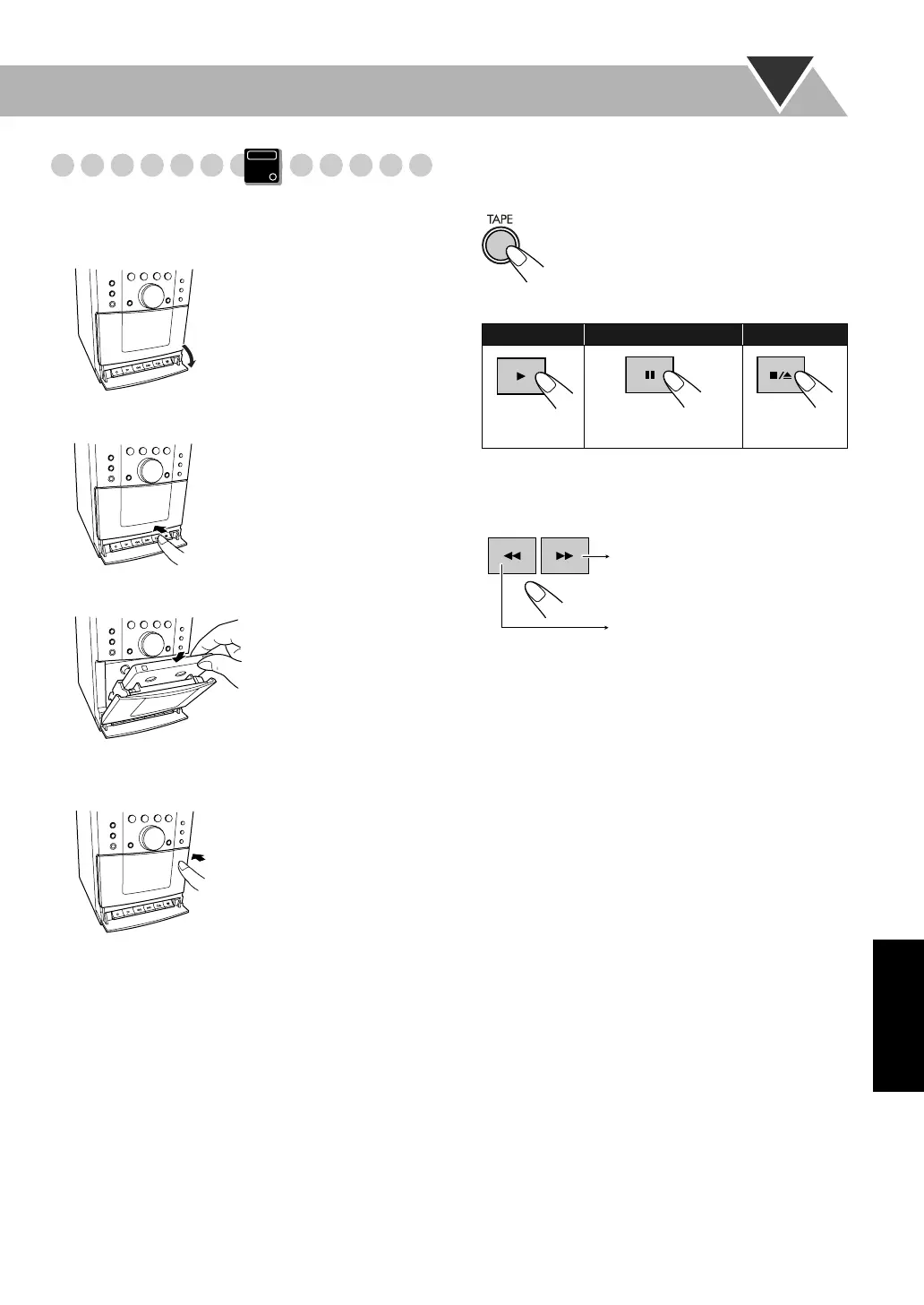
Indsætning af et bånd
Der kan afspilles bånd af type I.
• For at tage båndet ud, trykkes på v for at åbne
kassettebåndoptageren.
Afspilning af et bånd
1 Vælg “TAPE” som kilde.
2 Starter afspilningen.
For at finde en bestemt del
Under afspilning af et bånd...
Du starter igen ved at trykke på 3.
Main Unit
ONLY
1 Åbn dækslet.
2 Tryk på v.
3 Sæt ind.
Med båndsiden nedad
4 Luk.
For at starte: Stands midlertidigt: Stands:
Du frigiver ved at
trykke en gang til.
Spol båndet frem.
Spol båndet tilbage.
DA_UX-G100[EN].book Page 10 Thursday, July 3, 2008 10:42 AM




 To Next Page