MX-GT98V/MX-GT95V/MX-GT88V
MX-GT85V/MX-G78V/MX-G75V
1-11
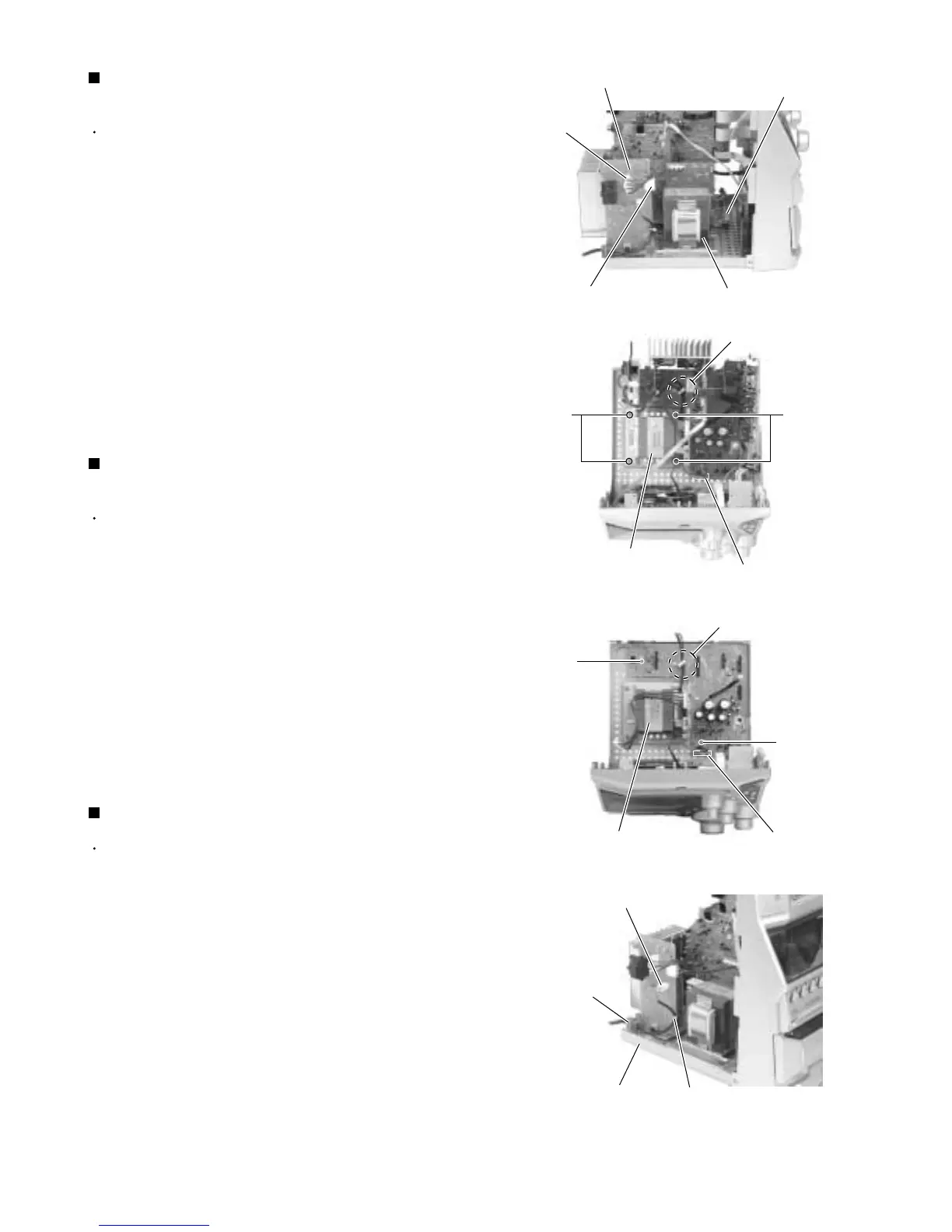
Prior to performing the following procedure, remove
the metal cover, the CD changer mechanism
assembly and the rear panel.
Disconnect the wires from connector CN218 and
CN219 on the power board.
Disconnect the wire from connector CN204 on the
regulator board.
Release the wire from the stopper on the regulator
board.
Remove the four screws L attaching the transformer
assembly.
1.
2.
3.
4.
Removing the power transformer
assembly (See Fig.23 and 24)
Prior to performing the following procedure, remove
metal cover, CD changer mechanism assembly, rear
panel, antenna board, main board, amplifier board,
voltage board, power board and speaker board.
Disconnect the wire from connector CN204 on the
regulator board.
Release the wire from the stopper on the regulator
board.
Remove the two screws M attaching the regulator
board.
1.
2.
3.
Removing the regulator board
(See Fig.25)
Prior to performing the following procedure, remove
the metal cover, the CD changer mechanism
assembly and the rear panel.
Disconnect the wire from connector CN250 on the
power board.
Remove the wire clamp from the power board.
Move the power cord stopper upward and pull out it
from the base chassis.
1.
2.
3.
Removing the power cord (See Fig.26)
Fig.23
Fig.24
Fig.25
Fig.26
CN219
Regulator board
CN204
Power transformer assembly
Power transformer
assembly
Regulator board
CN204
LL
M
M
Power transformer assembly
Power board
CN218
Stopper
Regulator board
CN204
Stopper
Power board
CN250
Power cord stopper
Wire clamp
Base chassis


 To Next Page
 Loading...