– 7 –
English
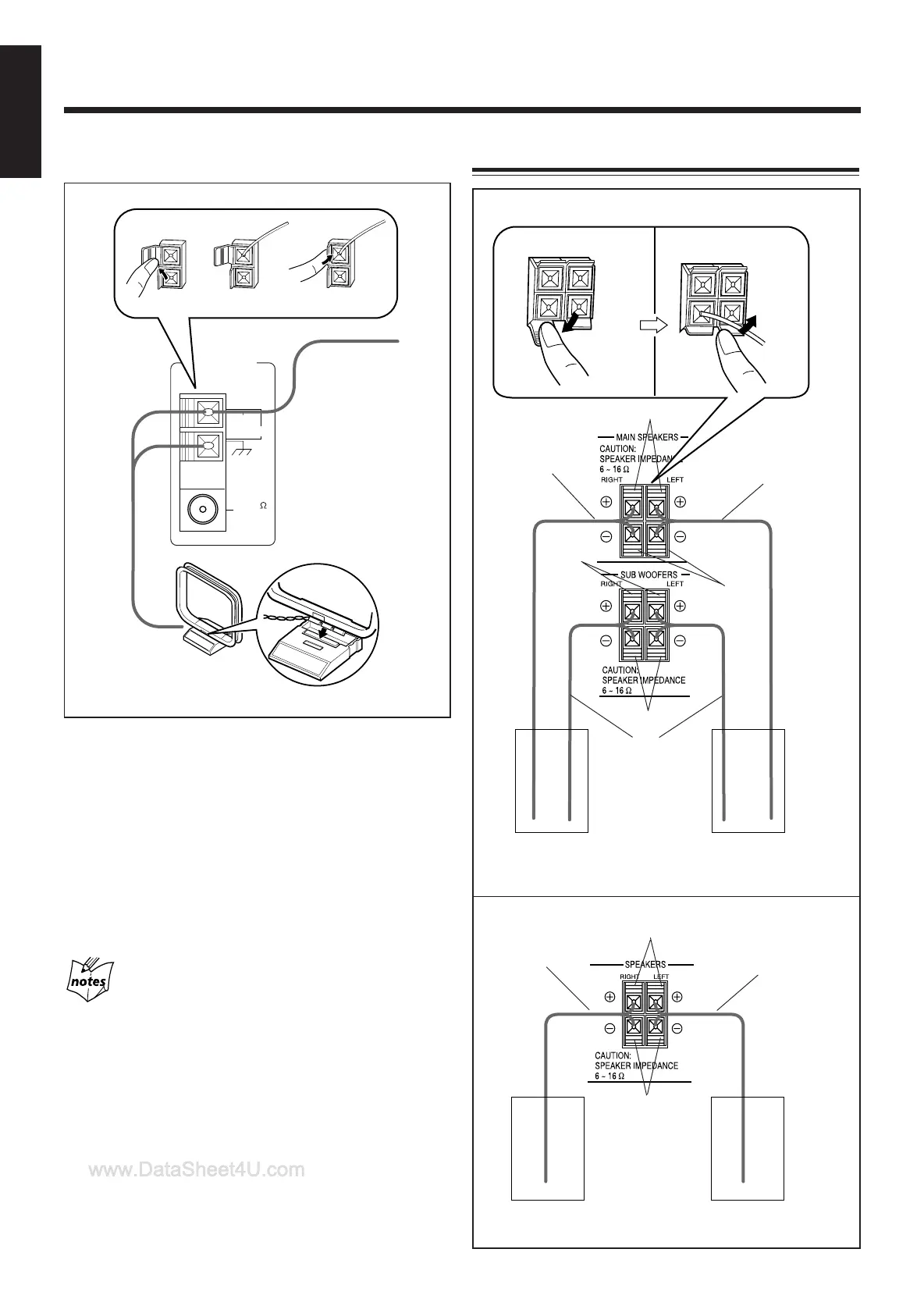
1 Connect the AM loop antenna to the AM
LOOP terminals as illustrated.
2 Turn the AM loop antenna until you have the
best reception.
To connect an outdoor AM antenna
When reception is poor, connect a single vinyl-covered wire
to the AM EXT terminal and extend it horizontally. (The AM
loop antenna must remain connected.)
For better reception of both FM and AM
• Make sure the antenna conductors do not touch any other
terminals and connecting cords.
• Keep the antennas away from metallic parts of the unit,
connecting cords, and the AC power cord.
AM antenna
Vinyl-covered wire
(not supplied)
AM loop antenna
(supplied)
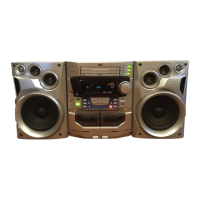
Connecting Speakers
Blue
Speaker
cord
(blue/black)
1
2, 3
COAXIAL
ANTENNA
AM LOOP
FM 75
AM EXT
2
3
1
To right
speaker
To left
speaker
Black
Black
Red
Speaker cord
(red/black)
Speaker
cord
(blue/black)
FOR MX-J700
To right
speaker
To left
speaker
Black
Red
FOR MX-J506/MX-J500
Speaker
cord
(red/black)
Speaker
cord
(red/black)
EN01-12.MX-J500/506/700[C]/1 00.1.8, 7:56 PM7


 To Next Page