EN
Battery handling and usage
• Only adults should handle battery. Do not allow a child to use this apparatus
unless the battery cover is securely attached to the unit.
• The battery type used in the unit is 2 x 1,5V AAA size batteries (not included)
which are accessible and can be replaced.
• Remove the battery cover located at the bottom of the unit to remove
the batteries.
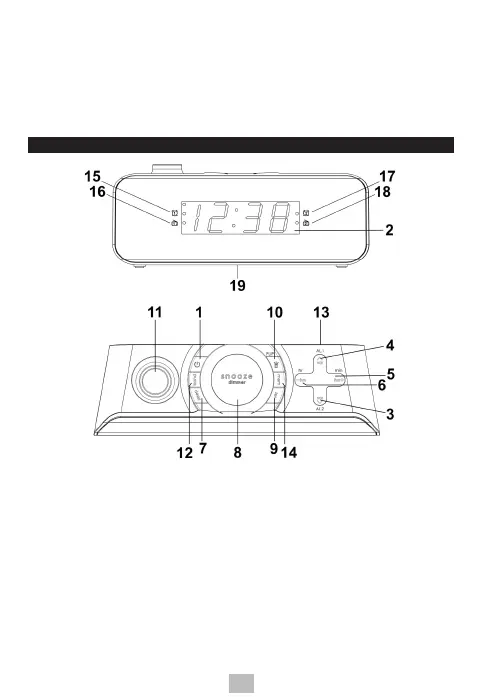
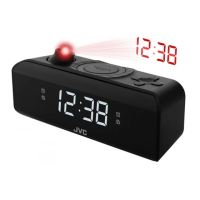
PRODUCT OVERVIEW AND CONTROL BUTTONS
1. POWER button
2. LED Display
3. vol / AL2 button
4. vol / AL1 button
5. tun + / min button
6. tun - / hr button
7. sleep button
8. snooze/dimmer button
9. set button
10. Projection On/Flip/Off button
11. Projector Lens
12. band (AM/FM selector) button
13. Speaker
14. mem (Preset radio station) button
15. Alarm 1 buzzer indicator
16. Alarm 1 radio indicator
17. Alarm 2 buzzer indicator
18. Alarm 2 radio indicator
19. Battery Cover


 To Next Page