EasyManua.ls Logo

JVC TK-1280E - Page 36

JVC TK-1280E
82 pages
Print Icon
To Next Page IconTo Next Page
To Previous Page IconTo Previous Page
Loading...
TK-1280E/-1180E/-1281EG
|
1.
Presetting
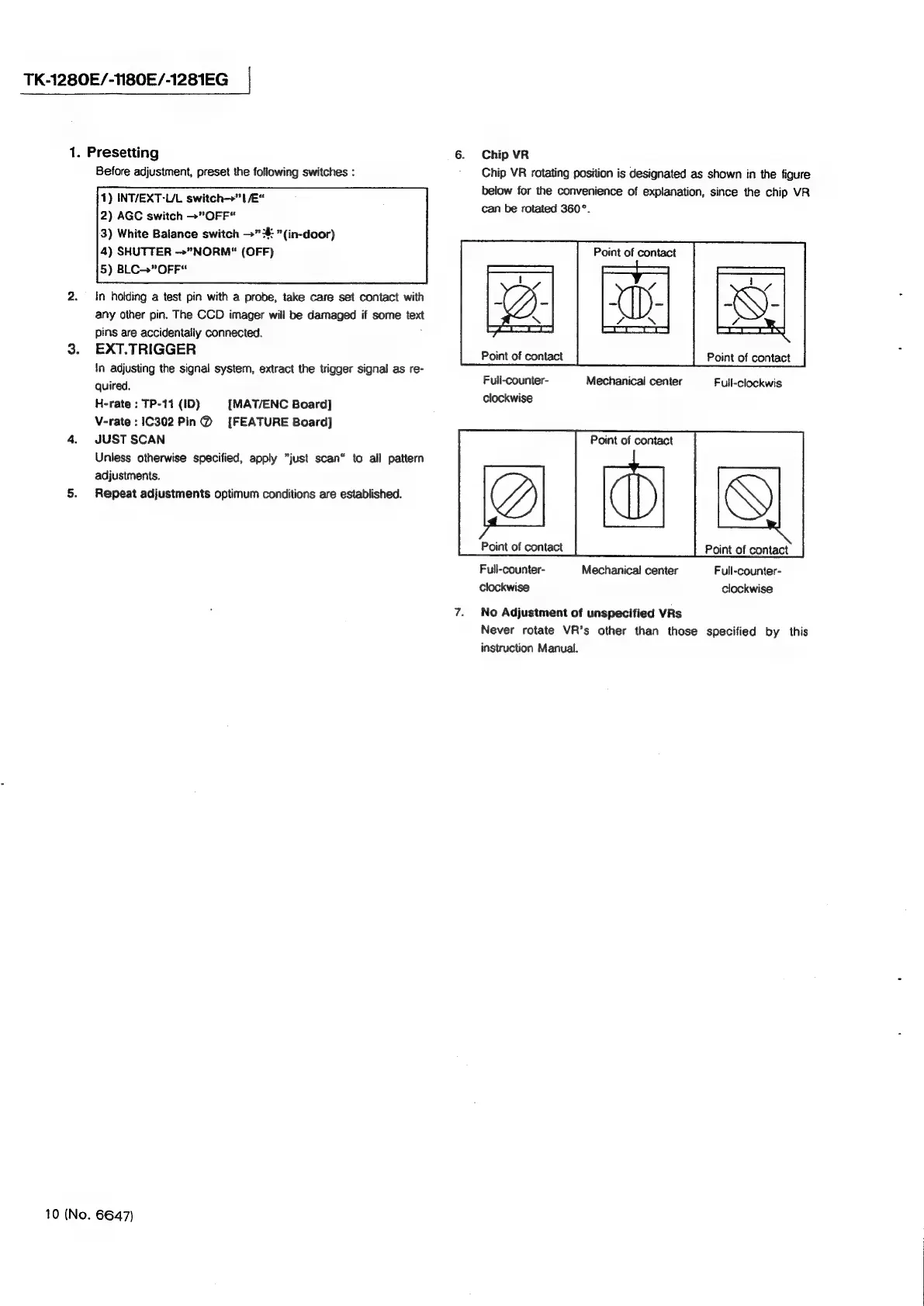
6.
Chip
VR
Before
adjustment,
preset
the
following
switches
:
Chip
VR
rotating
position
is
designated
as
shown
in
the
figure
below
for
the
convenience
of
explanation,
since
the
chip
VR
can
be
rotated
360°.
1)
INT/EXT-U/L
switch—>”
1
/E“
2)
AGC
switch
>”
OFF“
3)
White
Balance
switch
>”:#:
"(in-door)
Point
of
contact
4)
SHUTTER
"NORM"
(OFF)
5)
BLC->”
OFF“
2.
In
holding
a
test
pin
with
a
probe,
take
care
set
contact
with
any
other
pin.
The
CCD
imager
will
be
damaged
if
some
text
pins
are
accidentally
connected.
3.
EXT.TRIGGER
\n
adjusting
the
signal
system,
extract
the
trigger
signal
as
re-
Point
of
contact
Point
of
contact
quired.
Full-counter-
Mechanical
center
Full-clockwis
H-rate
:
TP-11
(ID)
[MAT/ENC
Board]
clockwise
V-rate
:1C302
Pin@
[FEATURE
Board]
4.
JUST
SCAN
Point
of
contact
Unless
otherwise
specified,
apply
"just
scan“
to
all
pattern
adjustments.
5.
Repeat
adjustments
optimum
conditions
are
established.
Point
of
contact
Point
of
contact
Full-counter-
Mechanical
center
Full-counter-
clockwise
clockwise
7.
No
Adjustment
of
unspecified
VRs
Never
rotate
VR’s
other
than
those
specified
by
this
instruction
Manual.
10
(No.
6647)