EasyManua.ls Logo

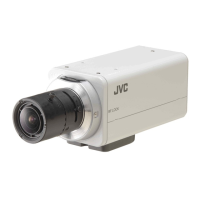
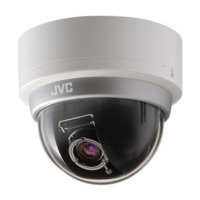
JVC VN-H237 - User Manual

JVC VN-H237
108 pages
Print Icon
To Next Page IconTo Next Page
Loading...
1
IP Camera API GUIDE
VN-H37/137/237/237VP
VN-H57/157WP/257/257VP
This document provides information of protocol and API of JVC new IP cameras,
VN-H series.
Specifications subject to change without notice.
2012.06.29. (V4.00)
© 2012 JVC KENWOOD Corporation
Question and Answer IconNeed help?

Do you have a question about the JVC VN-H237 and is the answer not in the manual?

Summary

Streaming Protocol

JVC Protocol: JPEG Streaming

Steps to establish connection and send API requests for JPEG streaming.

2.1. Basic Procedures

Steps to establish connection and send API requests for JPEG streaming.

2.2. API Format Structure

Defines the structure of API requests for JPEG streaming, including parameters.

2.3. Response

Explains the camera's response to JPEG streaming API requests.

2.4. Restrictions

Details access and bitrate limitations for JPEG streaming.

2.5. JPEG File Format Sent Out by the camera

Describes the JFIF compliant format of JPEG files sent by the camera.

JVC Protocol: H.264 Streaming

3.1. Basic Procedures

Steps to establish connection and send API requests for H.264 streaming.

3.2. API Format Structure

Defines the structure of API requests for H.264 streaming, including parameters.

3.3. Response

Explains the camera's response to H.264 streaming API requests.

3.4. Restrictions

Details access restrictions for H.264 streaming.

3.5. H.264 Stream Format Send Out by the camera

Describes the format of H.264 streams sent by the camera.

JVC Protocol: MPEG-4 Streaming

4.1. Basic Procedures

Steps to establish connection and send API requests for MPEG-4 streaming.

4.2. API Format Structure

Defines the structure of API requests for MPEG-4 streaming, including parameters.

4.3. Response

Explains the camera's response to MPEG-4 streaming API requests.

4.4. Restrictions

Details access restrictions for MPEG-4 streaming.

4.5. MPEG-4 Stream Format Send Out by the camera

Describes the format of MPEG-4 streams sent by the camera.

RTSP;RTP

5.1. URI

Specifies the Uniform Resource Identifiers (URIs) for RTSP connections to the camera.

5.2. JPEG

Details JPEG streaming over RTP, including frame rate requests.

5.3. H.264

Details H.264 streaming over RTP.

API to Search Camera

Using API that Requires Basic Authentication

7.1. Procedure

Outlines the procedure for API calls requiring authentication, including header formats.

7.2. Getting Parameter

Details how to retrieve camera parameters using GET requests with specific API formats.

7.3. Setting Parameter

Details how to configure camera parameters using GET requests with specific API formats.

JVC API for Camera

Getting Camera ID

Retrieves the camera's identifier, stored in the JPEG comment segment.

Setting Camera ID

Modifies the camera's identifier, stored in the JPEG comment segment.

Getting Current Scene File Number

Acquires the current scene file number, representing a set of preset parameters.

Getting Preset Data of Scene File

Retrieves detailed preset data for a specified scene file, including various image settings.

Loading;Saving;Initializing Scene File

Manages scene file settings, allowing loading, saving, and initialization to defaults.

Getting Current Scene File Name

Acquires the name of the current scene file.

Getting Auto Exposure Reference of a Scene File

Acquires the auto exposure reference setting for a scene file.

Setting Auto Exposure Reference of a Scene File

Configures the auto exposure reference setting for a scene file.

Getting Color Level of a Scene File

Acquires the color level setting for a scene file, affecting image color intensity.

Setting Color Level of a Scene File

Configures the color level setting for a scene file, affecting image color intensity.

Getting Enhance of a Scene File

Acquires the image enhancement (sharpness) setting for a scene file.

Setting Enhance of a Scene File

Configures the image enhancement (sharpness) setting for a scene file.

Getting 3 DDNR of a Scene File

Acquires the 3D Digital Noise Reduction setting for a scene file.

Setting 3 DDNR of a Scene File

Configures the 3D Digital Noise Reduction setting for a scene file.

Getting White Balance of a Scene File

Acquires the white balance setting for a scene file.

Setting White Balance of a Scene File

Configures the white balance setting for a scene file.

Getting R-Gain of White Balance of a Scene File

Acquires the R-gain setting for white balance.

Setting R-Gain of White Balance of a Scene File

Configures the R-gain setting for white balance.

Getting B-Gain of White Balance of a Scene File

Acquires the B-gain setting for white balance.

Setting B-Gain of White Balance of a Scene File

Configures the B-gain setting for white balance.

Getting AGC of a Scene File

Acquires the Automatic Gain Control (AGC) setting for a scene file.

Setting AGC of a Scene File

Configures the Automatic Gain Control (AGC) setting for a scene file.

Getting Limit of Sense Up of a Scene File

Acquires the limit for sense up (low light sensitivity) setting.

Setting Limit of Sense Up of a Scene File

Configures the limit for sense up (low light sensitivity) setting.

Getting ALC priority of Scene File

Acquires the auto light control priority for scene files.

Setting ALC priority of Scene File

Configures the auto light control priority for scene files.

Getting Shutter Speed of a Scene File

Acquires the shutter speed setting for a scene file.

Setting Shutter Speed of a Scene File

Configures the shutter speed setting for a scene file.

Getting Day and Night Setting of a Scene File (for VN-H37 and VN-H237 VP)

Acquires the day/night mode setting for scene files.

Setting Day and Night Setting of a Scene File (for VN-H37 and VN-H237 VP)

Configures the day/night mode setting for scene files.

Getting Easy Day and Night Setting of a Scene File (for VN-H137 and VN-H237)

Acquires the easy day/night mode setting for scene files.

Setting Easy Day and Night Setting of a Scene File (for VN-H137 and VN-H237)

Configures the easy day/night mode setting for scene files.

Getting Back Light Compensation of a Scene File

Acquires the Back Light Compensation setting for a scene file.

Setting Back Light Compensation of a Scene File

Configures the Back Light Compensation setting for a scene file.

Getting CLVI of a Scene File

Acquires the Clear Logic Video Intelligence (CLVI) setting for a scene file.

Setting CLVI of a Scene File

Configures the Clear Logic Video Intelligence (CLVI) setting for a scene file.

JVC API for Encode

Getting Compression Format

Acquires the compression format for a specified encode channel.

Setting Compression Format

Configures the compression format for a specified encode channel.

Getting Resolution (Frame Size)

Acquires the resolution (frame size) for a specified encode channel.

Setting Resolution (Frame Size)

Configures the resolution (frame size) for a specified encode channel.

Getting Rate Control Setting

Acquires the rate control setting (e.g., CBR, VBR) for an encode channel.

Setting Rate Control

Configures the rate control setting (e.g., CBR, VBR) for an encode channel.

Getting H.264 or MPEG-4 bitrate

Acquires the bitrate setting for H.264 or MPEG-4 streams.

Setting H.264 or MPEG-4 bitrate

Configures the bitrate setting for H.264 or MPEG-4 streams.

Getting JPEG File Size Setting

Acquires the file size setting (quality) for JPEG streams.

Setting JPEG File Size

Configures the file size setting (quality) for JPEG streams.

Getting H.264 or MPEG-4 I-Frame Interval Setting

Acquires the I-Frame interval for H.264 or MPEG-4 streams.

Setting H.264 or MPEG-4 I-Frame Interval

Configures the I-Frame interval for H.264 or MPEG-4 streams.

Getting Frame Rate Setting

Acquires the frame rate for encoding.

Setting Frame Rate

Configures the frame rate for encoding.

Getting Monitor Out Status

Acquires the status of the monitor output.

Setting Monitor Out Status

Configures the status of the monitor output.

JVC API for Audio (VN-H57;157 WP;257;257 VP)

Getting Audio Duplex Mode

Acquires the audio duplex mode setting (half-duplex).

Setting Audio Duplex Mode

Configures the audio duplex mode setting (half-duplex).

Getting Mike Gain

Acquires the microphone gain setting.

Setting Mike Gain

Configures the microphone gain setting.

Getting Mike Power Supply setting

Acquires the microphone power supply setting.

Setting Mike Power Supply

Configures the microphone power supply setting.

JVC API for Alarm

Getting On;Off of Alarm Action

Acquires the status (on/off) of specific alarm actions.

Setting On;Off of Alarm Action, or Enabling Changes to Alarm Action

Sets the status (on/off) or enables changes for specific alarm actions.

Getting Alarm Action

Retrieves the configured alarm action details for a specified alarm number.

Setting Alarm Action

Configures the alarm action details, including mail, FTP, or recording settings.

Getting Alarm Filter Setting

Acquires the filter status (on/off) for specific alarm actions based on the day of the week.

Setting Alarm Filter

Configures the filter status (on/off) for specific alarm actions based on the day of the week.

Getting Alarm Filter Time

Acquires the time range for alarm filters based on the day of the week.

Setting Alarm Filter Time

Configures the time range for alarm filters based on the day of the week.

Getting Alarm Filter Type

Acquires the filter type (mask/unmask) for alarm actions based on the day of the week.

Setting Alarm Filter Type

Configures the filter type (mask/unmask) for alarm actions based on the day of the week.

Getting Alarm Trigger

Retrieves the trigger conditions for specific alarm actions.

Setting Alarm Trigger

Configures the trigger conditions for specific alarm actions.

JVC API for Alarm Environment

JVC API for SD Card Record

Getting SD Card Status

Acquires the current status of the SD card (e.g., on, off, empty).

Setting SD Card to Use;Disable

Enables or disables the use of the SD card.

Getting Status of SD Card formatting

Acquires the status of the SD card formatting process.

Formatting SD Card

Initiates the process to format the SD card.

Getting SD Card Capacity

Retrieves the total capacity of the SD card in megabytes.

Getting SD Card Recording Status

Acquires the status of the SD card recording (recording or stopped).

Getting Encoder No. for SD Card Recording

Retrieves the encoder number used for SD card recording.

Setting Encoder No. for SD Card Recording

Configures the encoder number used for SD card recording.

JVC API for Digital PTZ

Getting Auto Return Mode

Acquires the auto return mode setting for PTZ control.

Setting Auto Return Mode

Configures the auto return mode setting for PTZ control.

Getting Timeout of Auto Return

Acquires the timeout duration for the PTZ auto return feature.

Setting Timeout of Auto Return

Configures the timeout duration for the PTZ auto return feature.

Getting Auto Return Status

Acquires the current status (on/off) of the PTZ auto return feature.

Setting Auto Return Status

Configures the status (on/off) of the PTZ auto return feature.

Getting Speed of Going to Preset Position

Acquires the speed setting for PTZ movement to preset positions.

Setting Speed of Going to Preset Position

Configures the speed setting for PTZ movement to preset positions.

Getting Pan Position

Acquires the current pan position of the camera.

Moving to Specified Pan Position

Moves the camera to a specified pan position.

Pan Operation

Starts or stops the pan operation of the PTZ.

Setting Direction of Pan Operation

Configures the direction (left/right) of pan operation.

Setting Speed of Pan Operation

Configures the speed for pan operation.

Getting Pan Operation Status

Acquires the current status (moving/stop) of pan operation.

Getting Tilt Position

Acquires the current tilt position of the camera.

Moving to Specified Tilt Position

Moves the camera to a specified tilt position.

Tilt Operation

Starts or stops the tilt operation of the PTZ.

Getting Current Preset Position

Acquires the current preset position of the camera.

Getting Status of Specified Preset Position

Acquires the status of a specified preset position.

Register Current Position as Preset Position

Saves the current camera position as a preset position.

Initialize Preset Position

Resets a specified preset position to its default state.

Moving to Preset Position

Moves the camera to a specified preset position.

Getting Title of Preset Position

Acquires the title of a specified preset position.

Setting Title to Preset Position

Configures the title for a specified preset position.

JVC API for Auto Patrol

Start;Stop of Auto Patrol

Starts or stops the auto patrol mode of the camera.

Getting Status of Auto Patrol

Acquires the current status of the auto patrol.

Getting Preset Postion Number of Auto Patrol

Retrieves the preset position number for a given patrol number.

Setting Preset Postion Number of Auto Patrol

Configures the preset position number for a given patrol number.

Getting Duration of Auto Patrol

Acquires the duration setting for a specified patrol number.

Setting Duarion of Auto Patrol

Configures the duration setting for a specified patrol number.

Getting Speed of Auto Patrol

Acquires the speed setting for a specified patrol number in auto patrol.

Setting Speed of Auto Patrol

Configures the speed setting for a specified patrol number in auto patrol.

Saving Preset Position Number;Duarion of Auto Patrol

Saves the preset position number and duration for auto patrol.

JVC API for Privacy Masking

Getting Privacy Masking On;Off Status

Acquires the status of the privacy masking feature.

Setting Privacy Masking to On;Off

Enables or disables the privacy masking feature.

Getting Privacy Masking Color

Acquires the color used for privacy masking areas.

Setting Privacy Masking Color

Configures the color used for privacy masking areas.

Getting Privacy Masking Area

Acquires the area definition for privacy masking.

Setting Privacy Masking Color

Configures the area definition for privacy masking.

JVC API for Motion Detect

Getting Motion Detect On;Off Status

Acquires the status of the motion detection feature.

Setting Motion Detect to On;Off

Enables or disables the motion detection feature.

Getting Motion Detect Sensitivity

Acquires the sensitivity level for motion detection.

Setting Motion Detect Sensitivity

Configures the sensitivity level for motion detection.

Getting Motion Detect Mask

Acquires the motion detection mask configuration.

Setting Motion Detect Mask

Configures the motion detection mask.

JVC API for Tampering Detect

Getting Tampering Detect On;Off Status

Acquires the status of the tampering detection feature.

Setting Tampering Detect to On;Off

Enables or disables the tampering detection feature.

Getting Tampering Detect Sensitivity

Acquires the sensitivity level for tampering detection.

Setting Tampering Detect Sensitivity

Configures the sensitivity level for tampering detection.

Getting Tampering Detect time

Acquires the time setting for tampering detection.

Setting Tampering Detect Sensitivity

Configures the time setting for tampering detection.

JVC API for Network Basics

Enabling Network Setting Changes

Activates network parameter changes, often requiring a reboot.

Getting DHCP Setting

Acquires the current DHCP client status.

Setting DHCP

Configures the DHCP client setting (on/off).

Getting IP Address

Acquires the current IP address of the camera.

Setting IP Address

Configures the IP address of the camera.

Getting Subnet Mask

Acquires the current subnet mask of the camera.

Setting Subnet Mask

Configures the subnet mask of the camera.

Getting Default Gateway

Acquires the current default gateway address.

Setting Default Gateway

Configures the default gateway address.

Getting Host Name

Acquires the current hostname of the camera.

Setting Host Name

Configures the hostname of the camera.

Getting DNS Server On;Off Status

Acquires the status of the DNS server.

Setting DNS Server Status to On;Off, or Validate Changes

Configures the DNS server status and validates changes.

Getting DNS Server IP Address

Acquires the IP address of the DNS server.

Setting DNS Server IP Address

Configures the IP address of the DNS server.

Getting IPv6 status

Acquires the status of IPv6 network connectivity.

Setting IPv6 status

Configures the status of IPv6 network connectivity.

Getting Link Local Address of IPv6

Acquires the link-local IPv6 address.

Getting Global Address of IPv6

Acquires the global IPv6 address.

Getting MAC Address

Acquires the MAC address of the camera.

Getting TOS Value of Stream

Acquires the Type of Service (TOS) value for streams.

Setting TOS Value of Stream

Configures the Type of Service (TOS) value for streams.

Getting Unicast TTL Value

Acquires the TTL value for unicast traffic.

Setting Unicast TTL

Configures the TTL value for unicast traffic.

Getting Multicast TTL Value

Acquires the TTL value for multicast traffic.

Setting Multicast TTL

Configures the TTL value for multicast traffic.

Getting MTU Value

Acquires the Maximum Transmission Unit (MTU) value.

Setting MTU Value

Configures the Maximum Transmission Unit (MTU) value.

Getting Network Negotiation Setting

Acquires the network negotiation setting (auto/speed/duplex).

Setting Network Negotiation

Configures the network negotiation setting (auto/speed/duplex).

JVC API for Protocol

Getting Port Number of HTTP

Acquires the port number for the HTTP server.

Setting Port Number of HTTP

Configures the port number for the HTTP server.

Getting Status of AMX Discovery Protocol

Acquires the status of the AMX discovery protocol.

Setting Status of AMX Discovery Protocol

Configures the status of the AMX discovery protocol.

Getting Status of PSIA Protocol

Acquires the status of the PSIA protocol.

Setting Status of PSIA Protocol

Configures the status of the PSIA protocol.

Getting Status of ONVIF Protocol

Acquires the status of the ONVIF protocol.

Setting Status of ONVIF Protocol

Configures the status of the ONVIF protocol.

JVC API for Multicast Streaming

Getting Status of Multicast Streaming

Acquires the status of multicast streaming for a specific channel.

Setting Status of Multicast Streaming, or Save Changes

Starts, stops, or saves multicast streaming settings for a channel.

Getting Multicast Address

Acquires the multicast IP address for a specified channel.

Setting Multicast Address

Configures the multicast IP address for a specified channel.

Getting Multicast Port Number

Acquires the multicast port number for a specified channel.

Setting Multicast Port Number

Configures the multicast port number for a specified channel.

Getting Frame Rate of JPEG Multicast

Acquires the frame rate for JPEG multicast streams.

Setting Frame Rate of JPEG Multicast

Configures the frame rate for JPEG multicast streams.

Getting Status of Audio Multicast Streaming

Acquires the status of audio multicast streaming.

Setting Status of Audio Multicast Streaming, or Save Changes

Starts, stops, or saves audio multicast streaming settings.

Getting Audio Multicast Address

Acquires the multicast IP address for audio streams.

Setting Audio Multicast Address

Configures the multicast IP address for audio streams.

Getting Audio Multicast Port Number

Acquires the multicast port number for audio streams.

Setting Audio Multicast Port Number

Configures the multicast port number for audio streams.

JVC API for Access Restrictions

Getting Deny;Allow Setting of Client Restrictions

Acquires the client restriction setting (deny/allow).

Setting Client Restriction to Deny;Allow

Configures the client restriction setting (deny/allow).

Getting IP Address Setting of Restricted Client

Acquires the IP address of a restricted client.

Setting IP Address of Restricted Client

Configures the IP address of a restricted client.

JVC API for Time

Getting On;Off of SNTP Client

Acquires the status of the SNTP client.

Setting On;Off of SNTP Client, or Validate Changes

Configures the SNTP client status and validates changes.

Getting NTP Server Address

Acquires the IP address of the NTP server.

Setting NTP Server Address

Configures the IP address of the NTP server.

Getting Access Interval to NTP Server

Acquires the interval for accessing the NTP server.

Setting Access Interval to NTP Server

Configures the interval for accessing the NTP server.

Getting Access Interval Unit of NTP

Acquires the unit (min/hour/day) for NTP access interval.

Setting Access Interval Unit of SNTP

Configures the unit (min/hour/day) for NTP access interval.

Getting Time

Acquires the current time from the camera's built-in clock.

Setting Time

Configures the camera's built-in clock time.

Getting Timezone

Acquires the camera's configured timezone.

Setting Timezone

Configures the camera's timezone.

JVC API for Password

Setting Password of admin

Sets the password for the administrator account.

Setting Password of operator

Sets the password for the operator account.

Setting Password of user

Sets the password for a user account.

Delete Acount

Deletes specified user, operator, or admin accounts.

JVC API for Maintenance

Restart the Camera

Restarts the camera device.

Initialization

Restores camera settings to factory defaults.

JVC API for LED Setting

Getting LED mode

Acquires the current status of the camera's LED indicator.

Setting LED mode

Configures the state of the camera's LED indicator.

Getting LED blinking mode

Acquires the setting for the LED blinking mode.

Setting LED blinking mode

Configures the LED blinking mode.

JVC API for Getting Status

Getting Sending Status

Retrieves information about active data transmission streams.

Getting Log

Acquires the camera's operational log, including startup and event information.

Getting Model Name

Retrieves the model name of the camera.

Getting Firmware Revisions

Acquires the current firmware version of the camera.

Getting Software ID

Retrieves the software identification code of the camera.

JVC API for Others

Getting Alarm Input Status (VN-H57;157;257)

Acquires the status of external alarm inputs on specific camera models.

Getting Mode of FTP Server

Acquires the mode (active/passive) of the FTP server used for alarms.

Setting Mode of FTP Server

Configures the mode (active/passive) of the FTP server for alarms.

Getting Control Port Number of FTP Server

Acquires the control port number for the FTP server.

Setting Control Port Number of FTP Server

Configures the control port number for the FTP server.

Getting Port Number of RTSP Server

Acquires the port number used for RTSP server connections.

Setting Port Number of RTSP Server

Configures the port number used for RTSP server connections.

Getting Audio from the Camera via HTTP (VN-H57;157 WP;257;257 VP)

29.1. Basic Procedures

Steps to establish connection and retrieve audio data via HTTP.

29.2. API Format Structure

Defines the structure of API requests for retrieving audio data via HTTP.

29.3. Response

Explains the camera's HTTP response for audio data requests.

29.4. Restrictions

Details limitations related to audio stream bitrate and client connections.

Sending Audio to the Camera (VN-H57;157 WP;257;257 VP)

30.1. Procedures

Steps for sending audio data from a client to the camera.

30.2. Restrictions

Details client number and data sending timing restrictions for audio input.

Getting SD Card data from the Camera via RTSP;RTP

31.1. URI

Specifies the URI for accessing SD card data via RTSP.

31.2. Playback control

Controls playback of SD card data, including start time and keep-alive.

Exporting H.264 data from SD Card to the PC

Getting Total Number of Files and File Size

Retrieves the total count and size of H.264 files on the SD card.

Exporting SD Card Data as a File

Exports H.264 data from the SD card to a file.

List of Protocols and Port Numbers Used

Customizing Built-in Viewer

34.1. List of ActiveX

Lists available ActiveX controls for the built-in viewer.

34.2. Properties of ActiveX

Details the properties for JPEG/H.264 Viewer ActiveX control.

JPEG;H.264 Viewer

Properties for the JPEG/H.264 viewer ActiveX component.

PTZ Control Client

Properties for the PTZ control ActiveX component.

Audio Monitor;Audio Sending Client [VN-H57;VN-H157 WP;VN-H257;VN-H257 VP only]

Properties for audio monitor/sender ActiveX components.

34.3. Method of ActiveX Control

Describes methods for controlling ActiveX components like viewer and PTZ.

34.5. HTML Sample

Provides sample HTML code to integrate ActiveX controls.

Summary

Streaming Protocol

JVC Protocol: JPEG Streaming

Steps to establish connection and send API requests for JPEG streaming.

2.1. Basic Procedures

Steps to establish connection and send API requests for JPEG streaming.

2.2. API Format Structure

Defines the structure of API requests for JPEG streaming, including parameters.

2.3. Response

Explains the camera's response to JPEG streaming API requests.

2.4. Restrictions

Details access and bitrate limitations for JPEG streaming.

2.5. JPEG File Format Sent Out by the camera

Describes the JFIF compliant format of JPEG files sent by the camera.

JVC Protocol: H.264 Streaming

3.1. Basic Procedures

Steps to establish connection and send API requests for H.264 streaming.

3.2. API Format Structure

Defines the structure of API requests for H.264 streaming, including parameters.

3.3. Response

Explains the camera's response to H.264 streaming API requests.

3.4. Restrictions

Details access restrictions for H.264 streaming.

3.5. H.264 Stream Format Send Out by the camera

Describes the format of H.264 streams sent by the camera.

JVC Protocol: MPEG-4 Streaming

4.1. Basic Procedures

Steps to establish connection and send API requests for MPEG-4 streaming.

4.2. API Format Structure

Defines the structure of API requests for MPEG-4 streaming, including parameters.

4.3. Response

Explains the camera's response to MPEG-4 streaming API requests.

4.4. Restrictions

Details access restrictions for MPEG-4 streaming.

4.5. MPEG-4 Stream Format Send Out by the camera

Describes the format of MPEG-4 streams sent by the camera.

RTSP;RTP

5.1. URI

Specifies the Uniform Resource Identifiers (URIs) for RTSP connections to the camera.

5.2. JPEG

Details JPEG streaming over RTP, including frame rate requests.

5.3. H.264

Details H.264 streaming over RTP.

API to Search Camera

Using API that Requires Basic Authentication

7.1. Procedure

Outlines the procedure for API calls requiring authentication, including header formats.

7.2. Getting Parameter

Details how to retrieve camera parameters using GET requests with specific API formats.

7.3. Setting Parameter

Details how to configure camera parameters using GET requests with specific API formats.

JVC API for Camera

Getting Camera ID

Retrieves the camera's identifier, stored in the JPEG comment segment.

Setting Camera ID

Modifies the camera's identifier, stored in the JPEG comment segment.

Getting Current Scene File Number

Acquires the current scene file number, representing a set of preset parameters.

Getting Preset Data of Scene File

Retrieves detailed preset data for a specified scene file, including various image settings.

Loading;Saving;Initializing Scene File

Manages scene file settings, allowing loading, saving, and initialization to defaults.

Getting Current Scene File Name

Acquires the name of the current scene file.

Getting Auto Exposure Reference of a Scene File

Acquires the auto exposure reference setting for a scene file.

Setting Auto Exposure Reference of a Scene File

Configures the auto exposure reference setting for a scene file.

Getting Color Level of a Scene File

Acquires the color level setting for a scene file, affecting image color intensity.

Setting Color Level of a Scene File

Configures the color level setting for a scene file, affecting image color intensity.

Getting Enhance of a Scene File

Acquires the image enhancement (sharpness) setting for a scene file.

Setting Enhance of a Scene File

Configures the image enhancement (sharpness) setting for a scene file.

Getting 3 DDNR of a Scene File

Acquires the 3D Digital Noise Reduction setting for a scene file.

Setting 3 DDNR of a Scene File

Configures the 3D Digital Noise Reduction setting for a scene file.

Getting White Balance of a Scene File

Acquires the white balance setting for a scene file.

Setting White Balance of a Scene File

Configures the white balance setting for a scene file.

Getting R-Gain of White Balance of a Scene File

Acquires the R-gain setting for white balance.

Setting R-Gain of White Balance of a Scene File

Configures the R-gain setting for white balance.

Getting B-Gain of White Balance of a Scene File

Acquires the B-gain setting for white balance.

Setting B-Gain of White Balance of a Scene File

Configures the B-gain setting for white balance.

Getting AGC of a Scene File

Acquires the Automatic Gain Control (AGC) setting for a scene file.

Setting AGC of a Scene File

Configures the Automatic Gain Control (AGC) setting for a scene file.

Getting Limit of Sense Up of a Scene File

Acquires the limit for sense up (low light sensitivity) setting.

Setting Limit of Sense Up of a Scene File

Configures the limit for sense up (low light sensitivity) setting.

Getting ALC priority of Scene File

Acquires the auto light control priority for scene files.

Setting ALC priority of Scene File

Configures the auto light control priority for scene files.

Getting Shutter Speed of a Scene File

Acquires the shutter speed setting for a scene file.

Setting Shutter Speed of a Scene File

Configures the shutter speed setting for a scene file.

Getting Day and Night Setting of a Scene File (for VN-H37 and VN-H237 VP)

Acquires the day/night mode setting for scene files.

Setting Day and Night Setting of a Scene File (for VN-H37 and VN-H237 VP)

Configures the day/night mode setting for scene files.

Getting Easy Day and Night Setting of a Scene File (for VN-H137 and VN-H237)

Acquires the easy day/night mode setting for scene files.

Setting Easy Day and Night Setting of a Scene File (for VN-H137 and VN-H237)

Configures the easy day/night mode setting for scene files.

Getting Back Light Compensation of a Scene File

Acquires the Back Light Compensation setting for a scene file.

Setting Back Light Compensation of a Scene File

Configures the Back Light Compensation setting for a scene file.

Getting CLVI of a Scene File

Acquires the Clear Logic Video Intelligence (CLVI) setting for a scene file.

Setting CLVI of a Scene File

Configures the Clear Logic Video Intelligence (CLVI) setting for a scene file.

JVC API for Encode

Getting Compression Format

Acquires the compression format for a specified encode channel.

Setting Compression Format

Configures the compression format for a specified encode channel.

Getting Resolution (Frame Size)

Acquires the resolution (frame size) for a specified encode channel.

Setting Resolution (Frame Size)

Configures the resolution (frame size) for a specified encode channel.

Getting Rate Control Setting

Acquires the rate control setting (e.g., CBR, VBR) for an encode channel.

Setting Rate Control

Configures the rate control setting (e.g., CBR, VBR) for an encode channel.

Getting H.264 or MPEG-4 bitrate

Acquires the bitrate setting for H.264 or MPEG-4 streams.

Setting H.264 or MPEG-4 bitrate

Configures the bitrate setting for H.264 or MPEG-4 streams.

Getting JPEG File Size Setting

Acquires the file size setting (quality) for JPEG streams.

Setting JPEG File Size

Configures the file size setting (quality) for JPEG streams.

Getting H.264 or MPEG-4 I-Frame Interval Setting

Acquires the I-Frame interval for H.264 or MPEG-4 streams.

Setting H.264 or MPEG-4 I-Frame Interval

Configures the I-Frame interval for H.264 or MPEG-4 streams.

Getting Frame Rate Setting

Acquires the frame rate for encoding.

Setting Frame Rate

Configures the frame rate for encoding.

Getting Monitor Out Status

Acquires the status of the monitor output.

Setting Monitor Out Status

Configures the status of the monitor output.

JVC API for Audio (VN-H57;157 WP;257;257 VP)

Getting Audio Duplex Mode

Acquires the audio duplex mode setting (half-duplex).

Setting Audio Duplex Mode

Configures the audio duplex mode setting (half-duplex).

Getting Mike Gain

Acquires the microphone gain setting.

Setting Mike Gain

Configures the microphone gain setting.

Getting Mike Power Supply setting

Acquires the microphone power supply setting.

Setting Mike Power Supply

Configures the microphone power supply setting.

JVC API for Alarm

Getting On;Off of Alarm Action

Acquires the status (on/off) of specific alarm actions.

Setting On;Off of Alarm Action, or Enabling Changes to Alarm Action

Sets the status (on/off) or enables changes for specific alarm actions.

Getting Alarm Action

Retrieves the configured alarm action details for a specified alarm number.

Setting Alarm Action

Configures the alarm action details, including mail, FTP, or recording settings.

Getting Alarm Filter Setting

Acquires the filter status (on/off) for specific alarm actions based on the day of the week.

Setting Alarm Filter

Configures the filter status (on/off) for specific alarm actions based on the day of the week.

Getting Alarm Filter Time

Acquires the time range for alarm filters based on the day of the week.

Setting Alarm Filter Time

Configures the time range for alarm filters based on the day of the week.

Getting Alarm Filter Type

Acquires the filter type (mask/unmask) for alarm actions based on the day of the week.

Setting Alarm Filter Type

Configures the filter type (mask/unmask) for alarm actions based on the day of the week.

Getting Alarm Trigger

Retrieves the trigger conditions for specific alarm actions.

Setting Alarm Trigger

Configures the trigger conditions for specific alarm actions.

JVC API for Alarm Environment

JVC API for SD Card Record

Getting SD Card Status

Acquires the current status of the SD card (e.g., on, off, empty).

Setting SD Card to Use;Disable

Enables or disables the use of the SD card.

Getting Status of SD Card formatting

Acquires the status of the SD card formatting process.

Formatting SD Card

Initiates the process to format the SD card.

Getting SD Card Capacity

Retrieves the total capacity of the SD card in megabytes.

Getting SD Card Recording Status

Acquires the status of the SD card recording (recording or stopped).

Getting Encoder No. for SD Card Recording

Retrieves the encoder number used for SD card recording.

Setting Encoder No. for SD Card Recording

Configures the encoder number used for SD card recording.

JVC API for Digital PTZ

Getting Auto Return Mode

Acquires the auto return mode setting for PTZ control.

Setting Auto Return Mode

Configures the auto return mode setting for PTZ control.

Getting Timeout of Auto Return

Acquires the timeout duration for the PTZ auto return feature.

Setting Timeout of Auto Return

Configures the timeout duration for the PTZ auto return feature.

Getting Auto Return Status

Acquires the current status (on/off) of the PTZ auto return feature.

Setting Auto Return Status

Configures the status (on/off) of the PTZ auto return feature.

Getting Speed of Going to Preset Position

Acquires the speed setting for PTZ movement to preset positions.

Setting Speed of Going to Preset Position

Configures the speed setting for PTZ movement to preset positions.

Getting Pan Position

Acquires the current pan position of the camera.

Moving to Specified Pan Position

Moves the camera to a specified pan position.

Pan Operation

Starts or stops the pan operation of the PTZ.

Setting Direction of Pan Operation

Configures the direction (left/right) of pan operation.

Setting Speed of Pan Operation

Configures the speed for pan operation.

Getting Pan Operation Status

Acquires the current status (moving/stop) of pan operation.

Getting Tilt Position

Acquires the current tilt position of the camera.

Moving to Specified Tilt Position

Moves the camera to a specified tilt position.

Tilt Operation

Starts or stops the tilt operation of the PTZ.

Getting Current Preset Position

Acquires the current preset position of the camera.

Getting Status of Specified Preset Position

Acquires the status of a specified preset position.

Register Current Position as Preset Position

Saves the current camera position as a preset position.

Initialize Preset Position

Resets a specified preset position to its default state.

Moving to Preset Position

Moves the camera to a specified preset position.

Getting Title of Preset Position

Acquires the title of a specified preset position.

Setting Title to Preset Position

Configures the title for a specified preset position.

JVC API for Auto Patrol

Start;Stop of Auto Patrol

Starts or stops the auto patrol mode of the camera.

Getting Status of Auto Patrol

Acquires the current status of the auto patrol.

Getting Preset Postion Number of Auto Patrol

Retrieves the preset position number for a given patrol number.

Setting Preset Postion Number of Auto Patrol

Configures the preset position number for a given patrol number.

Getting Duration of Auto Patrol

Acquires the duration setting for a specified patrol number.

Setting Duarion of Auto Patrol

Configures the duration setting for a specified patrol number.

Getting Speed of Auto Patrol

Acquires the speed setting for a specified patrol number in auto patrol.

Setting Speed of Auto Patrol

Configures the speed setting for a specified patrol number in auto patrol.

Saving Preset Position Number;Duarion of Auto Patrol

Saves the preset position number and duration for auto patrol.

JVC API for Privacy Masking

Getting Privacy Masking On;Off Status

Acquires the status of the privacy masking feature.

Setting Privacy Masking to On;Off

Enables or disables the privacy masking feature.

Getting Privacy Masking Color

Acquires the color used for privacy masking areas.

Setting Privacy Masking Color

Configures the color used for privacy masking areas.

Getting Privacy Masking Area

Acquires the area definition for privacy masking.

Setting Privacy Masking Color

Configures the area definition for privacy masking.

JVC API for Motion Detect

Getting Motion Detect On;Off Status

Acquires the status of the motion detection feature.

Setting Motion Detect to On;Off

Enables or disables the motion detection feature.

Getting Motion Detect Sensitivity

Acquires the sensitivity level for motion detection.

Setting Motion Detect Sensitivity

Configures the sensitivity level for motion detection.

Getting Motion Detect Mask

Acquires the motion detection mask configuration.

Setting Motion Detect Mask

Configures the motion detection mask.

JVC API for Tampering Detect

Getting Tampering Detect On;Off Status

Acquires the status of the tampering detection feature.

Setting Tampering Detect to On;Off

Enables or disables the tampering detection feature.

Getting Tampering Detect Sensitivity

Acquires the sensitivity level for tampering detection.

Setting Tampering Detect Sensitivity

Configures the sensitivity level for tampering detection.

Getting Tampering Detect time

Acquires the time setting for tampering detection.

Setting Tampering Detect Sensitivity

Configures the time setting for tampering detection.

JVC API for Network Basics

Enabling Network Setting Changes

Activates network parameter changes, often requiring a reboot.

Getting DHCP Setting

Acquires the current DHCP client status.

Setting DHCP

Configures the DHCP client setting (on/off).

Getting IP Address

Acquires the current IP address of the camera.

Setting IP Address

Configures the IP address of the camera.

Getting Subnet Mask

Acquires the current subnet mask of the camera.

Setting Subnet Mask

Configures the subnet mask of the camera.

Getting Default Gateway

Acquires the current default gateway address.

Setting Default Gateway

Configures the default gateway address.

Getting Host Name

Acquires the current hostname of the camera.

Setting Host Name

Configures the hostname of the camera.

Getting DNS Server On;Off Status

Acquires the status of the DNS server.

Setting DNS Server Status to On;Off, or Validate Changes

Configures the DNS server status and validates changes.

Getting DNS Server IP Address

Acquires the IP address of the DNS server.

Setting DNS Server IP Address

Configures the IP address of the DNS server.

Getting IPv6 status

Acquires the status of IPv6 network connectivity.

Setting IPv6 status

Configures the status of IPv6 network connectivity.

Getting Link Local Address of IPv6

Acquires the link-local IPv6 address.

Getting Global Address of IPv6

Acquires the global IPv6 address.

Getting MAC Address

Acquires the MAC address of the camera.

Getting TOS Value of Stream

Acquires the Type of Service (TOS) value for streams.

Setting TOS Value of Stream

Configures the Type of Service (TOS) value for streams.

Getting Unicast TTL Value

Acquires the TTL value for unicast traffic.

Setting Unicast TTL

Configures the TTL value for unicast traffic.

Getting Multicast TTL Value

Acquires the TTL value for multicast traffic.

Setting Multicast TTL

Configures the TTL value for multicast traffic.

Getting MTU Value

Acquires the Maximum Transmission Unit (MTU) value.

Setting MTU Value

Configures the Maximum Transmission Unit (MTU) value.

Getting Network Negotiation Setting

Acquires the network negotiation setting (auto/speed/duplex).

Setting Network Negotiation

Configures the network negotiation setting (auto/speed/duplex).

JVC API for Protocol

Getting Port Number of HTTP

Acquires the port number for the HTTP server.

Setting Port Number of HTTP

Configures the port number for the HTTP server.

Getting Status of AMX Discovery Protocol

Acquires the status of the AMX discovery protocol.

Setting Status of AMX Discovery Protocol

Configures the status of the AMX discovery protocol.

Getting Status of PSIA Protocol

Acquires the status of the PSIA protocol.

Setting Status of PSIA Protocol

Configures the status of the PSIA protocol.

Getting Status of ONVIF Protocol

Acquires the status of the ONVIF protocol.

Setting Status of ONVIF Protocol

Configures the status of the ONVIF protocol.

JVC API for Multicast Streaming

Getting Status of Multicast Streaming

Acquires the status of multicast streaming for a specific channel.

Setting Status of Multicast Streaming, or Save Changes

Starts, stops, or saves multicast streaming settings for a channel.

Getting Multicast Address

Acquires the multicast IP address for a specified channel.

Setting Multicast Address

Configures the multicast IP address for a specified channel.

Getting Multicast Port Number

Acquires the multicast port number for a specified channel.

Setting Multicast Port Number

Configures the multicast port number for a specified channel.

Getting Frame Rate of JPEG Multicast

Acquires the frame rate for JPEG multicast streams.

Setting Frame Rate of JPEG Multicast

Configures the frame rate for JPEG multicast streams.

Getting Status of Audio Multicast Streaming

Acquires the status of audio multicast streaming.

Setting Status of Audio Multicast Streaming, or Save Changes

Starts, stops, or saves audio multicast streaming settings.

Getting Audio Multicast Address

Acquires the multicast IP address for audio streams.

Setting Audio Multicast Address

Configures the multicast IP address for audio streams.

Getting Audio Multicast Port Number

Acquires the multicast port number for audio streams.

Setting Audio Multicast Port Number

Configures the multicast port number for audio streams.

JVC API for Access Restrictions

Getting Deny;Allow Setting of Client Restrictions

Acquires the client restriction setting (deny/allow).

Setting Client Restriction to Deny;Allow

Configures the client restriction setting (deny/allow).

Getting IP Address Setting of Restricted Client

Acquires the IP address of a restricted client.

Setting IP Address of Restricted Client

Configures the IP address of a restricted client.

JVC API for Time

Getting On;Off of SNTP Client

Acquires the status of the SNTP client.

Setting On;Off of SNTP Client, or Validate Changes

Configures the SNTP client status and validates changes.

Getting NTP Server Address

Acquires the IP address of the NTP server.

Setting NTP Server Address

Configures the IP address of the NTP server.

Getting Access Interval to NTP Server

Acquires the interval for accessing the NTP server.

Setting Access Interval to NTP Server

Configures the interval for accessing the NTP server.

Getting Access Interval Unit of NTP

Acquires the unit (min/hour/day) for NTP access interval.

Setting Access Interval Unit of SNTP

Configures the unit (min/hour/day) for NTP access interval.

Getting Time

Acquires the current time from the camera's built-in clock.

Setting Time

Configures the camera's built-in clock time.

Getting Timezone

Acquires the camera's configured timezone.

Setting Timezone

Configures the camera's timezone.

JVC API for Password

Setting Password of admin

Sets the password for the administrator account.

Setting Password of operator

Sets the password for the operator account.

Setting Password of user

Sets the password for a user account.

Delete Acount

Deletes specified user, operator, or admin accounts.

JVC API for Maintenance

Restart the Camera

Restarts the camera device.

Initialization

Restores camera settings to factory defaults.

JVC API for LED Setting

Getting LED mode

Acquires the current status of the camera's LED indicator.

Setting LED mode

Configures the state of the camera's LED indicator.

Getting LED blinking mode

Acquires the setting for the LED blinking mode.

Setting LED blinking mode

Configures the LED blinking mode.

JVC API for Getting Status

Getting Sending Status

Retrieves information about active data transmission streams.

Getting Log

Acquires the camera's operational log, including startup and event information.

Getting Model Name

Retrieves the model name of the camera.

Getting Firmware Revisions

Acquires the current firmware version of the camera.

Getting Software ID

Retrieves the software identification code of the camera.

JVC API for Others

Getting Alarm Input Status (VN-H57;157;257)

Acquires the status of external alarm inputs on specific camera models.

Getting Mode of FTP Server

Acquires the mode (active/passive) of the FTP server used for alarms.

Setting Mode of FTP Server

Configures the mode (active/passive) of the FTP server for alarms.

Getting Control Port Number of FTP Server

Acquires the control port number for the FTP server.

Setting Control Port Number of FTP Server

Configures the control port number for the FTP server.

Getting Port Number of RTSP Server

Acquires the port number used for RTSP server connections.

Setting Port Number of RTSP Server

Configures the port number used for RTSP server connections.

Getting Audio from the Camera via HTTP (VN-H57;157 WP;257;257 VP)

29.1. Basic Procedures

Steps to establish connection and retrieve audio data via HTTP.

29.2. API Format Structure

Defines the structure of API requests for retrieving audio data via HTTP.

29.3. Response

Explains the camera's HTTP response for audio data requests.

29.4. Restrictions

Details limitations related to audio stream bitrate and client connections.

Sending Audio to the Camera (VN-H57;157 WP;257;257 VP)

30.1. Procedures

Steps for sending audio data from a client to the camera.

30.2. Restrictions

Details client number and data sending timing restrictions for audio input.

Getting SD Card data from the Camera via RTSP;RTP

31.1. URI

Specifies the URI for accessing SD card data via RTSP.

31.2. Playback control

Controls playback of SD card data, including start time and keep-alive.

Exporting H.264 data from SD Card to the PC

Getting Total Number of Files and File Size

Retrieves the total count and size of H.264 files on the SD card.

Exporting SD Card Data as a File

Exports H.264 data from the SD card to a file.

List of Protocols and Port Numbers Used

Customizing Built-in Viewer

34.1. List of ActiveX

Lists available ActiveX controls for the built-in viewer.

34.2. Properties of ActiveX

Details the properties for JPEG/H.264 Viewer ActiveX control.

JPEG;H.264 Viewer

Properties for the JPEG/H.264 viewer ActiveX component.

PTZ Control Client

Properties for the PTZ control ActiveX component.

Audio Monitor;Audio Sending Client [VN-H57;VN-H157 WP;VN-H257;VN-H257 VP only]

Properties for audio monitor/sender ActiveX components.

34.3. Method of ActiveX Control

Describes methods for controlling ActiveX components like viewer and PTZ.

34.5. HTML Sample

Provides sample HTML code to integrate ActiveX controls.

JVC VN-H237 Specifications

General IconGeneral
Frame RateUp to 30 fps
Digital Zoom4x
IR Distance30m
Day/NightYes
Video CompressionH.264, MJPEG
Audio CompressionG.711
Audio Input1
Audio Output1
Ethernet10/100Base-TX
ProtocolsTCP/IP, HTTP, HTTPS, RTSP, RTP, RTCP, SMTP, FTP, DHCP, DNS, DDNS, NTP, UPnP, ICMP, IGMP
On-board storageMicroSD
Power SupplyDC 12V, PoE (IEEE 802.3af)

Related product manuals