Need help?
Do you have a question about the JVC XID8600-DS and is the answer not in the manual?
Technical details like recording system, interface, environment, power, mass, dimensions.
Lists included accessories and items sold separately for the printer.
Essential safety guidelines for handling and servicing the printer.
Specific safety measures and procedures to follow when performing maintenance.
Tests for leakage current, insulation resistance, and grounding impedance.
Details printer model names and available built-in option units.
Information on the estimated lifespan of durable and consumable printer parts.
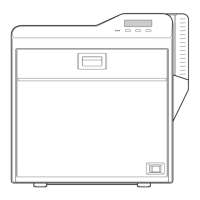
Identification of exterior and internal mechanism components of the printer.
Steps for preparing and attaching optional units like Reform H, IC Contact, MG, IC R/W.
Verification steps for Reform H, IC Contact, and MG units after installation.
Tests for withstand voltage, insulation resistance, and grounding continuity.
Step-by-step instructions for removing the external covers of the printer.
Procedure for detaching and removing the printer's front panel.
Procedures for detaching main boards and key internal units.
Steps for replacing parts like the head unit, heater, and motor base unit.
Guidance on resolving issues based on error messages displayed on the operation panel.
Procedures for clearing card jams in units like Hopper, TurnOver, MG, Transfer.
Resolving retransfer film issues and errors like Film Run Out.
Troubleshooting ink ribbon errors and general hardware failures.
Resolving errors related to mechanical parts, temperature, and power issues.
Instructions for accessing and using the printer's service mode functions.
Configuring print position, speeds, temperatures, and ink settings.
Settings for network, performing tests, and running diagnostics like actuators and sensors.
Adjusting laminator modes, film settings, maintenance parameters, and sensors.
Visual representation of electrical connections between printer components.
Functional overview of the printer's system architecture and component interactions.
A form for recording details of printer malfunctions and their occurrence.
Illustrated diagrams showing the breakdown of printer assemblies and units.
Comprehensive lists of part numbers for general assembly, screws, and components.
Details of packing materials and included accessories with their respective part numbers.

 To Next Page
 General