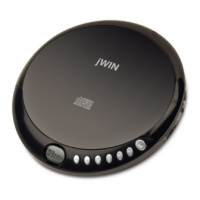
!
Getting started
Remove the unit carefully from the box.
You may wish to store the packaging for
future use.
Switching on
Mains power
The unit comes with a mains power cable.
When not in use, unplug the unit from the
mains power.
Batteries
Always remove the mains power lead from
the unit for battery operation.
• Remove the battery compartment door at
the back of stereo.
• Load 8 x LR14 batteries into the compart-
ment. Make sure the (+) and (-) ends of the
batteries are positioned as shown outside
the battery door.
Please note
Do not mix old and new batteries. Do not
mix alkaline, standard (carbon-zinc) or
rechargeable (nickel-cadmium) batteries.
If not using the product for a period of time,
batteries should be removed.
Battery low indication
The Power light will not come on when the
batteries are exhausted.
Please note
If the unit is connected to the mains, the Power
light will come in.
Adjusting the sound
Turn the Volume knob located on the side to
set the sound level.
BBS
The Bass Boost (BBS) Button is used to
enhance bass boost sound.
Upper -
Lower -


 To Next Page