"
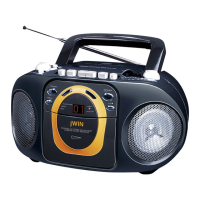
Using the radio
FM Band
Set the Function Selector to FM.
Turn the Tuning knob to select the channel
you want.
The FM ST./RW light comes on when a
strong FM stereo station is received.
AM Band
Set the Function Selector to AM.
Turn the Tuning knob to select the channel
you want.
To turn the radio off
Set the Function Selector to Tape (Radio
Off).
Aerial
For best FM reception, extend the telescopic
aerial located at the back of the unit. Move it
around until you get the best reception.
There is a built in ferrite aerial for AM signal.
Move or rotate the unit to obtain the best
medium wave reception.


 To Next Page