
 Need help?
Do you have a question about the K Track TD-02 and is the answer not in the manual?
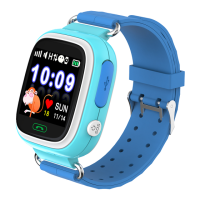
Identifies physical parts like charging port, buttons, SIM slot, and on-screen elements like signal, volume, and alerts.
Showcases various screen interfaces for accessing different functions like Home, Phone Book, Talk, Step, and Barcode.
Provides crucial notes on the device's limited functionality and the need for careful setup via the parent mobile app.
Guides on inserting the SIM card, powering on the device, and waiting for network registration.
Instructions for getting the mobile app ready by ensuring the device is responsive and downloading the application.
Details the steps for registering the device within the app, including license code, account, nickname, and password entry.
Explains the features available in the main application menu, such as Chat, Footprint, Map, Geofence, Message, Health, and Settings.
 General
| Model | TD-02 |
|---|---|
| Resolution | 240 x 240 pixels |
| Water Resistance | IP67 |
| Connectivity | Bluetooth 4.0 |
| Strap Material | Silicone |
| Battery Life | Up to 7 days |
| Compatibility | Android 4.4 or later, iOS 8.0 or later |
| Sensors | Heart rate monitor, accelerometer |

 To Next Page