EasyManua.ls Logo

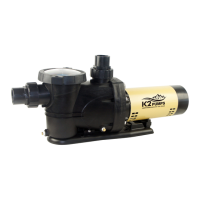
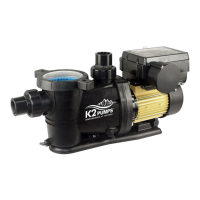
K2 Pumps PPV10001SPK - User Manual

K2 Pumps PPV10001SPK
32 pages
Print Icon
To Next Page IconTo Next Page
Loading...
Model: PPV10001SPK
PPV15001SPK
OWNER’S MANUAL
VARIABLE SPEED POOL PUMP
Questions, problems, missing parts? Before returning to the store call
K2 Customer Service 8 a.m. - 6 p.m., EST, Monday-Friday
1-844-242-2475
www.K2pumps.com
Copyright © 2021, GP Enterprises Co., Ltd. K2Man-32 (Rev. 2/18/21)

Questions and Answers

Summary

Owners Manual

Performance

Safety Instructions

Flammable;Explosive Liquids Warning

Warning against pumping flammable liquids or using pump near them.

Disconnect Power Before Servicing

Always disconnect power before performing any maintenance or servicing.

Motor Housing Temperature Warning

Do not touch hot motor housing during operation; do not disassemble.

Wet Hands;Surface Handling Warning

Avoid handling pump or motor with wet hands or on wet surfaces.

Wear Safety Goggles

Always wear safety goggles when working with pumps.

Qualified Electrician for Wiring

All wiring must be performed by a qualified electrician.

Protect Electrical Cord

Protect cord from sharp objects, heat, oil, chemicals; avoid kinks.

Warranty Voiding;Damage Warning

Failure to comply with instructions may void warranty or cause damage.

GFCI Outlet Requirement

Pump must be connected to a GFCI outlet with a 15 amp fuse/breaker.

Fire;Burn Hazard from Motor Heat

Motors run hot; keep motor area clear of debris to prevent fire/burns.

Know Pump Applications and Hazards

Understand pump applications, limitations, and potential hazards.

Periodic Inspection and Power Disconnect

Periodically inspect pump and system; disconnect power before inspection.

Adhere to Electrical and Safety Codes

Follow all local electrical codes, NEC, OSHA guidelines.

Use with Permanently Installed Pools

Pump is for permanently installed pools only; not for storable pools.

Use Proper PVC Pipe and Glue

Use rigid/flexible PVC pipe with clean ends and appropriate glue.

Pump Location and Ventilation

Locate pump on a non-combustible, level surface with ventilation and drainage.

Use Recommended Primer for Joints

Use supplier-recommended primer for secure glued joints.

Consider Climatic Conditions for Adhesives

Consider humidity's effect on adhesive action; follow manufacturer's instructions.

Qualified Professional Installation

Pump must be installed/serviced by qualified professional; read manual.

Optimize Piping for Suction Height

Design piping for closest possible suction inlet height to water level for priming.

Motor Thermal Protector

Motor has a thermal protector that resets automatically; pump may start unexpectedly.

Ensure Adequate Electrical Power

Verify electrical power source is adequate for pump requirements.

Pump Material and Longevity

Pump uses durable materials; inadequate power or debris can cause failure.

Provide Sufficient Ventilation

Ensure adequate ventilation to keep ambient temperature below motor rating.

Pre-Installation

Application

Pump is designed for permanently installed swimming pools only.

Tools Required

List of tools needed for installation, including screwdrivers, wrench, goggles.

Package Contents

Materials Required (Not Included)

List of additional materials needed for installation, such as Teflon tape and PVC cement.

Specifications

Details power supply, liquid temperature range, and discharge size.

Installation

Threaded Connections

Instructions for using PTFE tape on threaded connections; do not over-tighten.

Pump Plumbing

Guidance on suction and discharge piping, avoiding elbows, and using supports.

Thread Sealant Tape Instructions

Instructions for using PTFE tape, avoiding overtightening, and reapplication if leaks occur.

Fittings

Guidelines for using fittings to restrict flow and avoid air traps, conforming to IAPMO standards.

Pool Pump Suction Requirements

Ensuring safe suction design to prevent entrapment and hair entanglement.

Suction Hazard Warnings

Warnings about hazardous suction trapping body parts, causing severe injury or death.

Entrapment Protection

Pump suction design must eliminate entrapment or hair entanglement risks.

Suction Outlet Covers

Requirements for maintaining, replacing, and installing suction outlet covers.

Testing and Certification

Suction inlet covers must comply with ASME/ANSI specs and be tested for compliance.

Electrical

Instructions for safe and proper electrical connection and grounding.

Grounding the Motor

Ground motor before connecting power to prevent electrical shock hazard.

Power Off Before Electrical Work

Turn off power to motor before working on electrical connections.

GFCI Tripping and Electrical Problems

GFCI tripping indicates a problem; consult electrician if it won't reset.

Verify Supply Voltage

Ensure supply voltage matches nameplate voltage to prevent damage.

Voltage Requirements

Motor voltage must be within 10% of nameplate rating; consult power company for deviations.

Grounding and Bonding

Install, ground, and bond motor per local/NEC codes; bond motor to pool structure.

Wiring a Variable Speed Motor

Step-by-step instructions for wiring the variable speed motor.

Mechanical Troubles and Noise

Addresses common mechanical issues, noise, and mounting best practices.

Piping Support and Mounting

Support piping adequately and mount pump on a concrete platform for quiet performance.

Operation

Pre-Start Procedures

Fill pump with water before starting; stop pump and close valves before maintenance.

Suction Blockage Warning

Warning against blocking pump suction, which can cause severe injury or death.

Motor Heat and Fire Hazard

Keep motor area clear of debris to prevent fire and burn hazards.

Priming the Pump

Instructions for priming the pump, including flooded suction and manual priming.

Routine Maintenance

Focuses on cleaning the trap basket; stop pump and release pressure before cleaning.

Draining the Pump

Steps to safely drain the pump, including removing covers and drain plugs.

Lower Water Level for Draining

Pump water down below all inlets to the pool before draining.

Remove Trap Cover for Draining

Remove the trap cover to access drain plugs for draining.

Drain Basket Housing and Pump

Drain the basket housing and pump housing through the drain plugs.

Clean and Reassemble After Draining

Clean the pump and basket, then replace the cover assembly.

Keep Motor Dry During Draining

Ensure the motor is kept dry and covered during the draining process.

Storage and Winterizing

Guidance for storing the pump, including warnings and antifreeze recommendations.

Purging System Warning

Warning about explosion hazard when using compressed air for purging.

Outdoor;Unprotected Installation

Enclose system in weatherproof enclosure, allow ventilation, use glycol solution.

Freezing Damage Warning

Allowing pump to freeze will damage it and void the warranty.

Use Non-Toxic Antifreeze

Use only non-toxic antifreeze; automotive antifreeze can damage components.

Operation of Control Panel

Overview of the control panel, its display, and button functions.

Control Panel Overview

Description of control panel features, display areas, and buttons for mode/time setting.

Control Panel Display Breakdown

Explanation of the LCD display elements: time, speed, operating gear, mode, and operation indication.

Pump Operation Mode

Details on how to set and operate the pump in manual and automatic modes.

Automatic Mode Operation

Setting 4 working periods with adjustable speeds (600-3500 RPM) in automatic mode.

Manual Mode Operation

Manual control of pump start/stop and speed adjustment (600-3500 RPM).

Set Pump Parameters

Step-by-step guide to setting pump parameters and time periods.

Set Time Mode

Enter setting mode by pressing the set key for 3 seconds.

Set Time and Speed for Period 1

Set the start/stop times and running speed for the first working period.

Set Time and Speed for Period 2

Set the start/stop times and running speed for the second working period.

Set Time and Speed for Period 3

Set the start/stop times and running speed for the third working period.

Set Time and Speed for Period 4

Set the start/stop times and running speed for the fourth working period.

Exit Setting Mode

Exit setting mode by not pressing buttons for 10 seconds.

Set Time

Procedure for setting the current time on the control panel.

Initiate Time Setting

Long press set key for 3 seconds to enter time setting mode.

Adjusting Hours and Minutes

Use buttons to adjust hours and minutes; settings auto-save in 10 seconds.

Set Working Time and Speed

Setting specific time periods and corresponding speeds for pump operation.

Setting Time Periods and Speeds

Set start/stop times and speed for each period; speed adjusted with specific buttons.

Fault Code Description

Explanation of various fault codes and their potential causes.

Communication Failure

Error E14 indicates communication failure; check display and drive board connections.

Supply Voltage Error

Error E11 indicates voltage error; check voltage against 230V±10% rating.

Locked-rotor Protection

Error E3 indicates locked-rotor protection; check if motor is blocked.

Motor Open Phase

Error Erob indicates motor open phase; check motor connection.

Drive Overheating

Error E8 indicates drive overheating.

Care and Cleaning

Guidelines for servicing, maintenance, and cleaning the pump.

Pump Disassembly;Removing Old Seal

Detailed steps for safely disassembling the pump and removing the old seal.

Pump Reassembly;Installing New Seal

Instructions for reassembling the pump and correctly installing a new seal.

Troubleshooting

Guidance on diagnosing and resolving common pump problems.

Pump Not Priming

Troubleshooting steps for when the pump fails to prime.

Pump Experiencing Electrical Issues

Diagnosing and resolving electrical problems with the pump.

Pump Experiencing Mechanical Troubles and Noise

Addressing mechanical issues, noise, and piping support.

Warranty

Information on the K2 Pumps Limited Warranty coverage and terms.

What This Warranty Covers

Details on what the limited warranty includes, effective dates, and exclusions.

What This Warranty Does Not Cover

Exclusions from the warranty, such as misuse, improper installation, or acts of God.

Other Important Terms

Legal and contractual terms of the warranty, including disclaimers and limitations.

K2 Pumps PPV10001SPK Specifications

General IconGeneral
ModelPPV10001SPK
Horsepower1 HP
Voltage115/230V
Flow RateVariable
MaterialThermoplastic
Port Size1.5 inches
Inlet/Outlet Size1.5 inches
Motor TypePermanent Magnet Motor
Warranty1 year
TypeSwimming Pool Pump

Related product manuals