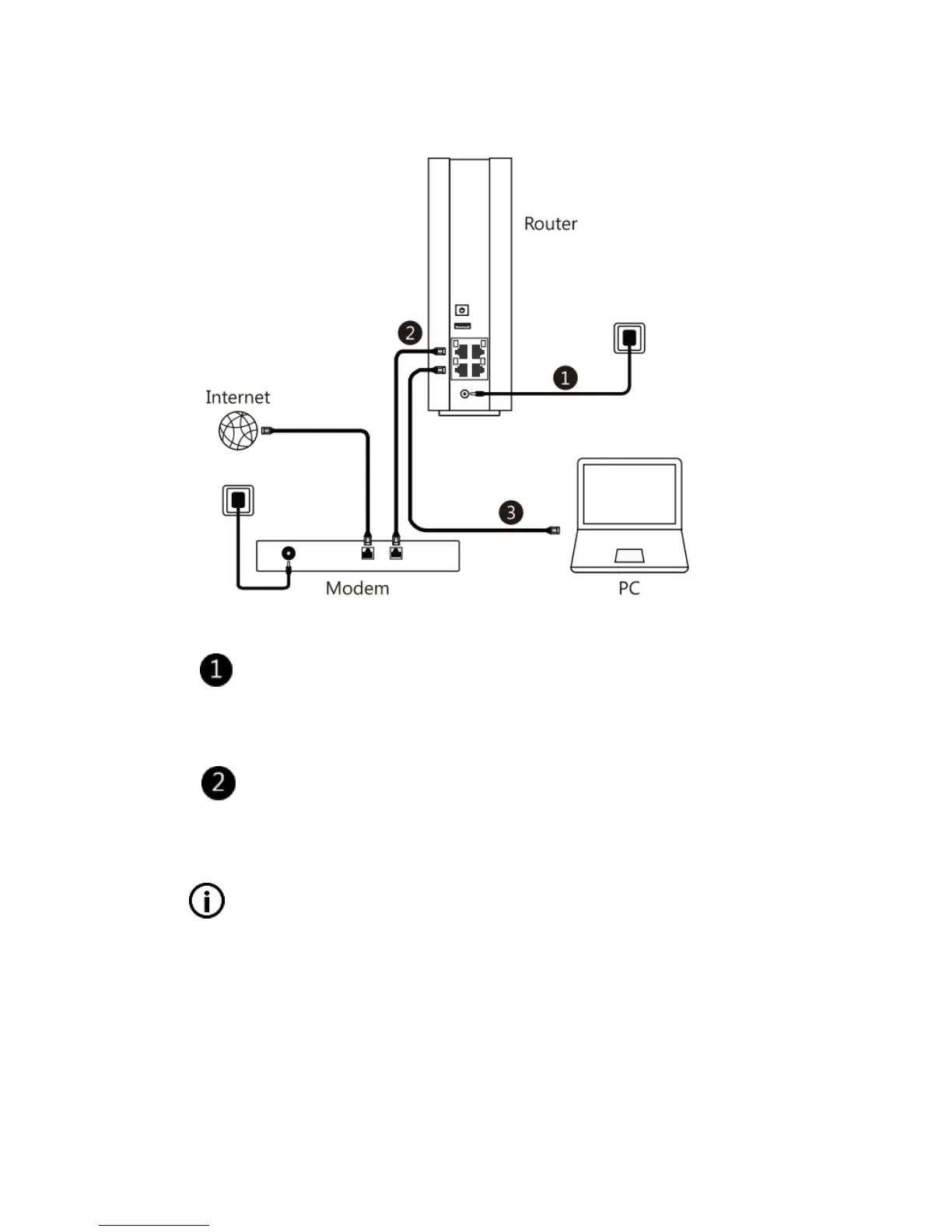
Connecting the devices
Connect the power adapter into an electrical outlet,
connect the other end to the router, and turn on the
router.
Connect your modem to the WAN port on the router
using a RJ-45 cable.
Make sure your modem has proper Internet
connection.
If you have a wired Ethernet connection to the
Internet instead of a modem, connect the RJ-45
cable directly to the WAN port on the router,
then continue with the following instructions to



 To Next Page