EN
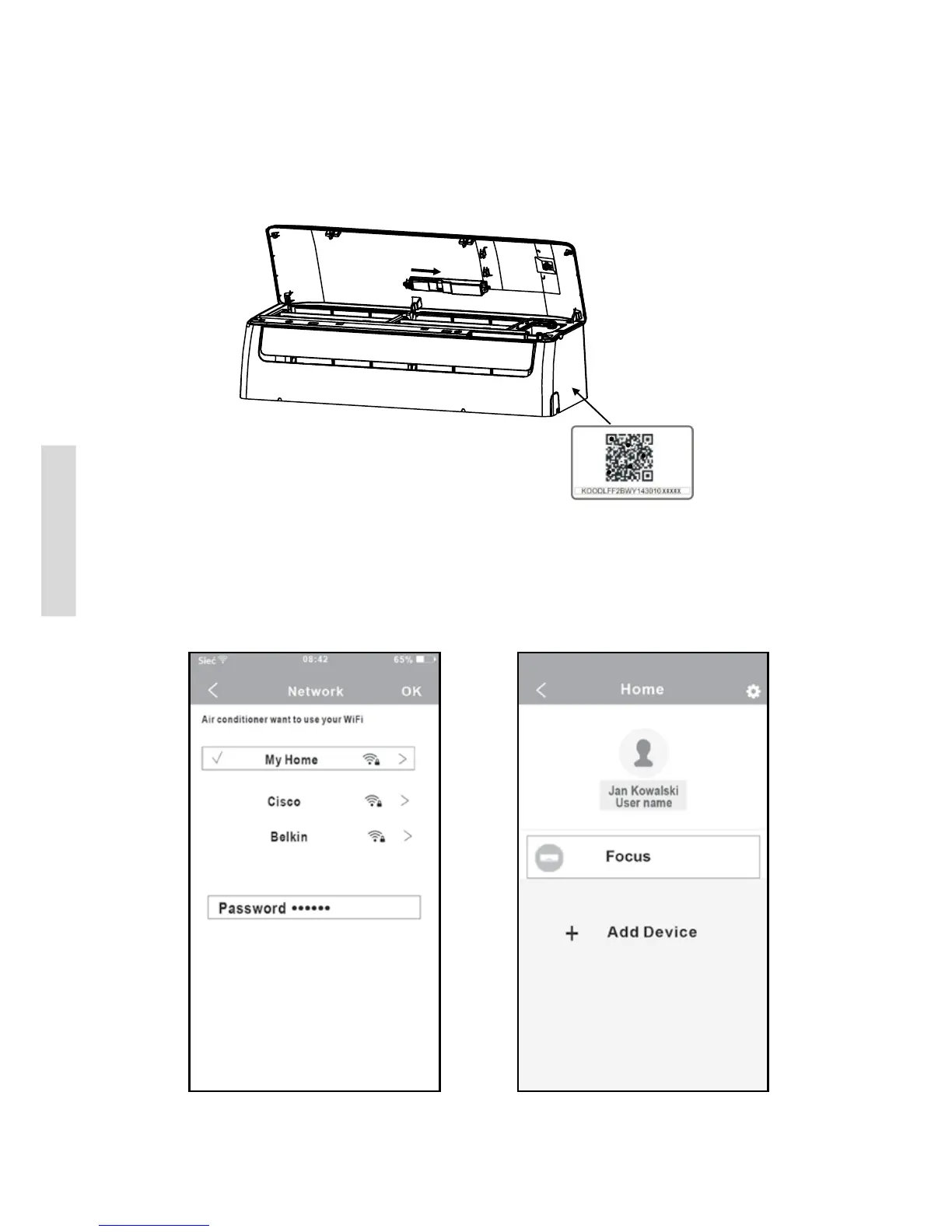
3. Attach the QR code packed with SMART KIT to the side panel of the machine, ensure it is con-
venience to be scanned by the mobile phone. Alternatively, user can take picture of the QR Code
and save in into their own phone.
WARNING: This interface is only compatible with SMART KIT provided by the manufacturer
5. USER REGISTRATION
• Please ensure your mobile device is connected to Wi router. Also, the Wi router has alrea-
dy connected to Internet before doing user registration and network conguration.
• It is better to log in your email box and active your registration account by clicking link in case
you forget the password.
2. Enter your email address and password, and
then click “Registration”.
1. Click “Create Account”.
Inser t


 To Next Page