EN
USING IOS DEVICE TO DO NETWORK CONFIGURATION
1. Mak sure your mobile device has already been connected to the wi network which you want
to use. Also, you need to forget other irrelative wi network in case it inuences your coguration
process.
2. Disconnect the power supply of AC(some units).
3. Connect the power supply of AC, and continuously press the digital display button or do not
disturb button seven times in 3 minutes.
4. When the AC displays “AP” , it means that the AC WIFI has already entered into AP Mode.
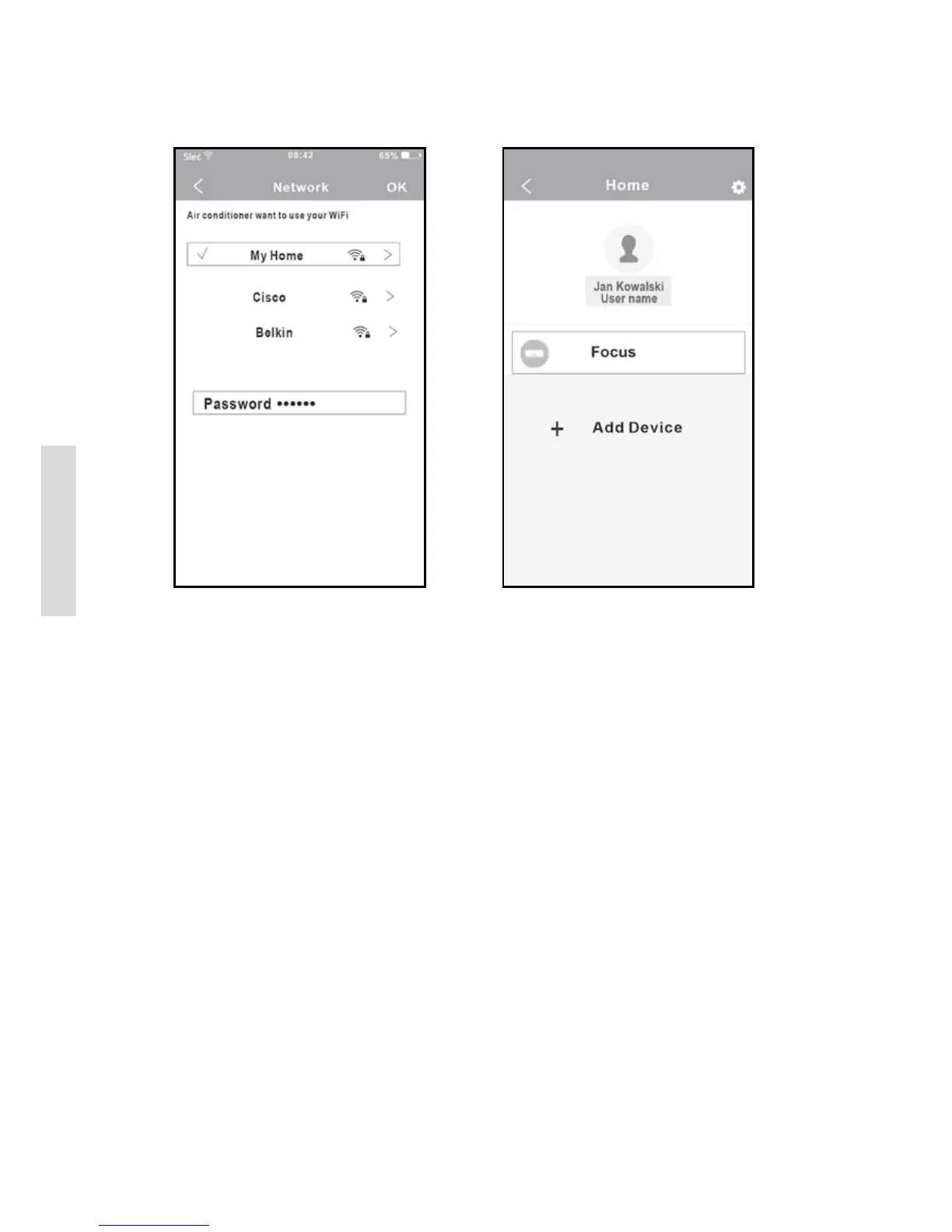
9. Conguration Success, you can see the
device on the list.
7. Select your own WiFi network, for example
My Home (the picture is only for reference).
8. Enter your own WiFi router password and
click OK.


 To Next Page