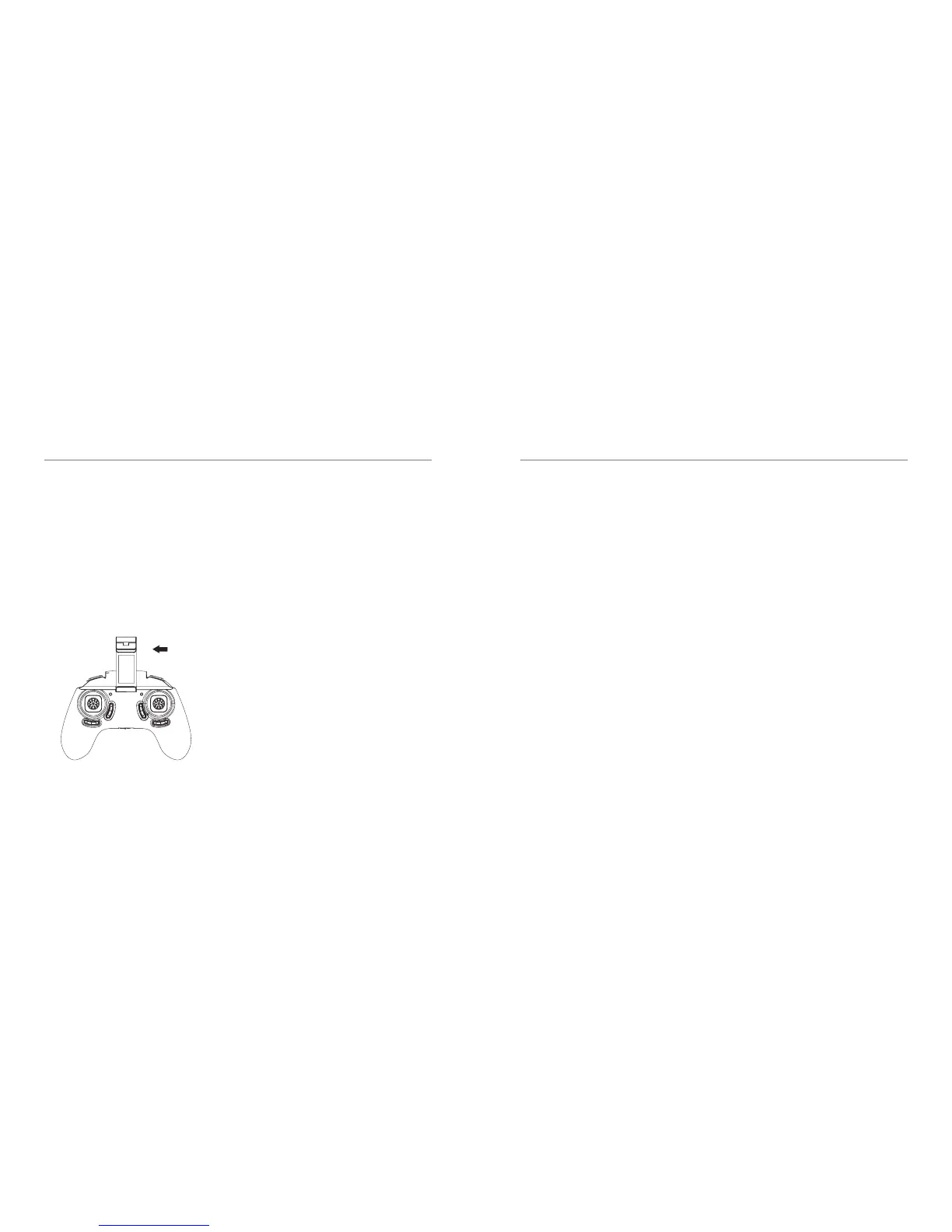
COMBO MODE OPERATION
25 - ENG
Using the Remote Controller & Smartphone
simultaneously
You can use the smartphone for live FPV when
you control the drone with the remote controller.
Follow the below steps to operate this way;
Attach the Smartphone to the phone holder and
mount it to the remote controller.
1. Turn on the Seeker Drone.
2. Bind the Remote-Control and the Drone
rst.
3. Pair the Smartphone with the Drone. Please
see pairing instruction above.
4. Once connected open the Kaiser Baas
Seeker Drone App.
5. Click on the Start Flight tab to see the live
FPV of your Drone.
Note: When you are on combo mode, you
can only operate the drone using the remote
control. Videos/Photos will be saved to
smartphone by default unless you turn the
app controls o on the KB Seeker interface. If
the SD card is not inserted when the drone is
connected to smartphone, les will be saved to
the smartphone by default.
FAQ
26 - ENG
The Drone LED lights are ashing. What does
this mean?
● The Drone has insucient battery power.
Please charge the Drone battery.
● The Drone is not paired with a Remote
Control Transmitter. Refer to the Drone
Setup/Installation section.
The Drone’s Rotor Blades spin but the Drone
does not take-o?
Insucient Battery Power. If the Drone LEDs are
ashing and the Drone Rotor blades are spinning
without any lift, recharge the Drone battery. The
Rotor Blades are distorted. Replace them with
only ocial Kaiser Baas replacement blades.
Why is the Drone is shaking and not stable
in ight?
Please check to ensure the Rotor Blades are not
damaged. Check that all the motors are spinning.
The Drone is out of control and is dicult to
y. How can I make it easier?
Prior to every ight we recommendyou calibrate
the Drone. To calibrate push the Left Throttle/
Yaw Stick and the Right Pitch/Roll Stick to the
bottom left and hold for 2 seconds until you see
the LED indicator lights on the drone start to
ash rapidly. The Drone LEDS will stop ashing
when calibration is complete.
Drone goes out of control and crashes
We would suggest you do recalibration and
then place the drone on leveled oor for 10
seconds.



 To Next Page