07
USAGE
INSTRUCTIONS
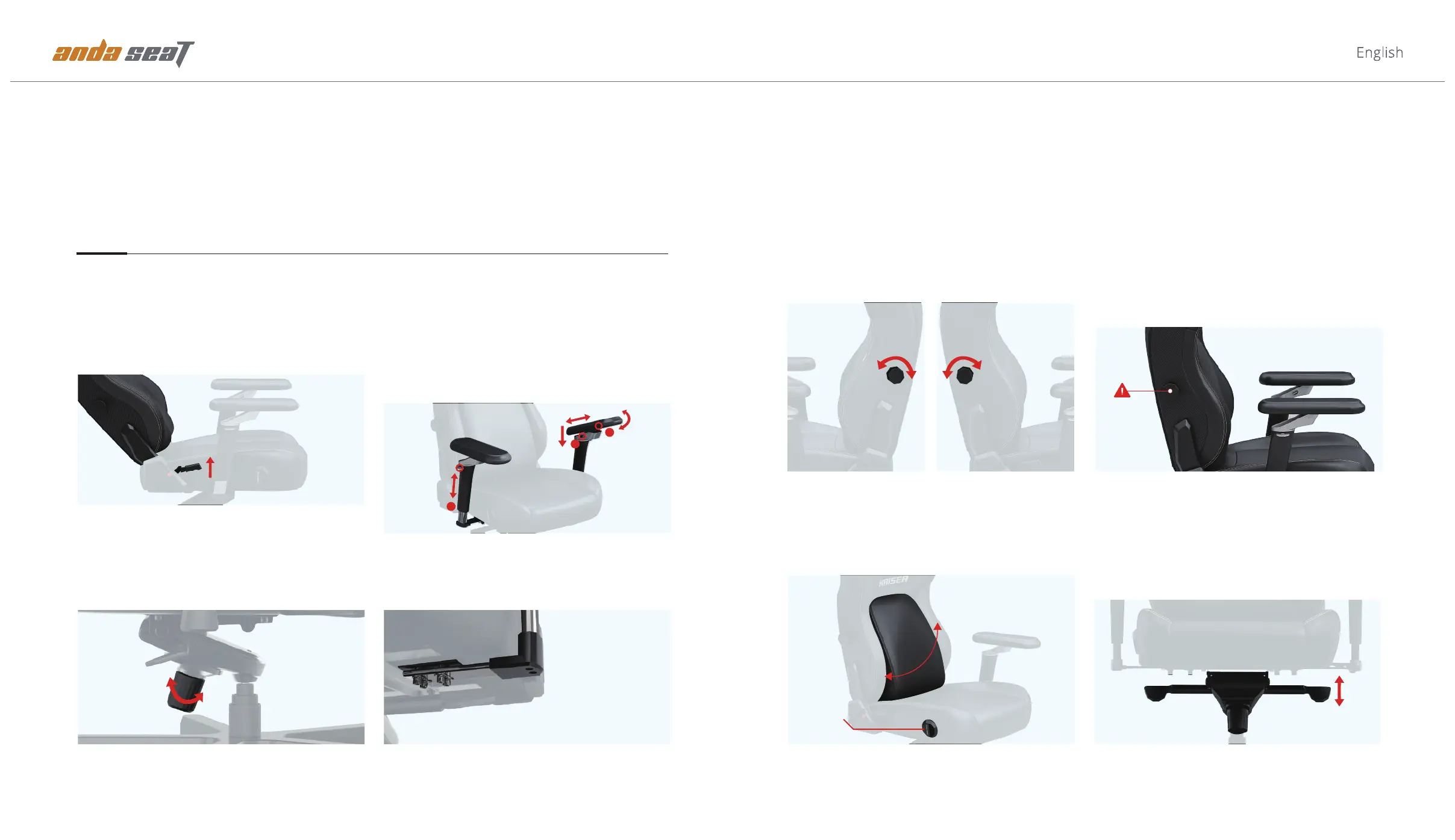
Backrest Recline 90°- 135°
Pull up fully and hold the recline lever, lean back slowly
until the backrest reaches your desired angle, then
release the recline lever to its original position.
Tilt Tension
The adjustment of the tilt tension needs to be based on
the height and weight of the individual. Turn the knob
clockwise to loosen the rocking tension, anti-clockwise to
tighten it. It should not be so tight that there is no move-
ment and not so loose that there is no support.
Armrest Adjustment
Adjust the distance between the armrests by loosening
the M8 screws at the bottom. Move the armrests to the
desired position and then tighten the screws.
Multi-Functional Tilt Mechanism
Right Lever (While Seated): Flip it up or down to adjust
the seat height.
Left Lever (While Seated): Flip it up to unlock the
rocking mode and down to lock it.
6D Armrests
2. Arms rotation: Grip the armpads and push in or out to rotate.
3. Upward tilt: Press and hold ② button, then press the armpads.
4. Up-down: Lift and hold ③ button to adjust.
5. Forward-back: Press and hold ① button to slide.
6. Left-right: Rotate the arms and armpads to the leftest and
rightest.
Tension Adjustment
Armrest Width Adjustment
Height Adjustment Tilt Unlock / Lock
1. Armpad rotation: Press and hold ① button to rotate.
Pop-out Lumbar Support
The pop-out lumbar system features up to 24° infinite
adjustment. Pop it out with a pull on the lever,lean back into
any position, and lock it in with a push on the lever.
Backrest Recline
1
2
3
Notice
Do not press the backrest while adjusting the lumbar
support.
Do not try to turn either knob past its maximum or
minimum points.
Do not attempt to turn both knobs at the same time.
Built-in Lumbar Adjustment
In-out (While Seated): Turn the knob on the right side to
adjust the curvature of the lumbar support. Clockwise to
increase and anti-clockwise to decrease.
Up-down (While Seated): Turn the knob on the left side to
adjust the position of the lumbar support. Clockwise to raise
and anti-clockwise to lower.
Height Knob Curvature Knob
24°Level
Lever


 To Next Page
 Loading...