EasyManua.ls Logo

Kaiweets KC602 - Temperature Measurement; Performing Temperature Measurement

Kaiweets KC602
24 pages
Print Icon
To Next Page IconTo Next Page
To Previous Page IconTo Previous Page
Loading...
5.
Read
the
measurement
results
from
the
display
screen
after
the
display
is
stable.
Note:
It
will
take
times
to
stable
when
you
measure
large
capacitance.
Overload
protection:
250V
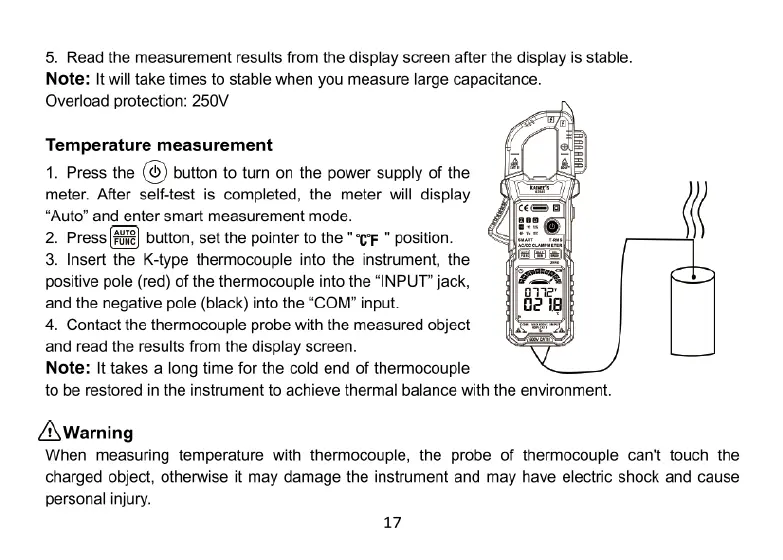
Temperature
measurement
1.
Press
the
(©)
button
to
tum
on
the
power
supply
of
the
meter.
After
self-test
is
completed,
the
meter
will
display
“Auto”
and
enter
smart
measurement
mode.
2.
Press
)
button,
set the
pointer
to
the
"G
"
position.
3.
Insert
the
K-type
thermocouple
into
the
instrument,
the
positive
pole
(red)
of
the
thermocouple
into
the
“INPUT”
jack,
and
the
negative
pole
(black)
into
the
“COM”
input.
4.
Contact
the
thermocouple
probe
with
the
measured
object
and
read
the
results
from
the
display
screen.
Note:
It
takes
a
long
time
for
the
cold
end
of
thermocouple
to
be
restored
in
the
instrument
to
achieve
thermal
balance
with
the
environment.
&Warning
When
measuring
temperature
with
thermocouple,
the
probe
of
thermocouple
can't
touch
the
charged
object,
otherwise
it
may
damage
the
instrument
and
may
have
electric
shock
and
cause
personal
injury.
17