Movie Player Power Supply and Fan Replacement July 22, 2010
Page 3 of 9
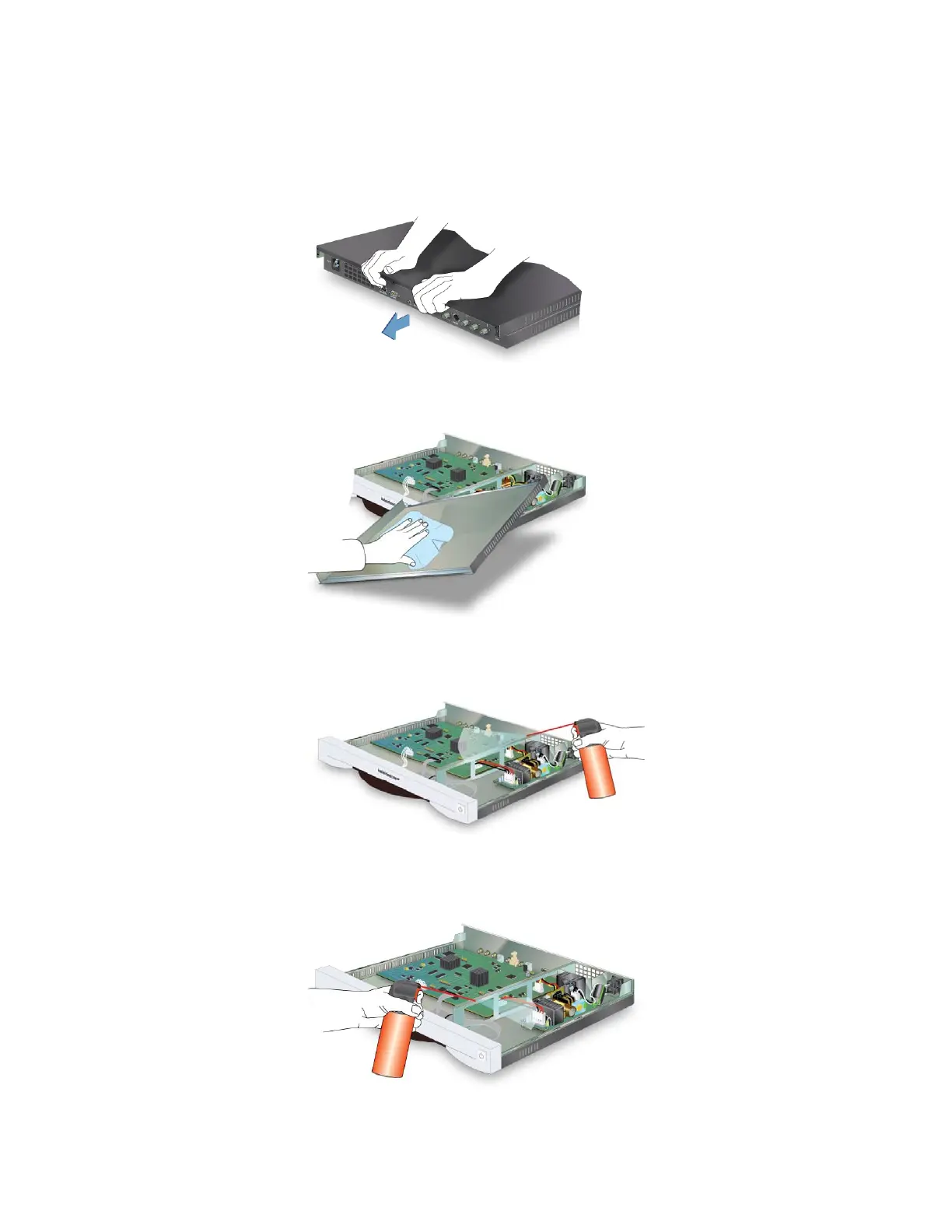
7. Turn the player so the back of the player faces away.
8. Place both hands on the top of the chassis at the back. Use both the
palms of the hand and fingers to push and unseat the chassis lid. Listen
for the snap. Then remove the lid.
9. Wipe the inside of the chassis lid clean.
10. Use canned air to clean the circuit board. Hold the can at least 6 in. from
the board and blow air out the chassis side vents.
11. Blow canned air across the power supply channel and fan, blowing air out
the rear vent.



 To Next Page