EasyManua.ls Logo

Kalfire GP75/59F - User Manual

Default Icon
48 pages
Print Icon
To Next Page IconTo Next Page
Loading...
User’s guide
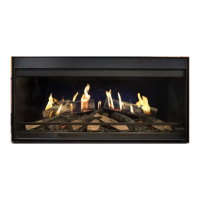
Closed gas fire with Prestige burner
English
V11-2016_NL

Questions and Answers

  • H
    Heather DaviesJul 31, 2025
    What to do if there is a communication failure between the remote control and the Kalfire Indoor Fireplace?
    • W
      Wendy WestJul 31, 2025
      To resolve communication issues between your Kalfire Indoor Fireplace remote and the fire, check the indicator light on the burner control in the technical unit. If it's not flashing, verify your home's voltage and contact your installer if the voltage is correct to inspect the transformer or burner control. If the light is flashing, move the remote closer to the fire and press the button, waiting 60 seconds. If flashing continues, resynchronize the remote and technical unit.
  • C
    Chloe RobinsonAug 4, 2025
    What to do if there is no ionisation detection during ignition and no flame is visible, but a spark appears at the ignition rod in Kalfire Indoor Fireplace?
    • L
      Laura PetersonAug 4, 2025
      If your Kalfire Indoor Fireplace shows no flame during ignition but a spark appears at the ignition rod, it indicates insufficient gas pressure or a defective gas valve. Contact your installer for assistance.
  • C
    Christopher WebbAug 9, 2025
    How to solve high temperature of the printed circuit board in Kalfire GP75/59F Indoor Fireplace?
    • A
      Alan SantosAug 9, 2025
      If the temperature of the printed circuit board in your Kalfire Indoor Fireplace is too high, switch off the fire for about 30 minutes, then turn it back on. If the error code reappears, it means the ventilation in the fire's hearth is insufficient. Contact your installer.
  • A
    Autumn WilliamsAug 13, 2025
    What to do if there is a configuration error in the application settings of Kalfire GP75/59F?
    • D
      david99Aug 13, 2025
      If you're experiencing a configuration error in your Kalfire Indoor Fireplace application settings, check the Wi-Fi settings. Delete the fire or room from the application, restart the iMatch interface, and try again.
  • J
    jeffreyedwardsAug 17, 2025
    How to improve connection between wifi router and iMatch remote control of Kalfire Indoor Fireplace?
    • J
      Jonathan EllisAug 17, 2025
      To improve the connection between your Wi-Fi router and the iMatch remote control for your Kalfire Indoor Fireplace, position the Wi-Fi router and iMatch interface (in the technical unit) closer together.
  • K
    kathleen87Aug 21, 2025
    What to do if ionisation signal disappears while the Kalfire Indoor Fireplace is operating?
    • B
      byrdashleyAug 21, 2025
      If the ionisation signal disappears while your Kalfire Indoor Fireplace is operating, check that there is no contact between the ignition rod and other elements in the burner. If the problem continues, contact your installer.
  • L
    Laura BlairAug 26, 2025
    What to do if there is a lack of ionisation detection during ignition and a flame is visible in Kalfire GP75/59F?
    • P
      Patricia DavisAug 26, 2025
      If a flame is visible during ignition of your Kalfire Indoor Fireplace but there's a lack of ionisation detection, ensure there's no contact between the ionisation rod and any Kal-Glow elements or furnishings inside the fire.

Summary

Safety instructions

Risk of burning

Kalfire closed gas fires: three safety measures

Flame ignition detection

Monitors flame presence; cuts gas if absent and attempts reignition.

24-hour safety lockout

System locks after multiple failed ignition attempts, requiring manual override.

Overpressure safety device

Minimizes explosion risk with an integrated overpressure safety device.

Using the iMatch remote control

Inserting iMatch batteries

Guide to opening the battery compartment and inserting two AA batteries.

iMatch symbols key

Explains the meaning of various symbols displayed on the iMatch remote screen.

Setting the iMatch timer

Steps to configure the time and day of the week on the remote control.

Manual mode operation

How to activate/deactivate the fire flames in manual mode using the remote.

Adjusting flame height

Procedure to modify the flame height using the '+' or '-' buttons on the remote.

ECO mode and thermostat selection

How to use ECO mode and switch between thermostat and manual modes.

Using the LED lighting and NSG

LED lighting effects control

How to adjust LED lighting parameters like oscillation, intensity, and colour.

LED lighting activation and brightness

Procedures for turning LED lighting on/off and adjusting its brightness level.

NSG spark frequency adjustment

How to control the frequency of sparks generated by the NSG system.

NSG (Natural Spark Generator)

NSG operation and refilling

Discusses NSG operation, reasons for absent sparks, and how to refill the powder.

iMatch interface via smartphone or tablet

Smartphone app functions

Overview of key functions available in the iMatch smartphone application.

App configuration and control

Covers selecting menus, switching fire on/off, and activating ECO mode via the app.

Troubleshooting

Common malfunction types

Details five categories of malfunctions: permanent, self-recovery, communication, signal, and shutdown.

Restarting after malfunctions

Solutions for restarting the fire after specific error codes like A08 and 08F.

Unblocking the fire

Instructions for clearing 'A' or 'F' code failures and unblocking the fire.

iMatch error code reference

Comprehensive list of iMatch error codes, their causes, and recommended solutions.

iMatch interface errors

Explains specific error codes related to the iMatch smartphone application interface.

Maintenance

Annual maintenance requirements

Stresses the importance of annual inspection by a certified professional.

Downloading maintenance guides

Instructions on how to access detailed maintenance and installation guides.

Glass cleaning and paint touch-up

Guidance on cleaning glass deposits and repairing minor paint damage.

Glass panel removal and replacement

Step-by-step instructions for the safe removal and reinstallation of the glass panel.

Changing to another type of gas

Warranty terms

Certificate of compliance

Wiring diagram

Kalfire GP75/59F Specifications

General IconGeneral
ModelGP75/59F
CategoryIndoor Fireplace
Fuel TypeGas
Glass Height (mm)590
Efficiency85%
Ignition TypeElectronic
Flame ControlAdjustable
Glass Width (mm)750 mm
ControlRemote
Burner TypePrestige

Related product manuals