EasyManua.ls Logo

Kalorik BL 44440 - User Manual

Kalorik BL 44440
64 pages
Print Icon
To Next Page IconTo Next Page
Loading...
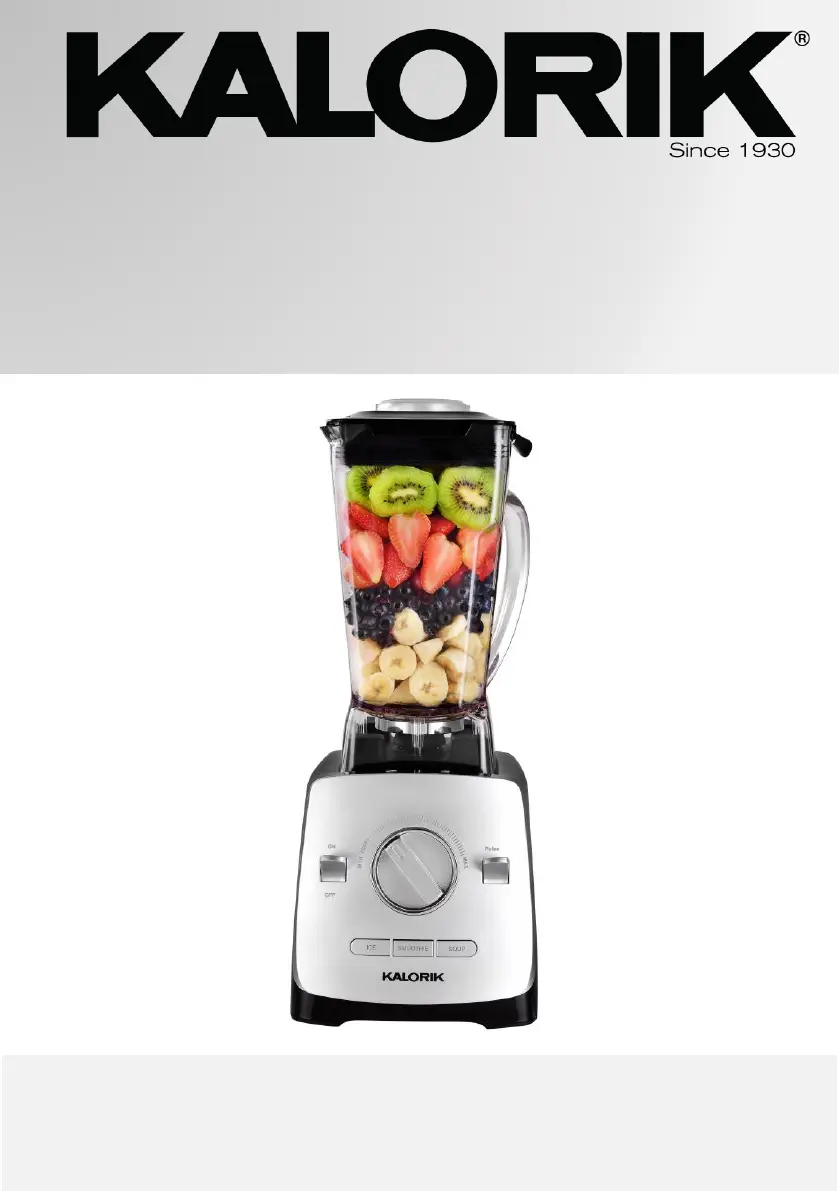
HIGH-POWERED BLENDER
MÉLANGEUR HAUTE PUISSANCE
LICUADORA DE ALTA POTENCIA
BL 44440
120V~ 60Hz 1400 W (11.7A)
EN……....4
ES ……...22
FR….......42

Questions and Answers

  • E
    Elizabeth FuentesJul 27, 2025
    What to do if Kalorik Blender mixture is too thick?
    • E
      Edwin LynchJul 27, 2025
      If your Kalorik Blender mixture is too thick, it could be due to the food pieces being too large. Try cutting the food into smaller, 1-inch cubes. Also, adding more liquid to the mixture can help facilitate blending.
  • B
    Brenda PughJul 31, 2025
    What to do if Kalorik Blender operating buttons light up, but device does not work?
    • D
      Denise ColeJul 31, 2025
      If the operating buttons light up but the Kalorik Blender doesn't work, try unplugging the power cable from the socket and ensure the container is properly in place.
  • J
    jill81Aug 4, 2025
    How to fix ingredients sticking to the sides of Kalorik Blender container?
    • J
      Juan StoneAug 4, 2025
      If ingredients are sticking to the sides of the Kalorik Blender container, it might be because the pieces are too large. Try cutting them smaller. You can also use the tamper to push the food down towards the blades. Adding liquid and processing at a low speed, gradually increasing it, may also help.
  • H
    Hannah MathisAug 9, 2025
    What to do if Kalorik Blender turns off after a long period of mixing?
    • P
      Phillip PatelAug 9, 2025
      If your Kalorik Blender turns off after a long mixing session, it's likely overheating. The overheat protection activates to prevent motor damage. Unplug the device and let it cool down for 15 to 30 minutes before using it again.
  • R
    Rachel MclaughlinAug 13, 2025
    How to fix Kalorik Blender not crushing ice enough?
    • T
      Todd CurryAug 14, 2025
      To improve ice crushing with your Kalorik Blender, use the “ICE” mode. Adding a small amount of liquid to the ice can also help with the mixing process.
  • M
    mollyevansAug 17, 2025
    Why Kalorik Blender operating buttons do not light up?
    • N
      nunezcameronAug 17, 2025
      If the operating buttons on your Kalorik Blender don't light up and the device isn't turning on, make sure the mixer container is correctly placed on the base. Also, check that the device is plugged in and the “ON/OFF” switch is set to “ON.”
  • A
    Ashley MunozAug 22, 2025
    What to do if Kalorik Blender mixture is too thin?
    • G
      George RobersonAug 22, 2025
      If your Kalorik Blender mixture is too thin, try mixing it for a shorter period. When the mixture is close to the desired consistency, switch from manual or M modes to pulse to have better control over the blending.

Summary

Kalorik High-Powered Blender Overview

Parts Description

Diagram of Blender Components

Illustration of the blender with numbered parts for identification.

English Parts List

List of blender parts with English names and corresponding numbers.

Important Safeguards

General Safety Precautions

Essential safety rules to follow when operating the appliance.

Overheat Protection

Details on the appliance's built-in overheat protection feature.

Polarized Plug and Cord Safety

Instructions for safe use of the polarized plug and short power cord.

Before First Use

Initial Setup and Cleaning

Steps for unpacking, cleaning, and positioning the blender before its first operation.

Operating Instructions

On;Off Switch Operation

How to turn the blender on and off using the dedicated switch.

Using the Speed Controller

Guide on adjusting the blender's speed for various blending tasks.

Mode Selection (Ice, Smoothie, Soup)

Explanation of how to select and use the pre-set blending modes.

Pulse Function Operation

Instructions for using the pulse feature for precise blending control.

Ice Crushing Function

Guidance on using the 'Ice' mode for effectively crushing ice.

Smoothie Blending Function

Details on using the 'Smoothie' mode for automatic speed adjustment.

Soup Blending Function

How to use the 'Soup' mode to heat ingredients and prepare soups.

Hot Liquid Safety Guidelines

Crucial safety advice for blending hot liquids to prevent burns and injury.

Using the Tamper and Adding Ingredients

Instructions for using the tamper and safely adding liquids during operation.

Tips and Tricks for Blending

Helpful advice for optimizing blending results and techniques.

Cleaning and Maintenance

Appliance Cleaning Procedures

Step-by-step guide for cleaning the blender jar, motor base, and accessories.

Troubleshooting Guide

Common Problems and Solutions

Addresses issues like device not turning on, overheating, or thick mixtures.

Mixture Consistency Issues

Solutions for mixtures that are too thick or too thin, and ice not crushed.

Proper Disposal

Environmentally Friendly Disposal

Information on recycling and disposing of the appliance responsibly.

Recipes

Spinach Power Smoothie Recipe

Ingredients and instructions for making a Spinach Power Smoothie.

Hummus Recipe

Ingredients and instructions for preparing homemade hummus.

Roasted Potato and Veggie Soup Recipe

Recipe for a hearty soup using the blender and vegetables.

Homemade Almond Butter Recipe

Instructions for making creamy or crunchy almond butter.

Easy Blender Lemon Curd Recipe

Recipe for making lemon curd using the blender.

Frozen Margaritas Recipe

Recipe for preparing frozen margaritas with the blender.

Banana Nice Cream Recipe

Instructions for making a healthy banana-based ice cream alternative.

Get More Out Of Your Blender

Explore Recipes and Connect Online

Information on finding more recipes and connecting with Kalorik online.

Warranty Information

Product Warranty Coverage

Details on the 1-year limited warranty for material and workmanship defects.

Warranty Service and Contact

How to obtain warranty service and contact customer support.

Kalorik BL 44440 Specifications

General IconGeneral
BrandKalorik
ModelBL 44440
CategoryBlender
LanguageEnglish

Related product manuals