Warnings
1. Remove unit from grill when not in use.
2. Do not use device over 260°C/500°F.
3. Clean unit with a soft cloth and soapy water.
4. Do not submerge device in water.
5. Do not place device in dishwasher.
Important Notes
Changes or modifications not expressly approved by the party responsible for
compliance could void the user’s authority to operate the equipment.
This equipment has been tested and found to comply with the limits for a
Class B digital device, pursuant to Part 15 of the FCC Rules. These limits are
designed to provide reasonable protection against harmful interference in a
residential installation.
This equipment generates, uses and can radiate radio frequency energy and, if
not installed and used in accordance with the instructions, may cause harmful
interference to radio communications. However, there is no guarantee that
interference will not occur in a particular installation.
If this equipment does cause harmful interference to radio or television
reception, which can be determined by turning the equipment off and on, the
user is encouraged to try to correct the interference by one or more of the
following measures:
• Reorient or relocate the receiving antenna
• Increase the separation between the equipment and receiver
• Connect the equipment into an outlet on a circuit different from that to which
the receiver is connected
• Consult the dealer or an experienced radio/TV technician for help
USER MANUAL
Kamado Joe and Desora are committed to
innovation, relentless product development, and
expert craftsmanship. Our partnership pushes
every possibility to give grillers what passion
demands: a better grill and more perfect grilling
experience. This simple instruction manual will
get you started with the iKamand and make your
grilling experience incredible.
POWER ED BY
Button Overview
There is a button on the left side of your iKamand.
o Short press - Start/Stop Stoke Mode
o Long Press - Start/Stop WiFi mode
o Unplugging and plugging iKamand back In
o Attempts to connect to the internet
o Stops any existing Stoke mode
o Resumes any current Grill or BBQ from the mobile app
The temperature probes are rated and safe to use up to 260°C/500°F.
Search iKamand on the App Store and download the iKamand app or scan the
code here:
Search iKamand on the Play Store and download the iKamand app or scan the
code here:
Setup
Button
KAMADOJOE.COM | CONTACT@KAMADOJOE.COM | (877) 215-6299 KAMADOJOE.COM | CONTACT@KAMADOJOE.COM | (877) 215-6299
POWERED BY
KAMADOJOE.COM/IKAMAND

 Need help?
 General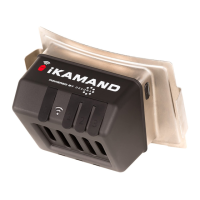

 To Next Page