
 Need help?
Do you have a question about the Kanardia Horis and is the answer not in the manual?
Information on how to find the most current version of the manual.
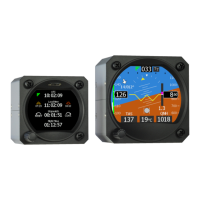
Overview of the Horis electronic device and its components.
Detailed technical specifications of the Horis instrument.
Explanation of how the Horis calculates and displays roll, pitch, and yaw angles.
Warning about potential damage to the LCD display during installation.
Step-by-step instructions for physically mounting the Horis unit.
Details on the required clearance behind the instrument panel.
Overview of all electrical and pitot-static connections for the Horis unit.
Instructions for connecting the static pressure port.
Instructions for connecting the total pressure (pitot) port.
Information on connecting the Horis unit to a CAN bus network.
Details on connecting the power supply to the Horis unit.
Guidelines for mounting and connecting the GPS antenna.
Instructions for installing and connecting the OAT probe.
Configuration and pinout for the RS-232 serial port.
Description of the D-sub 9 port for future features.
Procedure to align the AHRS unit with the aircraft's axes.
Explanation of yaw misalignment and how to measure it.
Step-by-step guide for the AHRS levelling process.
Procedure for calibrating the magnetic compass with the Horis unit.
Details on the internal battery module, its specifications, and operation.
Description of the internal battery module's characteristics and limitations.
How to operate the Horis unit when using the internal backup battery.
Explanation of the battery status icon displayed on the screen.
Recommended periodic checks and upkeep for the Horis unit.
Information on what to do in case of a malfunction.
Specific considerations for using Horis in glider aircraft.
Methods for updating the Horis software.
Procedure for updating software using a Blu module and Android device.
Procedure for updating software using a micro SD card.
Detailed explanation of the primary AD-AHRS display screen.
Description of the Directional Indicator display screen.
Description of the G-Meter display screen.
Description of the Chrono (stopwatch/timer) display screen.
How to adjust the barometric pressure setting (QNH) for altitude accuracy.
How to set the bug on the Directional Indicator screen.
Procedure to reset the minimum and maximum G-load values.
How to set the neutral pitch reference for the current flight regime.
Instructions for adjusting the display brightness.
Configuration options for various Horis parameters.
Customizing units for different measurements like speed, altitude, etc.
Defining colors and ranges for the airspeed indicator speed tape.
Adjusting the sensitivity of artificial horizon parameters.
Procedure to align the AHRS unit with aircraft axes.
Choosing which screens to display and their order.
Selecting the data source (MAGU or GPS) for the direction indicator.
Configuring the scale, limits, and colors for the G-Meter.
Correcting altitude and airspeed offsets due to sensor drift.
Setting the sensitivity of the horizontal turn rate indicator.
Setting the local time offset and daylight saving adjustments.
Procedure for calibrating the magnetic compass.
Adjusting the magnetic compass offset.
Setting baud rate and output format for RS232 NMEA sentences.
Setting the display brightness for startup.
Displaying information about visible GNSS satellites.
Setting up a PIN to protect access to the settings menu.
Viewing serial number, software version, and connected devices.
Guidelines on the intended operational conditions for the autopilot.
Critical restrictions and limitations for safe autopilot operation.
Details of the product warranty coverage and terms.
Specific conditions and exclusions that limit the warranty.
Legal limitations on Kanardia's responsibility for product use.
Information regarding the product's TSO approval status and its implications.
Consequences of the product not being TSO approved for flight instrument use.
 General
| Brand | Kanardia |
|---|---|
| Model | Horis |
| Category | Avionics Display |
| Language | English |

 To Next Page