2 3
INTRODUCTION:
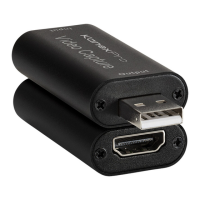
The KanexPro CON-GAMECAP is a video capture device that can capture both HDMI vi-
deo and HDMI audio, sending audio and video signals to a computer in order to preview
or record video content. Suitable for video game console capture, educational recordings,
medical imaging, or streaming with the use of an action camera.
FEATURES:
● Support input max resolution 3840x2160@30Hz;
● Support output max resolution 1920x1080@30Hz;
● Support 8/10/12bit deep color;
● Support AWG26 HDMI standard cable: input up to 15 meters,
(1080P and below resolution);
● Supports most video recording and streaming software, such as VLC, OBS, Debut, etc;
● Support Windows, Android and MacOS;
● Conform to USB Video and UVC standard;
● Conform to USB Audio UAC standard;
● Without external power supply, compact and portable.
PACKAGE CONTENTS:
1x CON-GAMECAP
1x User Manual
1x AM/AF Cable (L=100MM)
1x Type-C USB3.1 Male to USB 2.0 Female Connector
APPLICATION OPTIONS:
1: Connect the UHD signal source to the HDMI input of the video capture with one HDMI cable.
2: Connect the computer to the USB port of the video capture with USB cable.
3: Getting Started:
The CON-GAMECAP is compatible with various video recording and streaming applicati-
ons. You can choose any of the popular programs like VLC, Debut, or OBS Studio (https://
obsproject.com/).
KanexPro recommends OBS Studio is recommended for simplicity and ease of use of the
software.
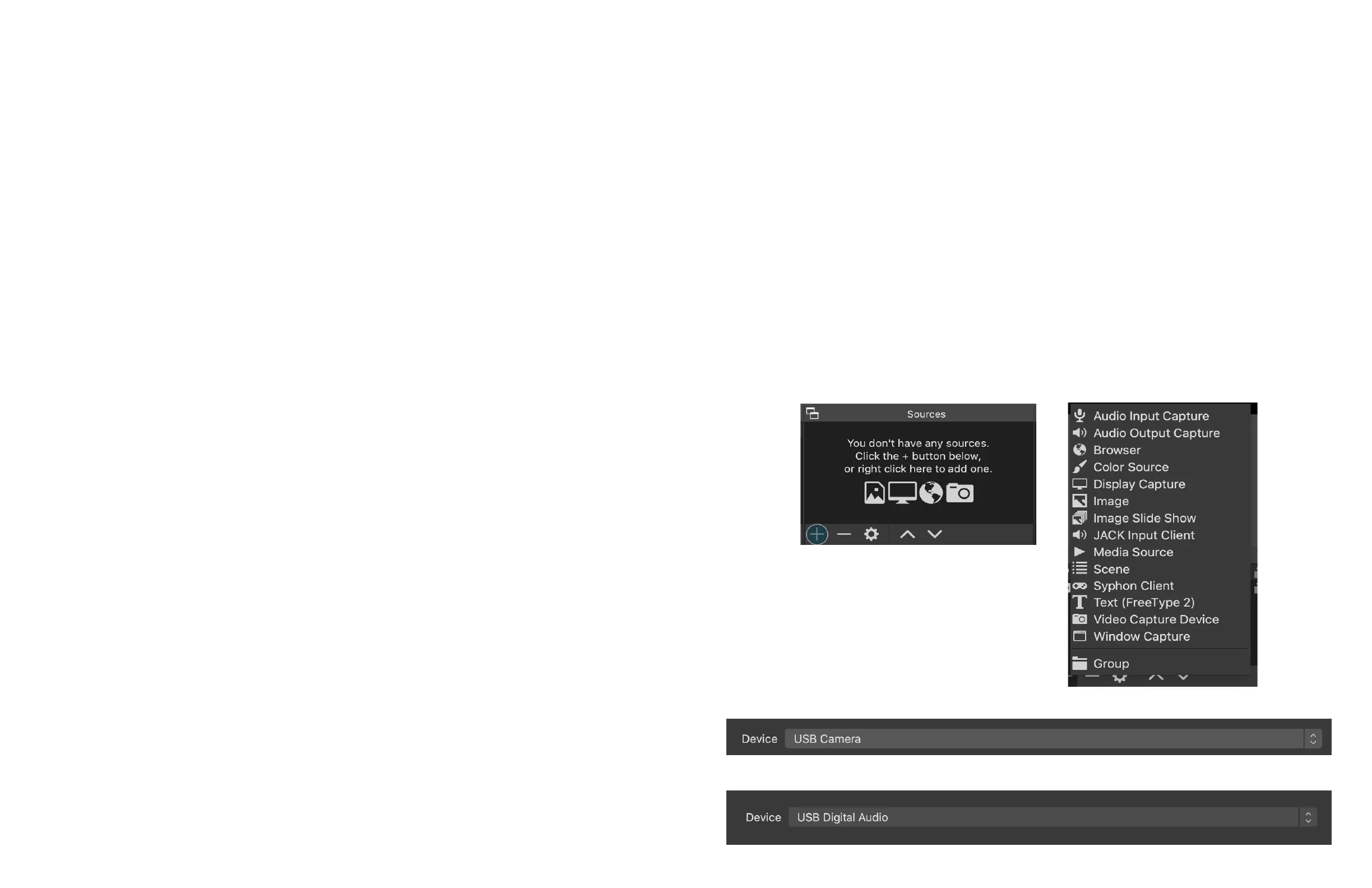
Open OBS Studio:
1. →Add Sources:
“Video capture Device” -> USB Camera
“Audio Input Capture” -> USB Digital Audio


 To Next Page
 Loading...