EasyManua.ls Logo

Kanomax 3888 - User Manual

Kanomax 3888
25 pages
Print Icon
To Next Page IconTo Next Page
Loading...
i
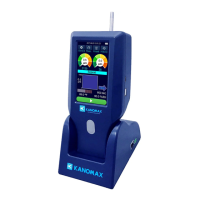
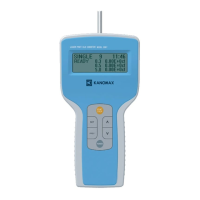
Handheld Particle Counter
MODEL 3888/3889
User Manual

Other manuals for Kanomax 3888

Questions and Answers

  • R
    Rebecca BeckAug 18, 2025
    What to do if the display doesn't appear on my Kanomax Measuring Instruments?
    • D
      Derrick JamesAug 18, 2025
      If the display does not appear when you turn on your Kanomax Measuring Instruments, there could be a few reasons. First, ensure that the AC adapter is properly connected, including the power cable. Second, check the battery level; if it's low, replace or recharge the batteries.
  • D
    Deborah HollowayAug 20, 2025
    Why can't data be stored on my Kanomax Measuring Instruments?
    • M
      Michael HernandezAug 20, 2025
      If you are unable to store data on your Kanomax Measuring Instruments, verify that the 'saving data' function is turned ON. Additionally, the instrument may not store data if the number of recorded data exceeds 10,000.
  • K
    Kimberly FreemanAug 23, 2025
    What to do if particle count or concentration is too high on Kanomax Measuring Instruments?
    • M
      Miranda WilsonAug 23, 2025
      If the particle count or concentration is too high on your Kanomax Measuring Instruments, attach the provided Zero count filter and confirm that the reading drops to zero. If the reading remains high, the instrument may malfunction. Please contact Kanomax USA.
  • J
    Jeffrey TownsendAug 26, 2025
    Why does the battery drain fast on my Kanomax Measuring Instruments?
    • A
      Ann CrossAug 26, 2025
      If the battery drains quickly on your Kanomax Measuring Instruments, the battery may be deteriorated. Replace the battery.
  • T
    Tony FernandezAug 28, 2025
    How to fix a printer that does not operate with Kanomax Measuring Instruments?
    • J
      Justin ArcherAug 28, 2025
      If the printer is not operating with your Kanomax Measuring Instruments, the baud rate setting may be incorrect. Confirm the printer setting.
  • J
    Juan Sanchez DDSAug 30, 2025
    Why is the measured value of particles higher in Wi-Fi remote mode on Kanomax Measuring Instruments?
    • C
      Caitlin WilkersonAug 30, 2025
      If you're getting higher particle measurements in Wi-Fi remote mode on your Kanomax Measuring Instruments, it could be due to using the Wi-Fi connection above a metal conductor. When using a Wi-Fi connection above any metal conductor, please use a non-metallic spacer of 3 cm or more.
  • D
    Daniel VelezSep 2, 2025
    What to do if the Kanomax Cash Counter display does not appear when turned on?
    • M
      moorekylieSep 2, 2025
      If the display doesn't appear when you turn on your Kanomax Cash Counter, there might be a few reasons. First, ensure that the AC adapter and power cable are properly connected. Second, check the battery level; if it's low, replace the batteries or try recharging them.
  • L
    lryanSep 4, 2025
    Why does my Kanomax 3888 Cash Counter battery drain so fast?
    • V
      Victor McgrathSep 4, 2025
      If your Kanomax Cash Counter's battery is draining quickly, it is likely that the battery has deteriorated and needs to be replaced.
  • R
    Rebecca HenrySep 7, 2025
    What to do if the Kanomax 3888 printer does not operate?
    • P
      Patricia FullerSep 7, 2025
      If the printer on your Kanomax Cash Counter isn't working, the baud rate setting might be incorrect. Confirm the printer setting to resolve this issue.
  • K
    kathryndanielSep 9, 2025
    Why is the particle count too high on my Kanomax 3888?
    • D
      Don JohnsonSep 9, 2025
      A high particle count on your Kanomax Cash Counter could be due to a genuinely high concentration or a malfunction. Attach the provided Zero count filter and check if the reading drops to zero. If the reading remains high, the instrument may malfunction.

Summary

List of Components

Standard Components

Lists the essential parts included with the instrument.

Optional Accessories

Lists optional items available for purchase to enhance functionality.

Important Safety Information

Warning Classifications and Symbols

Explains warning classifications and the meaning of safety icons used in the manual.

General Warnings

Details critical warnings regarding AC adaptor use and laser safety.

Cautions and Notices

Lists specific cautions and notices for instrument handling and environment.

Part Names and Functions

Getting Started

Battery Charging

Instructions for charging the instrument's internal rechargeable battery.

Temperature;Humidity Probe Check

Guidance on checking the optional probe for accurate readings.

Power On;Off Operation

Steps for turning the instrument's power on and off.

Measurement Procedures

Performing Measurements

Details on configuring and executing measurements using the instrument.

Error Handling

Explains common errors detected by self-diagnosis and their potential causes.

User Interface

Main Screen Views

Displays the four main screen configurations (Table, Bar, Circle) for data visualization.

Settings and Configuration

Explains icons for general settings, measurement setup, and data management.

Presets, History, and Navigation

Covers preset setup, reviewing measurement history, and screen transition flow.

Specifications

Troubleshooting

Common Issues and Solutions

Lists common symptoms like display not appearing or low concentration readings and their resolutions.

Warranty and After Service

Limited Warranty Terms

Outlines the warranty period, coverage, exclusions, and liability limitations.

Contact Information

Kanomax Global Office Contacts

Provides contact details for Kanomax USA, Japan, and China offices.

Kanomax 3888 Specifications

General IconGeneral
BrandKanomax
Model3888
CategoryCash Counter
Hopper Capacity500 notes
DisplayLCD
Power SupplyAC 100-240V, 50/60Hz
Stacker Capacity200 notes
Detection MethodsUV, MG, IR
ConnectivityRS232, USB
Supported CurrenciesMultiple currencies (programmable)

Related product manuals