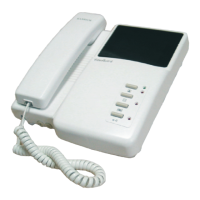
Accessories
1. 7-pin connector 1
2. Bracket 1
3. Screw bag 1
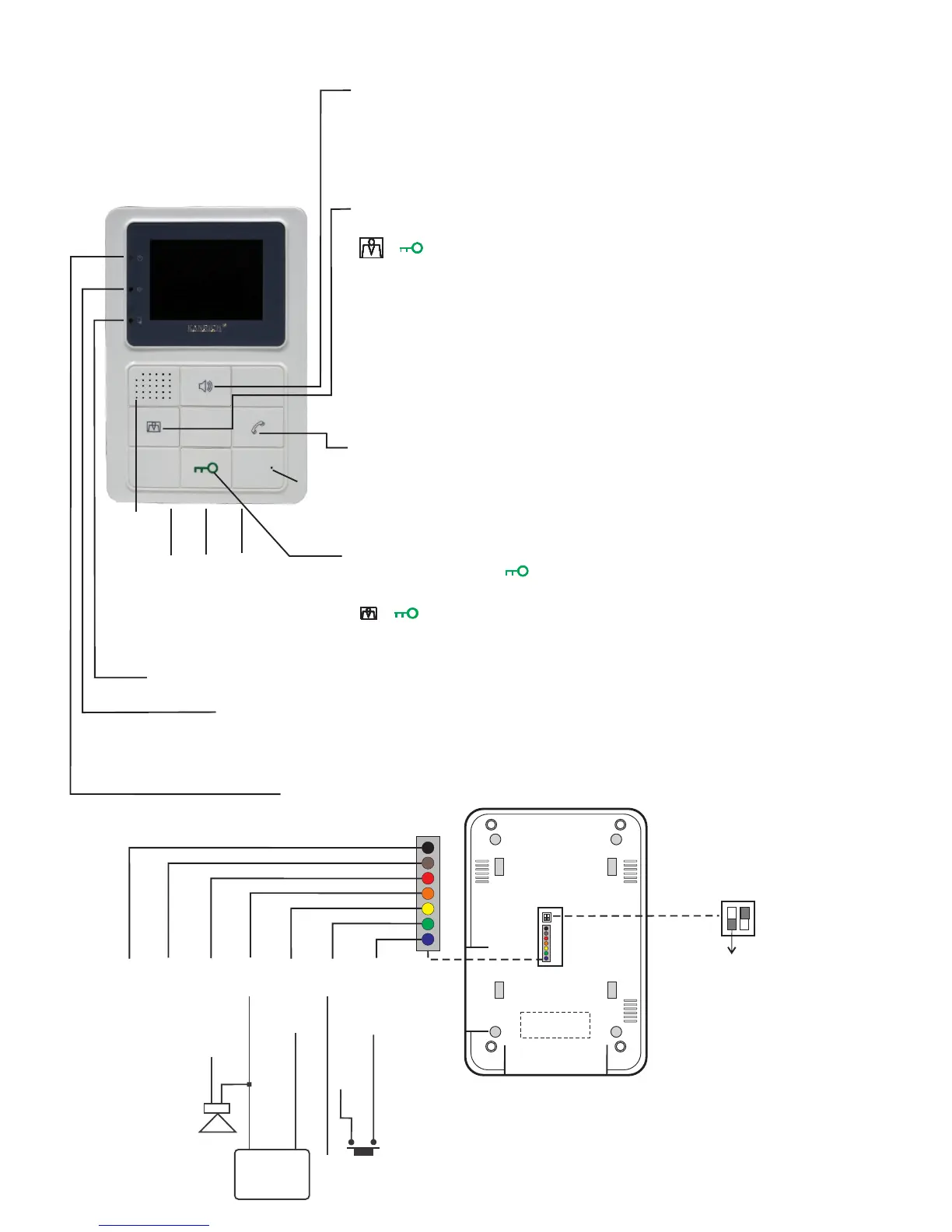
REAR
VIEW
In
/O
u
t sy
ste
m line
+
F
GN
D s
y
ste
m line
一
E
xt
e
rna
l S
P
K
GN
D
V
i
de
o O
ut
B
el
l
GN
D
Monitor
E
xte
r
n
a
l b
el
l swi
tch
To connect all monitors
in the same house.
915M35 3.5” Handsfree Color Monitor
Handsfree Talking / Monitoring Button
: itHandsfree Talking button Press for getting a call and talking .
After talking press it again for finish.
Monitoring button : itPress to start monitor screen and monitor door camera
situation and also to talk with camera ,press for finish. it again
The talking time limitation is 180 sec.
.
“In Use" indicator / Intercom call Indicator(Red):
The red LED constantly on, it means one of residents is using this doorphone system,
please wait this resident finishing talking then to use it .
This indicator is flashing , it means intercom function is started.Intercom Indicator :
Power Indicator : The Blue LED constantly lights on.
SPK.
Mic.
Color
Code setting button/Main monitor & Sub monitor setting button
Code setting button : When doorphone system is standby and press
" + ", you will hear "Du" on 915M35 and on camera ,too.
Please enter "monitor code"on camera immediately , 915M35 will get this call
and send "Ding-Dong" , it means a successful code setting .
: Hold this button 8 sec. at least , Main monitor-Sub monitor setting button
you will hear a high-pitch “Du", it means to set main monitor successfully.
Then, hold this button 8 sec. at least , you will hear a deep "Du" , it means to
set sub monitor successfully.
PS. One apartment only can set one main monitor, if you set 2 main monitors
in one apartment , camera can't call monitor normally ,the doorphone system
will happen problem ,camera can't make a call to this apartment .
Intercom Button/ NO Contact Point
Intercom Press this button to intercom and talk with other monitors in
this apartment .
When monitor screen is started , press this button andNO Contact Point
drive this contact point in camera then to start other devices.
Door Release Button / Code setting button
Door Release Press " " this button for opening door.
: When doorphone system is standby and pressCode setting button
" + ", you will hear "Du" on 915M35 and on camera ,too.
Please enter "monitor code"on camera immediately , 915M35 will get this call
and send "Ding-Dong" , it means a successful code setting .
Brightness
Calling Tone Adj.
Door Status Indicator : The red LED constantly lights on , it means the door is open, the red LED
lights off , it means the door is close .
Specifications :
Working Voltage : DC 15V from 915P
Current Consumption: Standby 40mA
Working 300mA
Resolution: color 3.5” 320(H) x 240(V)
Communication Interface :
the modulated carrier wave signal
Installation Way : Surface Mounting Type
Front Material : ABS
Dimensions : 189.5(H)/129.5(W)/30(H) mm
Weights: 310 gs
Measurement: 0.3 cuft
P15
2011 Sep.
Dummy Load
ON ↑
OFF↓
1 2
N0.1 No Function


 To Next Page
 Loading...