EasyManua.ls Logo

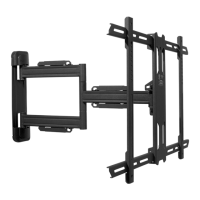
Kanto PS350 - User Manual

Kanto PS350
16 pages
Print Icon
To Next Page IconTo Next Page
Loading...
88 lb
(40 kg)
600 x 400
200
x 75
-
VESA
COMPLIANT
Supporting your digital lifestyle
Supportant votre mode de vie digital™
Apoyando su estilo de vida digital™
User Manual
Manuel de l’utilisateur
Manual del usuario
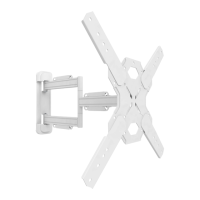
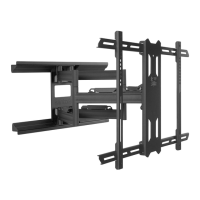
PS350 / PS350W
FULL MOTION TV MOUNT
SUPPORT ARTICULANT POUR TÉLÉVISEUR
MONTAJE ARTICULADO PARA TELEVISOR
Question and Answer IconNeed help?

Do you have a question about the Kanto PS350 and is the answer not in the manual?

Summary

Safety and Precautions

Loading Limits and Wall Support

Details maximum weight capacity, required wall strength, and suitable mounting surfaces for safe installation.

Step 3: Attach TV Brackets

Securing Brackets to Television

Instructions for securing the TV brackets to the back of the television using screws and optional spacers.

Step 4 a: Mount Wall Plate (Wood Stud Wall)

Mounting Wall Plate to Wood Studs

Detailed steps for mounting the wall plate assembly to a wood stud wall, including drilling and securing.

Step 4 b: Mount Wall Plate (Concrete Wall)

Mounting Wall Plate to Concrete

Instructions for mounting the wall plate using concrete anchors into a concrete or brick wall.

Step 5: Hang and Secure TV

Attaching TV to the Wall Mount

Procedure for lifting the TV and hooking it onto the wall plate assembly, then securing it.

Step 6: Level TV

Step 7: Finalize Adjustments

Summary

Safety and Precautions

Loading Limits and Wall Support

Details maximum weight capacity, required wall strength, and suitable mounting surfaces for safe installation.

Step 3: Attach TV Brackets

Securing Brackets to Television

Instructions for securing the TV brackets to the back of the television using screws and optional spacers.

Step 4 a: Mount Wall Plate (Wood Stud Wall)

Mounting Wall Plate to Wood Studs

Detailed steps for mounting the wall plate assembly to a wood stud wall, including drilling and securing.

Step 4 b: Mount Wall Plate (Concrete Wall)

Mounting Wall Plate to Concrete

Instructions for mounting the wall plate using concrete anchors into a concrete or brick wall.

Step 5: Hang and Secure TV

Attaching TV to the Wall Mount

Procedure for lifting the TV and hooking it onto the wall plate assembly, then securing it.

Step 6: Level TV

Step 7: Finalize Adjustments

Kanto PS350 Specifications

General IconGeneral
Mounting typeWall
Maximum VESA mount600 x 400 mm
Minimum VESA mount200 x 75 mm
Maximum screen size60 \
Minimum screen size37 \
Maximum weight capacity40 kg
Number of displays supported1
Package typeBox
Package depth345 mm
Package width755 mm
Package height97 mm
Package weight8200 g
Mounting kitYes
Swivel angle180 °
Tilt angle range-2 - 12 °
Distance to the wall (min)47 mm
Product colorWhite
Housing materialSteel
Weight and Dimensions IconWeight and Dimensions
Weight6300 g
Depth (max)561 mm

Related product manuals