9
Audio Troubleshooting Guide
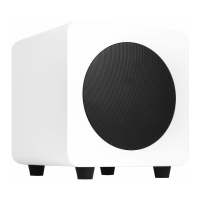
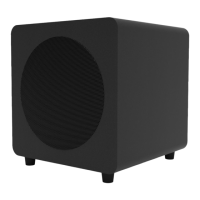
Frequently asked questions about Kanto’s sub8 subwoofer.
• Ensure audio source is playing audio.
• Check that the audio cable connected
to the source is firmly connected. Test
another audio cable if available.
• Verify that the volume of the subwoofer
is not at it’s minimum level.
2.
The green light on the rear of the
subwoofer is illuminated but there’s
no audio playing.
• Ensure the power cable is connected to
the subwoofer and power outlet.
• Ensure that the power outlet is providing
power.
• Verify that the power switch on the rear
of the subwoofer is in the “On” position.
• Check the fuse on the rear panel of the
subwoofer to ensure it’s intact.
1.
None of the lights on the rear of the
subwoofer are illuminated.
• Set the source of the volume to a
higher level and reduce the volume of
the subwoofer. Low source volume can
negatively affect dynamic range.
• Test a different song or source to isolate
the issue.
• Adjust crossover to match the rest of
the system.
3.
You are experiencing poor audio
quality.
• Ensure you are using an RCA to RCA
subwoofer cable
• Verify if the noise is coming from the
source by removing the source from the
subwoofer.
• Make sure it is not a power issue by
trying a power outlet that is on a
different circuit.
• Check that the audio cable connected
to and from the source is firmly seated.
Try a different cable or source to isolate
the issue.
6.
You are experiencing buzzing,
hissing or distortion.
5.
There’s no audio coming from an
attached subwoofer.
• Check that the RCA cable connected to
and from the subwoofer is firmly seated.
Try a different cable or source to isolate
the issue.
• Make sure the subwoofer is connected
to a power outlet and is set to “On” or
“Auto”.
• Increase the volume of the subwoofer.
4.
Speakers are going into standby
while listening to audio.
• Set the volume of the source to its
highest level. Low source volume can
inadvertently trigger standby mode.
Supporting your digital lifestyle
™


 To Next Page