DEVICE ASSEMBLY
1. Unpack the components from the packaging. Place the air conditioner on a flat surface.
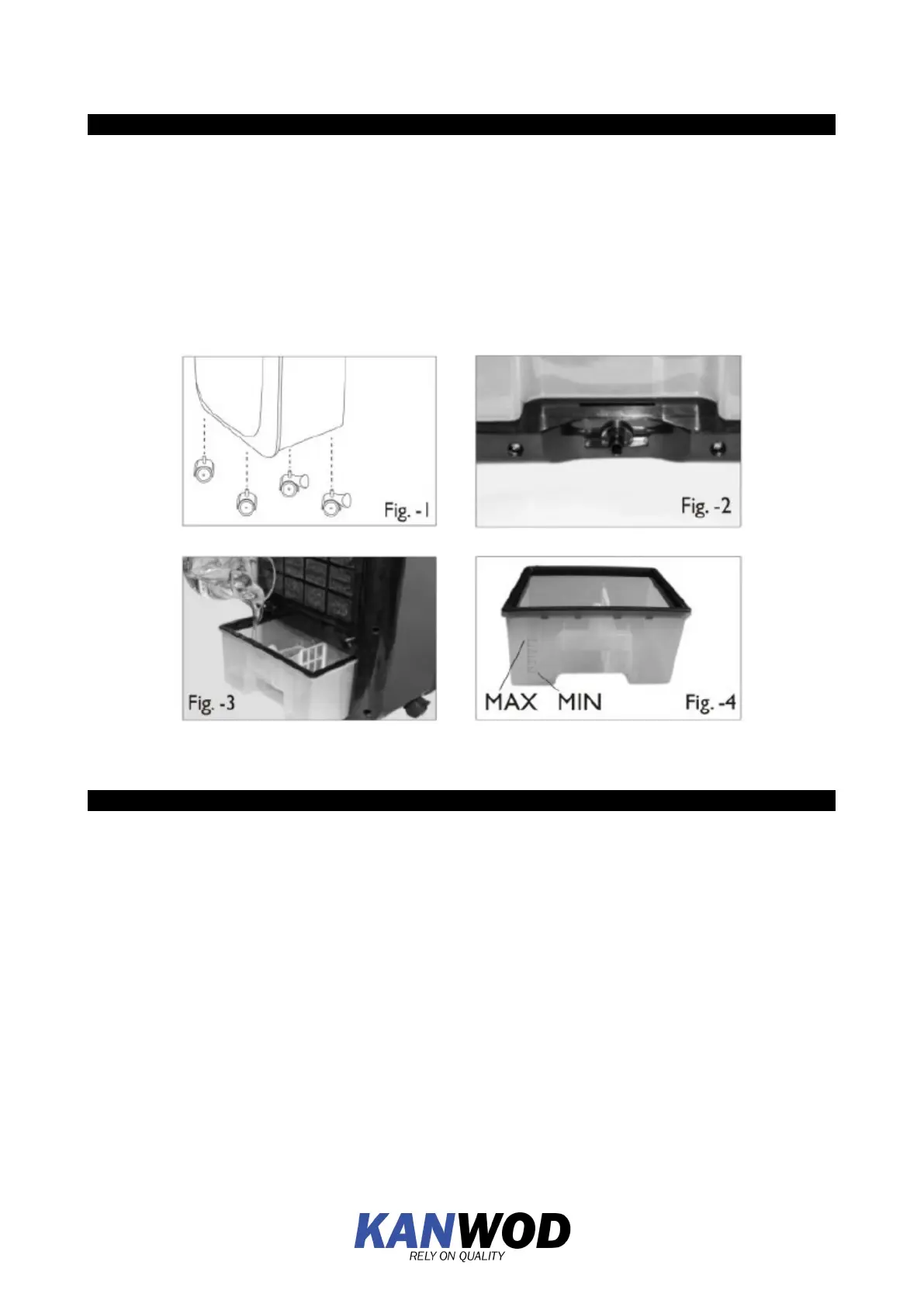
2. Mount the wheels: wheels with brakes should be mounted on the back of the air conditioner,
wheels without
The non-braked wheels should be mounted at the front of the unit. (Fig.-1)
3. Filling the water tank: turn the lock of the water tank to the horizontal position. (Fig.-2)
Slide out the water tank and fill it with clean tap water. Make sure that the water level does not
level does not exceed 'MAX'. (Fig.3-4)
TION
DEVICE OPERATION
Plug the power cord into the power outlet. Use the 'On-Off' button to turn on the unit. The LED
display will automatically indicate the temperature and the air conditioner will set the fan to the unit
can be controlled by panel or remote control.
Cooling function - operation by remote control:
1. On/Off:Pressing the 'On' button on the control panel or On/Off button on the remote control
will
the unit turns on at medium speed. After a few minutes, the air conditioner will indicate the the fan
speed or switch to the previous setting. To switch to standby mode press 'Off' on the control panel
or 'On/Off' on the remote control to exit standby mode.
2. Speed: Pressing this button will change the fan speed between low, medium and high. Each
time the button is pressed, the LED display will indicate the current fan speed each time the button
is pressed.


 To Next Page