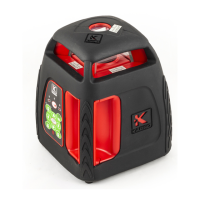
V2 Laser line ±2mm/10m
If the instrument accuracy is poor, unscrew the four #9 screws as shown in fig. 1, open the shell and
calibrate the device.
4.
Common faults and eliminating methods
4.1
Don’t start up
Cause analysis:
(1) Three dry cells working voltage is lower than 3 V
(2)The power plug contact with the motherboard is insufficient
(3) The travel switch contact is insufficient
Troubleshooting:
(1) Replace the batteries in time
(2)Open the shell, reinstall the power plug
(3) Open the shell to adjust the position of the switch
Note: keyboard or motherboard damage can also cause “don’t start up” (less likely), open the shell to
replace the main board.
4.2
No
laser line after startup
Cause analysis:
(1) Instrument tilt is too large, beyond the self-leveling range
(2) laser diode to main board contact is poor or broken
Troubleshooting:
(1)Adjust the tilt of the device to work within the self-leveling range
(2) Open the shell to repair the laser diode to main board contact
Note: keyboard or motherboard damage can also cause “
No
laser line after startup” (less likely), open the
shell to replace the main board.
4.3
Cannot level himself after startup
Cause analysis:
(1) The pendulum stuck due to oxidation/corrosion of bearing surface
(2) The pendulum stuck due to contamination / debris near alarm ring
Troubleshooting: (1) Open the shell to replace the damaged bearings
(2) Open the shell to clear the alarm ring area from contamination / debris
13


 To Next Page