EasyManua.ls Logo

Karaoke USA WM900 - User Manual

Karaoke USA WM900
8 pages
Print Icon
To Next Page IconTo Next Page
Loading...
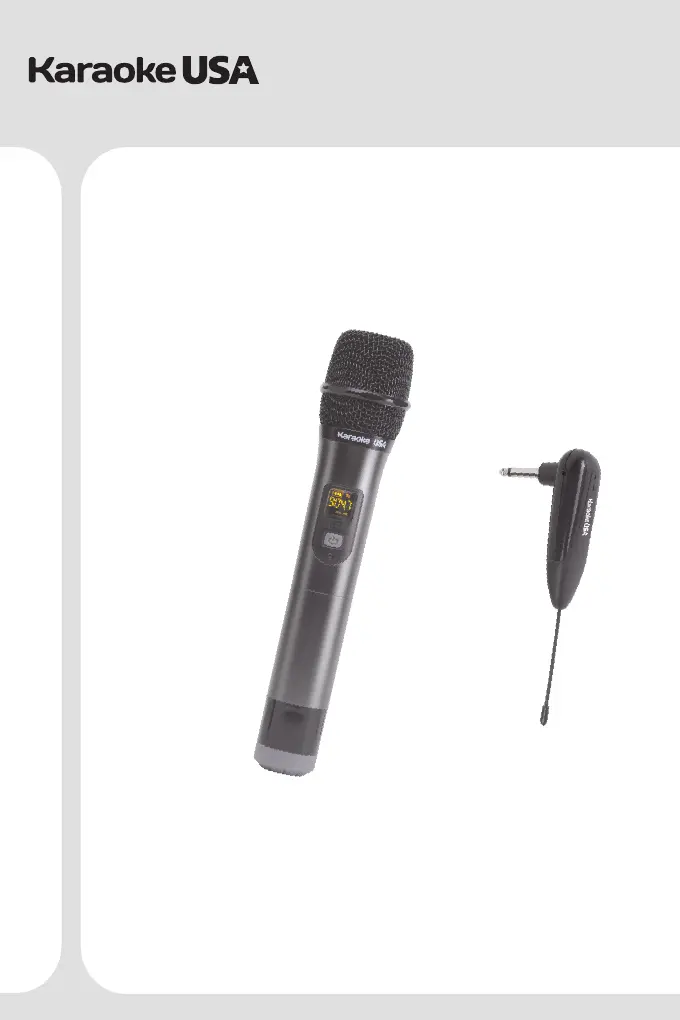
WM900
Before operating this product, please read these instructions.
Users Guide
MODEL:
Professional UHF
Wireless Microphone

Questions and Answers

  • J
    John FisherJul 27, 2025
    What to do if my Karaoke USA Microphone has no sound?
    • H
      Holly SnowJul 27, 2025
      If your Karaoke USA Microphone has no sound, first ensure that both the microphone and receiver are turned on. If they are on, check the amplifier volume and increase it if it's too low. Lastly, if there's still no sound, the microphone and receiver may not be paired; in this case, you should re-pair them.
  • L
    Logan MolinaAug 11, 2025
    Why does my Karaoke USA WM900 have sound interference?
    • J
      jaimeharrisAug 11, 2025
      If you're experiencing sound interference with your Karaoke USA Microphone, it might be due to interference from other wireless devices such as other wireless microphones, TVs, microwave ovens, or radios. To resolve this, try changing the frequency of your microphone.

Summary

Introduction

Quick Start Guide

Microphone - Loading Batteries

How to insert batteries into the microphone body.

Receiver - Charging and Use

How to charge and connect the receiver to audio equipment.

UHF Frequency Channels

Care and Safety for Your Microphone

Product Specifications

UHF Wireless Microphone Specifications

Technical details for the wireless microphone, including frequency range and power.

Receiver Specifications

Technical details for the receiver, including frequency range and sensitivity.

Trouble Shooting

Karaoke USA WM900 Specifications

General IconGeneral
ConnectivityWireless
Microphone TypeDynamic
Frequency Response50Hz - 15kHz
Impedance600 Ohms
Transmitter Power10mW
Operating RangeUp to 100 feet
Power Supply2 x AA batteries
TypeWireless
Connector1/4"

Related product manuals