Operating Instructions English
30
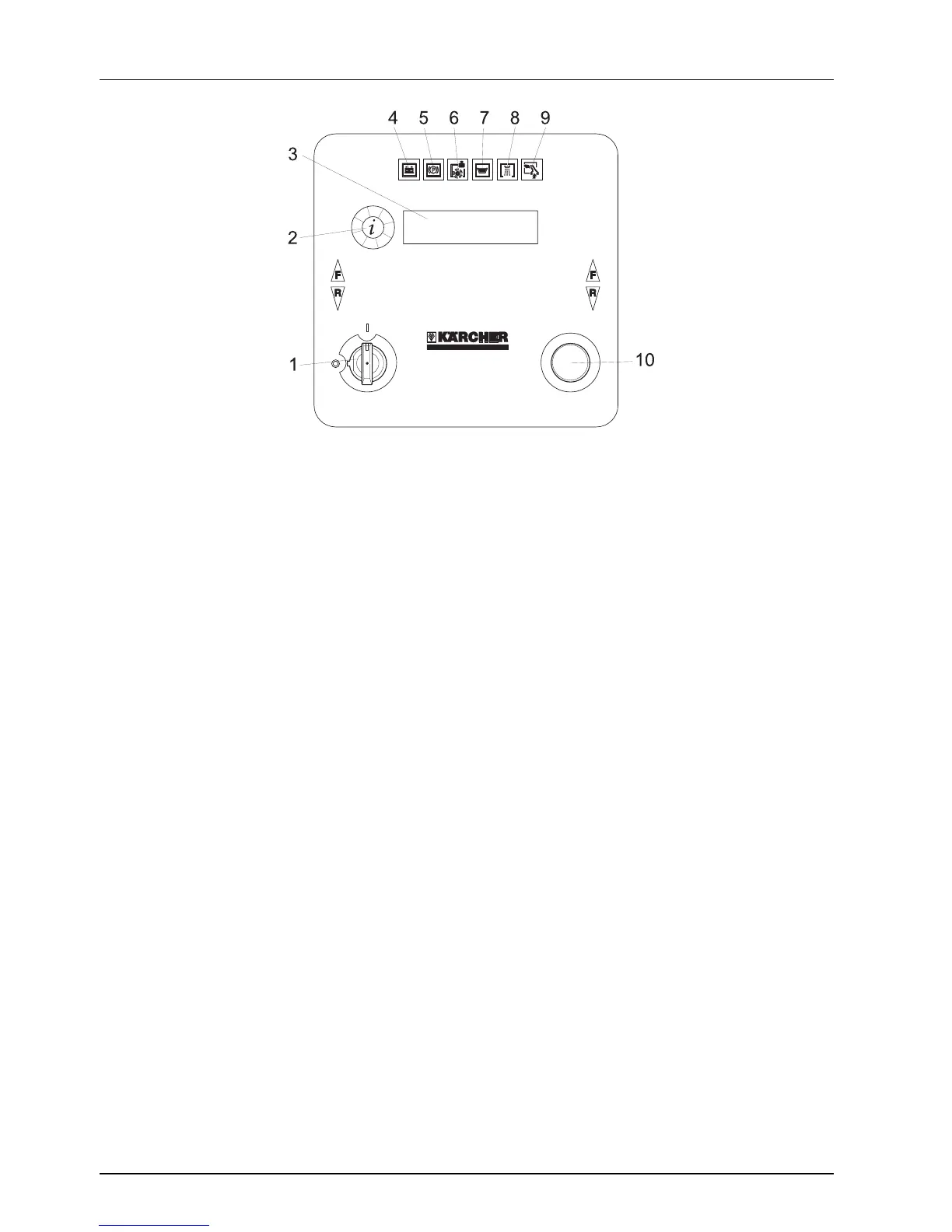
Control panel BR 750
1 Key switch
2 Info button
3 Display for
-battery status
-water quantity
-cleaning speed
-brush speed
-WDB function
-operating hours
-speed
-manufacturer
-program version
4 Indicator lamp (red), lights up when the
batteries are discharged
5 Indicator lamp (red), lights up when the
immobilising brake is applied
6 Indicator lamp (red), lights up when the
brushes are overload
7 Indicator lamp (red), lights up when the
waste water reservoir is full
8 Indicator lamp (green), lights up during
brush watering
9 Indicator lamp (green), lights up during
vacuum operation
10 Emergency-stop button (turn to
release)




 To Next Page