20 English
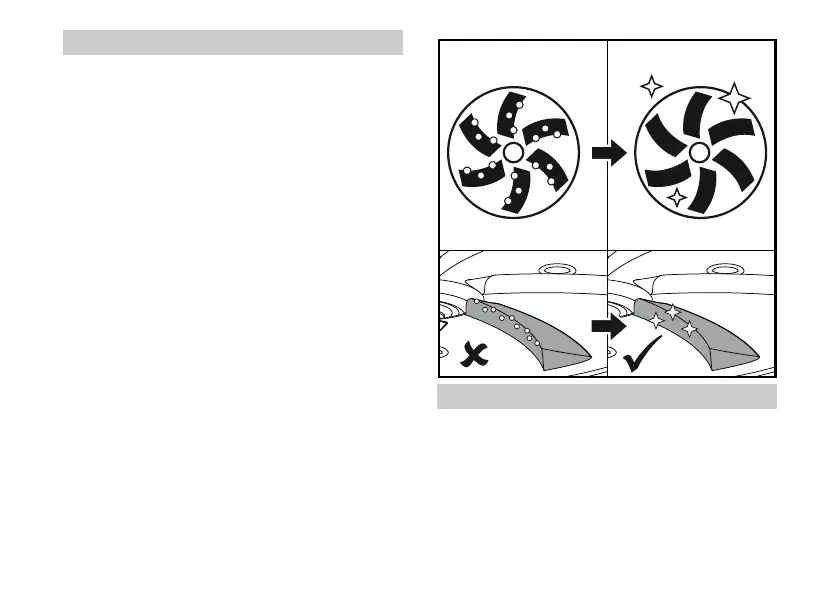
Cleaning the device
Before each use of the device, remove
dirt from the abrasive disk to avoid
scratching the windshield.
1. Switch off the device at the power
switch.
2. Clean snow, ice and other dirt from
the device.
3. Carefully remove the dirt from the
abrasive disk, wiping the edges sev-
eral times in their direction.
Replacing the abrasive disk
1. If the device is used regularly, the
abrasive disk must be replaced at
least after every winter period, even
if there is no visible wear and tear
(part number: 5.352-024.3).


 To Next Page