EasyManua.ls Logo

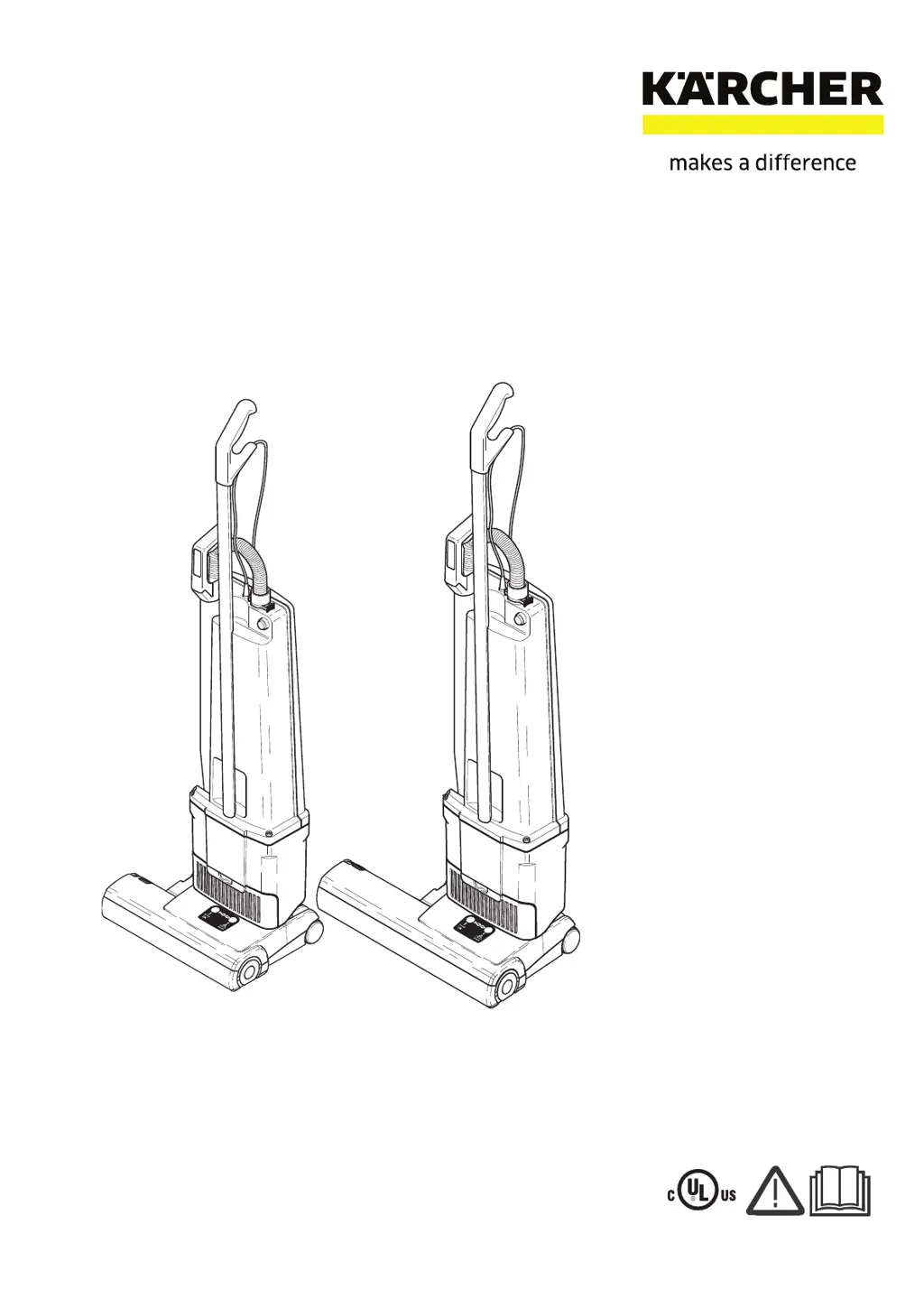
Kärcher Versamatic 14 1.012-606.0 - User Manual

Kärcher Versamatic 14 1.012-606.0
47 pages
Print Icon
To Next Page IconTo Next Page
Loading...
8.643-124.0-D 12/22/22
Versamatic 14 & 18 120V
Vacuum
Operating Instructions
English 2
E
spañol 17
Français 31
MODELS: 1.012-606.0
VS14
1.012-607.0
VS18
If Serial Number is not listed, Contact Manufacturer

Table of Contents

Questions and Answers

  • C
    Caitlin WrightAug 6, 2025
    Why does my Kärcher Vacuum Cleaner have poor suction or the full bag light is on?
    • B
      brewerjesseAug 7, 2025
      Poor suction or the full bag light turning on in your Kärcher Vacuum Cleaner can be due to several reasons: * The dust bag may be full, in which case you should replace the bag. * The hose could be clogged; remove and clean the hose. * The neck might be clogged; disconnect the floor head from the vac tank and clean the neck. * The bag may not be properly installed; re-insert the bag correctly. * The exhaust or motor filter may be clogged; clean or replace the filter. * The back cover might be leaking air; re-install the dust bag, motor filter, and back cover to ensure a tight fit all around.
  • A
    Angela SmithAug 13, 2025
    What to do if my Kärcher Vacuum Cleaner brush is not turning?
    • D
      Derrick FryeAug 13, 2025
      If the brush on your Kärcher Vacuum Cleaner isn't turning, here are a few things to check: 1. Make sure the hose nozzle is fully inserted into the neck; reposition if necessary. 2. The brush may be jammed; turn off the machine, clear the brush, and restart. 3. Ensure the brush strip is fully inserted; push it in all the way. 4. The belt might be broken; replace the belt.
  • K
    Kayla BriggsAug 19, 2025
    What to do if the back door won’t close on my Kärcher Vacuum Cleaner?
    • N
      Nicole Mitchell MDSep 12, 2025
      If the back door of your Kärcher Vacuum Cleaner won’t close, it could be due to: * The bag not being properly installed; re-insert the bag correctly. * The motor filter not being in the correct position; re-insert the filter correctly.
  • J
    Jordan ProctorAug 25, 2025
    What to do if the red light stays on at the lowest brush setting (#1) on my Kärcher Vacuum Cleaner?
    • R
      robinsonnicoleAug 25, 2025
      If the red light stays on at the lowest brush setting (#1) on your Kärcher Vacuum Cleaner, it is likely that the brush is worn and you should replace the brush strip.
  • K
    Kathy DanielsAug 30, 2025
    What to do if the full bag light is off when the vacuum hose is blocked or bag is full on my Kärcher Vacuum Cleaner?
    • L
      Laura HendersonAug 31, 2025
      If the full bag light is off when the vacuum hose is blocked or the bag is full on your Kärcher Vacuum Cleaner, the sensor may be out of adjustment. Remove the back door and use a small screwdriver to turn the screw behind the light counter-clockwise.

Summary

Safety

Important Safety Instructions

Basic precautions to follow when using the machine to prevent injury.

Grounding Instructions

Instructions for connecting the appliance to a properly grounded outlet.

Important Safeguards

Additional safety precautions to prevent accidents and injury during use.

Operations

Components

Lists and identifies the main parts of the vacuum cleaner.

Assembling The Vacuum Cleaner

Step-by-step guide on how to assemble the vacuum cleaner unit.

Attaching Suction Hose

Instructions on how to correctly attach the suction hose to the vacuum.

Swivel Neck Latch

How to release the machine from the upright position using the foot pedal.

Switch on the electric power head

Information on how the power head motor starts and operates.

Brush Controller

Explains the function and indicators of the electronic brush controller.

Filter Level Indicator

Indicates what to check when the warning light for the filter level comes on.

Maintenance

Changing The Paper Filters Bag

Steps for removing and replacing the dust bag correctly.

Changing filters

Instructions for cleaning or replacing the vacuum cleaner's filters.

Silencer

Information on the silencer's location, cleaning, and re-installation.

Clearing Blockages

How to identify and clear blockages in the hose or vacuum.

Changing The Brush Strip

Procedure for replacing the brush strip on the vacuum cleaner.

Removing the Switch Housing Cover

Steps to remove the switch housing cover for access.

Removing The Dust Bag Housing

Guide on how to detach the dust bag housing from the power head.

Replacing The Vacuum Motor

Detailed steps for replacing the vacuum cleaner's motor.

Changing The Brush Roller

Instructions for replacing the brush roller assembly.

Removing The Brush Roller Pulley

Steps to remove the brush roller pulley and motor pulley.

Removing The Swivel Neck

Procedure to detach the swivel neck assembly from the main chassis.

Removing The Swivel Neck Cover

How to remove the cover for the swivel neck.

Changing The Electronic Controller

Steps to disconnect and replace the electronic controller.

Replacing the Foot Pedal

Guide on how to remove and replace the foot pedal.

Troubleshooting and Technical Data

Troubleshooting Common Issues

Solutions for brush problems, suction loss, indicator lights, and power failures.

Machine Specifications

Key technical data for VS 14 and VS 18 models, including dimensions and electrical details.

Wiring Diagram

Suggested Spare Parts

Kärcher Versamatic 14 1.012-606.0 Specifications

General IconGeneral
BrandKärcher
ModelVersamatic 14 1.012-606.0
CategoryVacuum Cleaner
LanguageEnglish

Related product manuals