K KARE Audio 1.002
Selecting DSP Modes
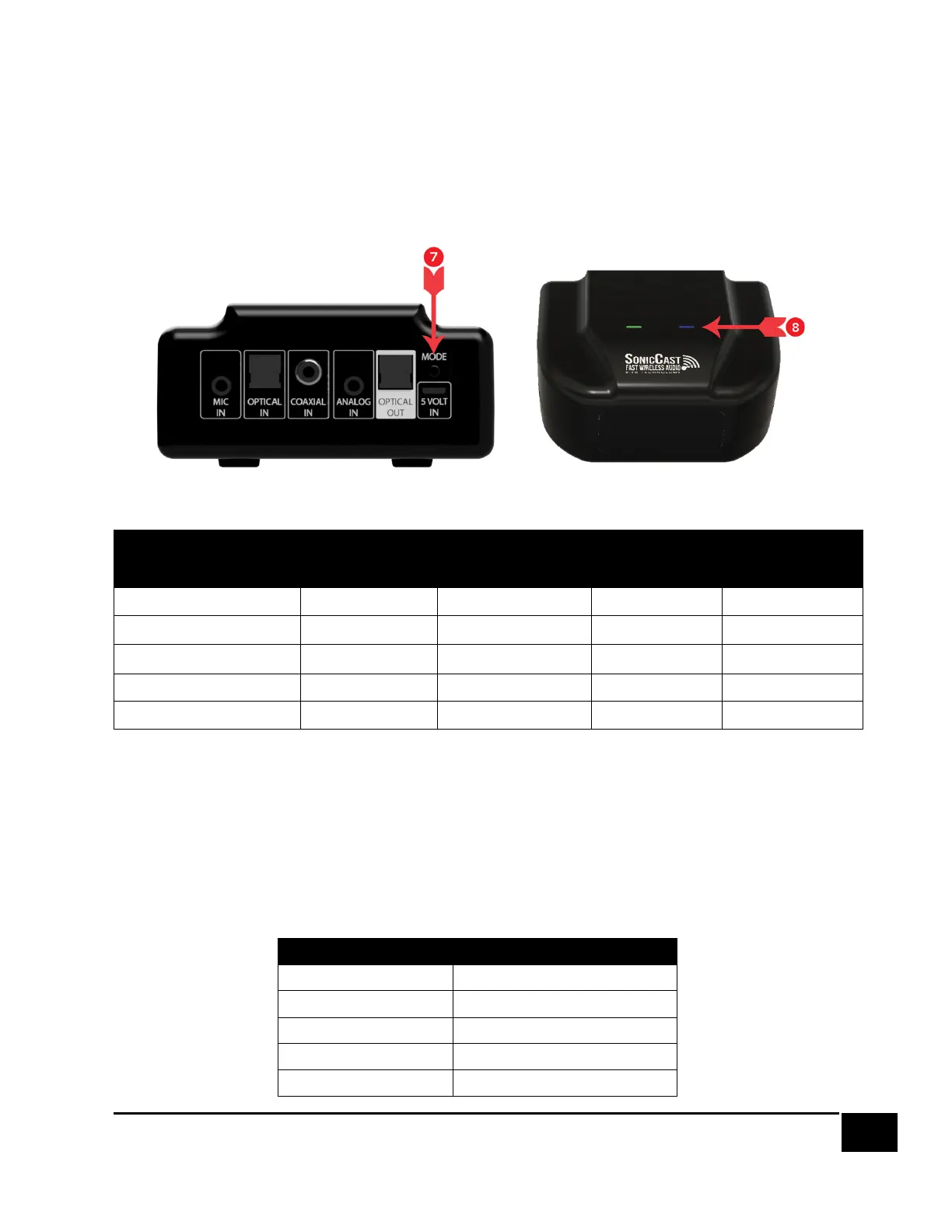
The mode button ❼ allows you to set DSP and adjust the delay. The Mode LED
indicates these settings on the top of the transmitter ❽. A short press of the mode
button cycles through the DSP modes.
DSP Mode Table
Audio Delay
If the sound is out of sync, you can add delay to the SonicCast system. Hold the Mode
button for 5-10 seconds until the Mode LED is Solid Purple to enter the delay setting.
While in delay adjustment mode, the Mode LED is solid purple, and a short press of
the button cycles through delay modes. Each time the button is pressed, the Mode
LED blinks a pattern to indicate the current delay mode:


 To Next Page