Mute:
In off-hook state, the user can press the button to activate the mute function.
When (MUTE) is on, the MUTE symbol will appear on the screen. Press the
button to deactivate the mute function and resume normal conversation.
Access telephone operator services:
During conversation, press button to interrupt momentarily the telephone conver-
sation and to access your telephone operator’s services.
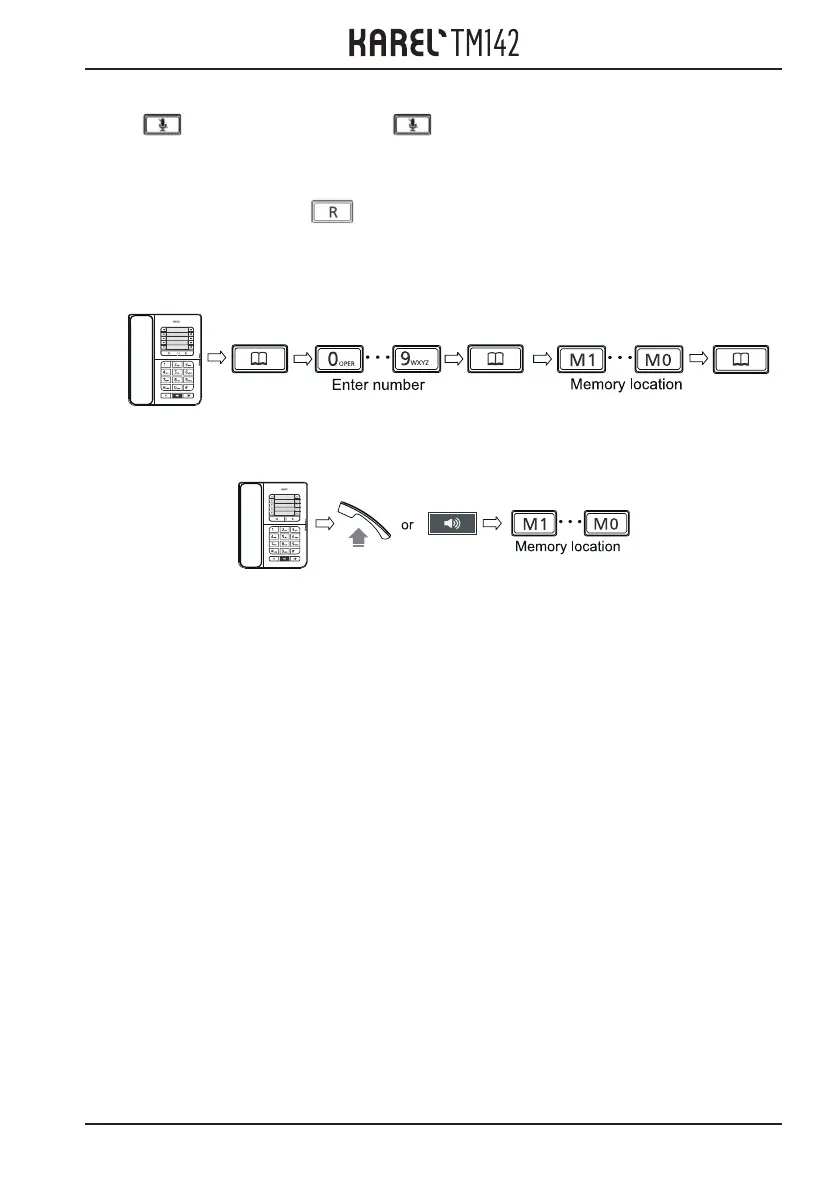
Storing / editing a telephone number:
Dialing a memory location:
6



 To Next Page