Need help?
Do you have a question about the KARL KAPS SOM 22 LED and is the answer not in the manual?
Details safety precautions and warnings specifically for the device installation process.
Provides important safety guidelines for operating the device and its proper disposal.
Step-by-step guide for installing the SOM 62 model.
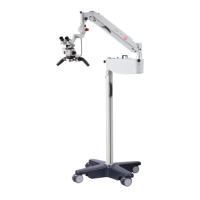
Instructions for assembling the wheeled stand and column for the SOM 62.
Steps for attaching the swivel arm, suspension arm, and microscope to the column.
Step-by-step guide for installing the SOM 32 model, including ceiling mounting.
Instructions for securely installing the ceiling bracket for the SOM 32.
Steps for attaching the swivel arm, suspension arm, and microscope to the SOM 32 column.
Procedure for correctly connecting the device to the mains power supply.
Step-by-step guide for installing the SOM 22 model, including wall mounting.
Instructions for mounting the wall bracket for the SOM 22.
Procedure for powering the device on and off, including status light indicators.
How to adjust the LED illumination brightness using the potentiometer.
Guide on how to adjust the magnification levels for optimal viewing.
A table listing common faults, their causes, and recommended rectification steps.
 General
| Type | Surgical Operating Microscope |
|---|---|
| Illumination | LED |
| Color Temperature | 4, 500 K |
| Power Supply | 100-240 V, 50/60 Hz |
| Application | ENT |
| Working Distance | 400 mm |


 To Next Page