TIME:
Turn the time setting knob in the direction of the arrow to set the current time.
DON’T TOUCH THE CLOCK HANDS DIRECTLY.
WHEN THE ALARM IS OFF:
Press the snooze button to stop the cuckoo from chiming or moving.
When the alarm is on:
Press the snooze button to make the cuckoo y back and stop chiming. The alarm will
resume after 5 minutes.
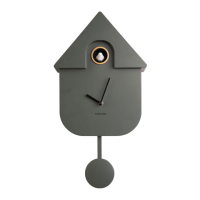
Instruction manual Alarm clock Modern Cuckoo | KA6015
INSERTING BATTERIES:
Open the battery cover (batteries are not included).
Put in 3 batteries, make sure the +/- ends match the illustration.
The light will turn on and the cuckoo will chime for 3 seconds to show power is on.
Close the battery cover after the batteries are in correctly.
ALARM KNOB
TIME KNOB
ALARM:
Turn the alarm setting knob in the direction of the arrow to set the alarm time.
Switch the alarm to “ON”.
ON/OFF SWITCH:
When the alarm is on, switch it to off to make the cuckoo y back and stop chiming.
SNOOZE BUTTON
WHEN THE ALARM IS OFF:
Press the snooze button to stop the cuckoo from chiming or moving.
When the alarm is on:
Press the snooze button to make the cuckoo y back and stop chiming. The alarm
will resume after 5 minutes.
DEMO BUTTON:
Press DEMO to make the cuckoo y out and chime. It will y back and stop chiming afterward.
NOTE: ALL BUTTONS ARE DISABLED DURING DEMO MODE.

 Need help?
 General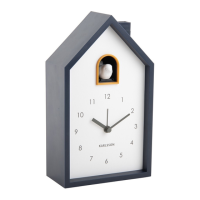

 To Next Page