20
CORDLESS CYCLONIC VACUUM CLEANER
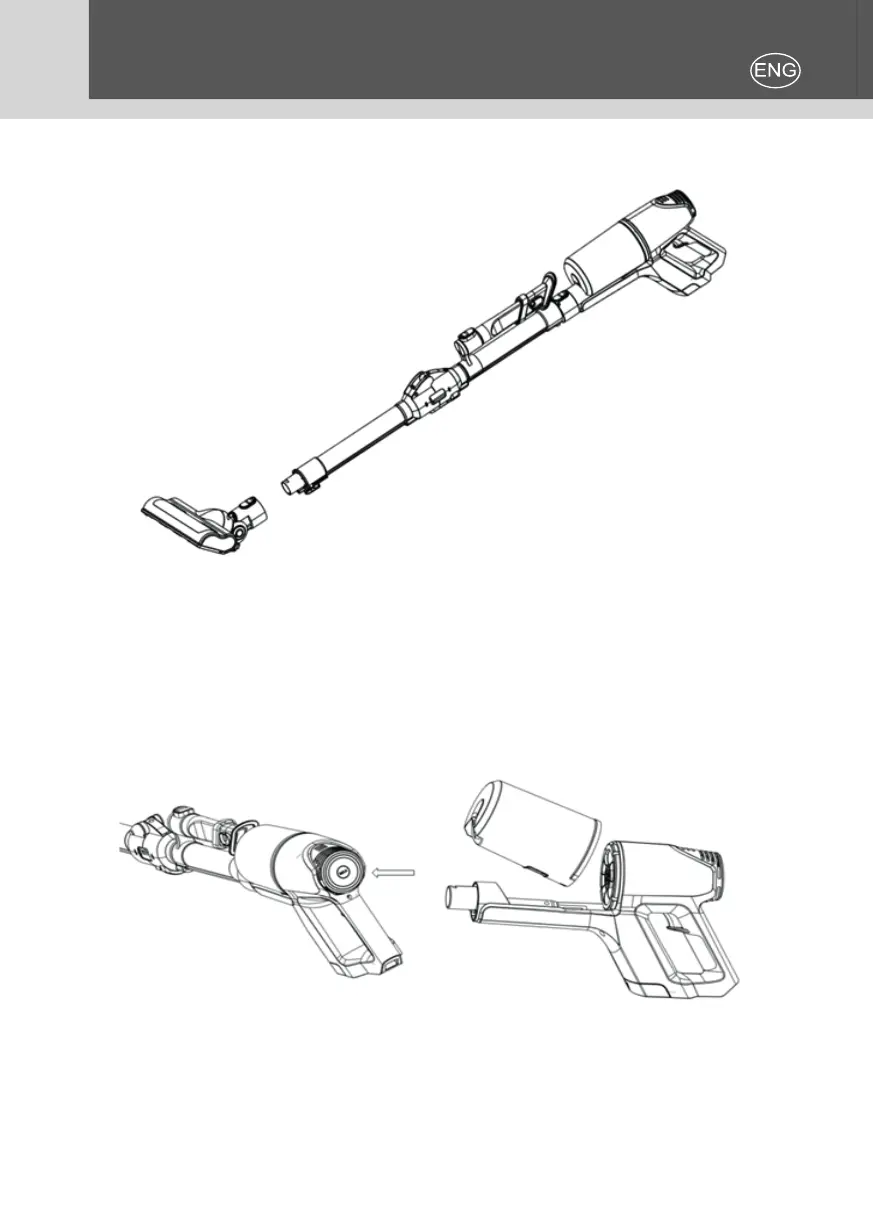
Connect the tube with power brush and align the two pins of both parts, lock
them into the slot of tube.
Push on/o switch for 2 seconds to start the machine, LED indicators turn on.
Push the speed control at the back of main unit to switch low speed and high
speed (see pic.5). During use, the power of the baery reduces accordingly ll
three LED indicator turn o one by one. When the power of baery dies, the
last LED indicator will ash for 30-50 seconds and then the device stops wor-
king. Please charge the device at me aer full using and empty the dust tank
aer each use. Push the buon on the tank to remove the tank. (see pic.6).
To take o the lters on the top of the dust tank, pull o the lever and
take o the coon lter and the stainless steel lter, then empty the dust
tank.
Aer the dust is removed, put both lters into the tank, x the tank into the
Fig.5 Fig.6


 To Next Page