Wireless ADSL Router USER MANUAL
10
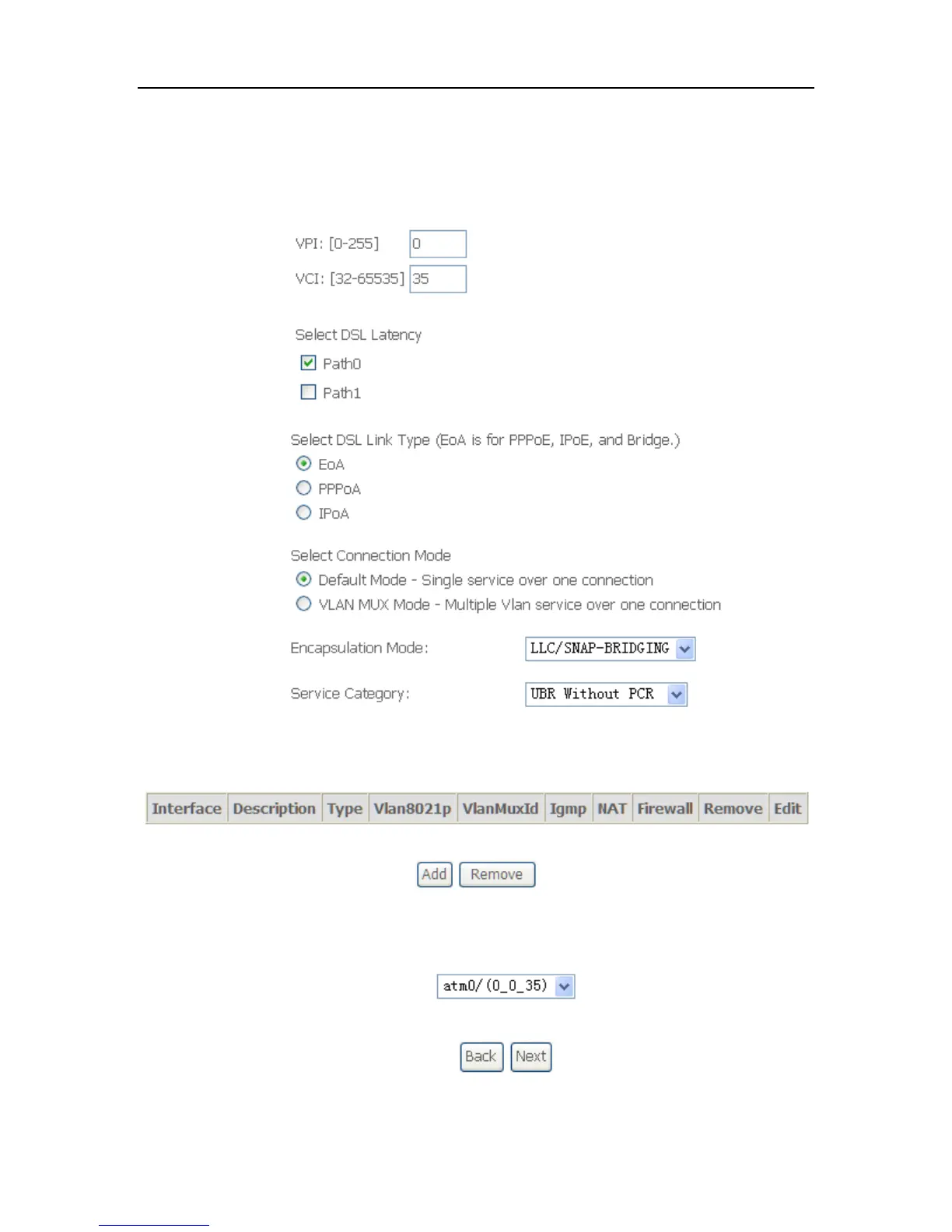
2. Click Add to configure PVC identifier, select DSL latency and select connection
mode according to your local occasion. After the configuration, you need to
click Apply/Save.
3. Click WAN Service from Advanced Setup.
4. Click Add to select a layer 2 interface for this service and then click Next.



 To Next Page