EasyManua.ls Logo

Kasda KW55293 - User Manual

Kasda KW55293
25 pages
Print Icon
To Next Page IconTo Next Page
Loading...
KW55293 Wireless Router
User Manual
Question and Answer IconNeed help?

Do you have a question about the Kasda KW55293 and is the answer not in the manual?

Summary

1. Introduction

1.1 Main Features

Details the key features of the wireless router, including wireless standards, protocols, firewall, and management capabilities.

1.2 Packet Contents

Lists the items included in the router package, such as the router unit, power adapter, and CD.

1.3 System Requirements

Outlines the necessary hardware and software prerequisites for using the router, including internet service and PCs.

1.4 Factory Defaults

Specifies the default IP address and subnet mask configured on the router.

1.5 Warnings and Cautions

Provides essential safety advice and precautions for operating the router to prevent damage or hazards.

2. Hardware Description

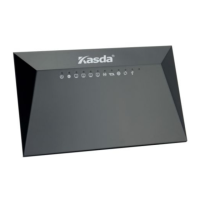
Front Panel

Describes the LEDs on the front panel, their colors, and their corresponding functions or states.

Rear panel

Details the ports and buttons on the rear panel of the router and their functions.

3. Hardware Installation

4. Local PC Configuration

5. Configuring the Router

5.1 Web-based Management Guide

Guides users through accessing and using the router's web interface for configuration.

5.2 Wireless Settings

Covers various wireless network settings, including basic configuration, security, and advanced options.

5.3 DHCP Settings

Explains how to configure DHCP server settings for automatic IP address assignment on the local network.

5.4 Factory Default

Details the process of restoring the router's configuration to its original factory default settings.

Appendix: Frequent Asked Questions

Summary

1. Introduction

1.1 Main Features

Details the key features of the wireless router, including wireless standards, protocols, firewall, and management capabilities.

1.2 Packet Contents

Lists the items included in the router package, such as the router unit, power adapter, and CD.

1.3 System Requirements

Outlines the necessary hardware and software prerequisites for using the router, including internet service and PCs.

1.4 Factory Defaults

Specifies the default IP address and subnet mask configured on the router.

1.5 Warnings and Cautions

Provides essential safety advice and precautions for operating the router to prevent damage or hazards.

2. Hardware Description

Front Panel

Describes the LEDs on the front panel, their colors, and their corresponding functions or states.

Rear panel

Details the ports and buttons on the rear panel of the router and their functions.

3. Hardware Installation

4. Local PC Configuration

5. Configuring the Router

5.1 Web-based Management Guide

Guides users through accessing and using the router's web interface for configuration.

5.2 Wireless Settings

Covers various wireless network settings, including basic configuration, security, and advanced options.

5.3 DHCP Settings

Explains how to configure DHCP server settings for automatic IP address assignment on the local network.

5.4 Factory Default

Details the process of restoring the router's configuration to its original factory default settings.

Appendix: Frequent Asked Questions

Kasda KW55293 Specifications

General IconGeneral
Frequency Band2.4GHz, 5GHz
Ports1 x WAN, 4x LAN
Ethernet Ports4
SecurityWPA/WPA2
FeaturesMU-MIMO, QoS, Parental Controls, Guest Network
Antenna4 x External Antennas

Related product manuals