KW55293 Wireless Router User Manual
18
5.2.3 MBSSID
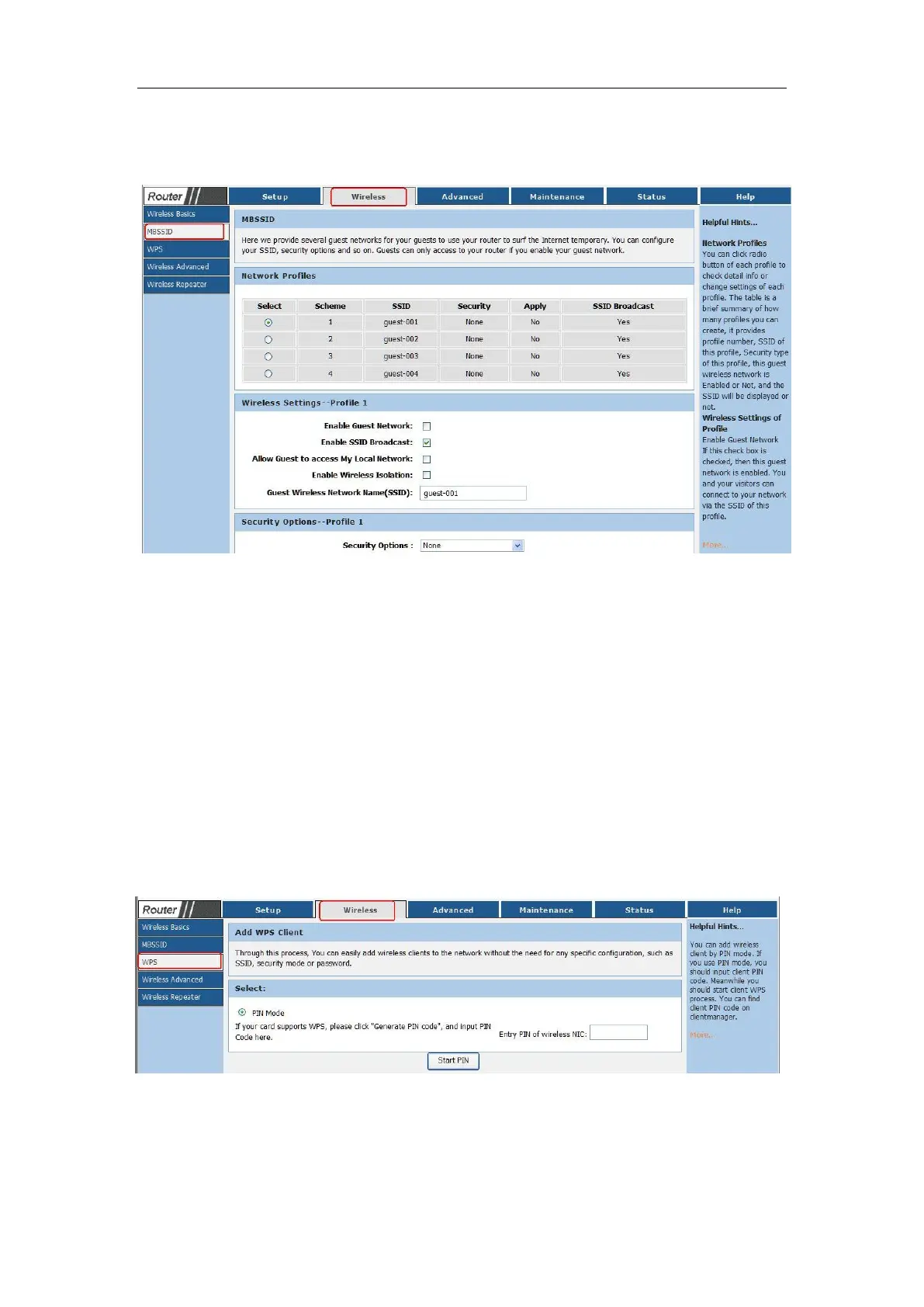
Choose menu “Wireless→MBSSID”, you can configure the Guest Network Wireless Settings
on the page as shown:
Enable Guest Network :You can on or off MBSSID function
Total Guest Allowed:You can configure the number of guest
Enable SSID Broadcast:Enable or Disable the SSID Broadcast
Allow Gust to access My Local Netword:If enabled, guests can communicate with hosts.
Security Option:Can set password for guest network
Click the Save Changes button to save your settings.
5.2.3 WPS
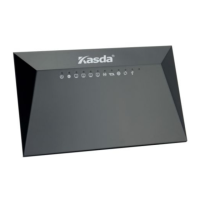
Choose menu “Wireless→WPS”, you can configure the WPS Settings on the page as shown:
WE can enter PIN code in the area of PIN then click Start Pin enabled the WPS function.
Click the Apply Changes button to save your settings.



 To Next Page